www
www
.foscam.co
.foscam.co
m
m
Shenzhen
Shenzhen
Foscam
Foscam
Intelligent
Intelligent
Technology
Technology
Co.,
Co.,
Limited
Limited
Tel:
Tel:
86
86
755
755
2674
2674
5668
5668
Fax:
Fax:
86
86
755
755
2674
2674
5168
5168
4.6.4 Schedule Recording
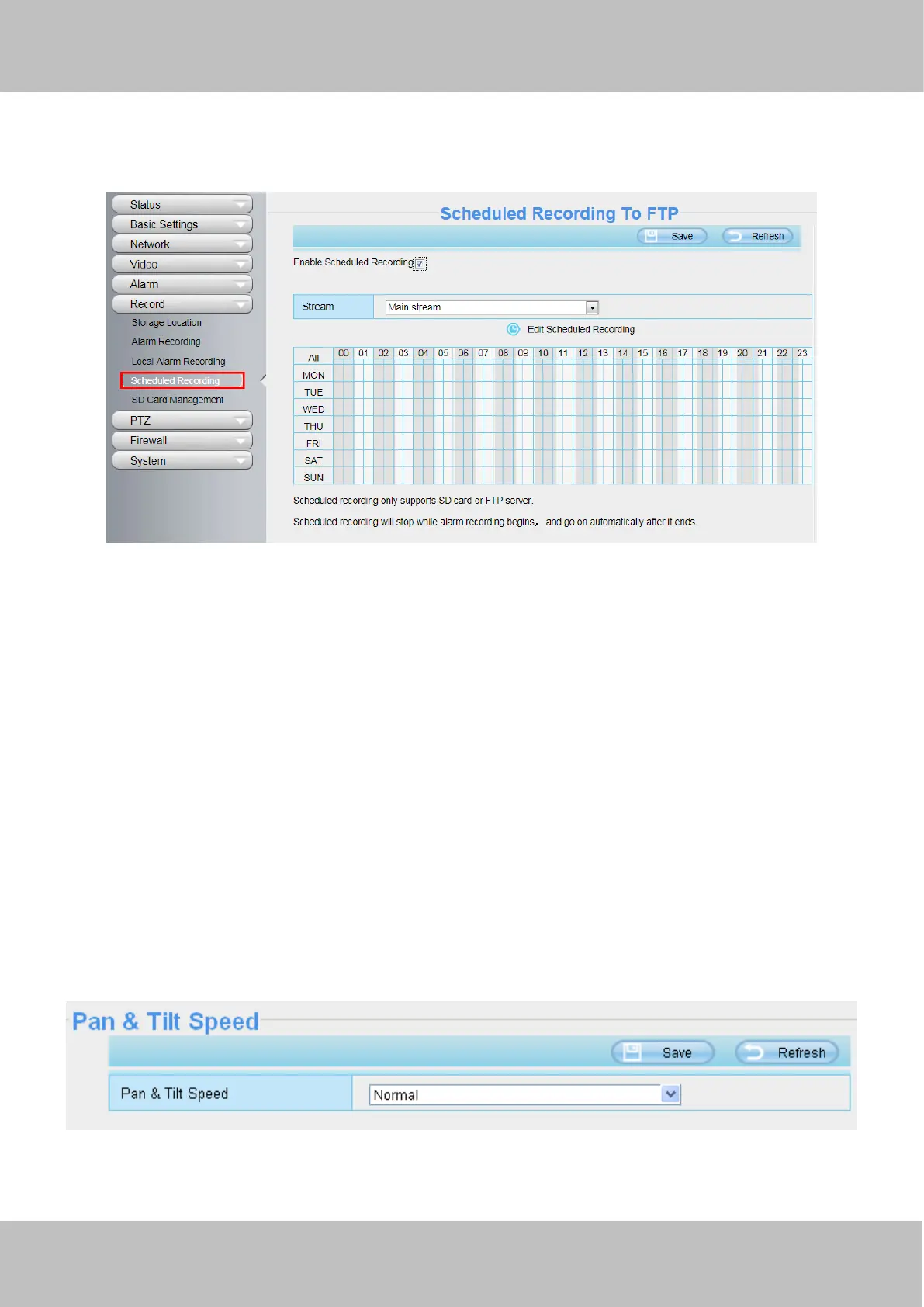
If your recording Location is FTP, on the page you can configure the schedule record.
You can select the main stream or sub stream from the drop-down.
You can set the store path of the recording file on the Storage Location page.
Stream: You can select the main stream or sub stream from the drop-down.
You can set the store path of the recording file on the Storage Location page.
Click Save button to take effect.
4.7 PTZ(only FI9805E)
This page will allow you to change the pan/tilt speed and do RS485 settings.(Only FI9805E have this feature)
4.7.1 Pan/Tilt Speed
There are five Pt speed types: very fast, fast, normal, slow and very slowly. Select the desired pan/tilt speed
type and click save button .



 To Next Page