www
www
.foscam.co
.foscam.co
m
m
Shenzhen
Shenzhen
Foscam
Foscam
Intelligent
Intelligent
Technology
Technology
Co.,
Co.,
Limited
Limited
Tel:
Tel:
86
86
755
755
2674
2674
5668
5668
Fax:
Fax:
86
86
755
755
2674
2674
5168
5168
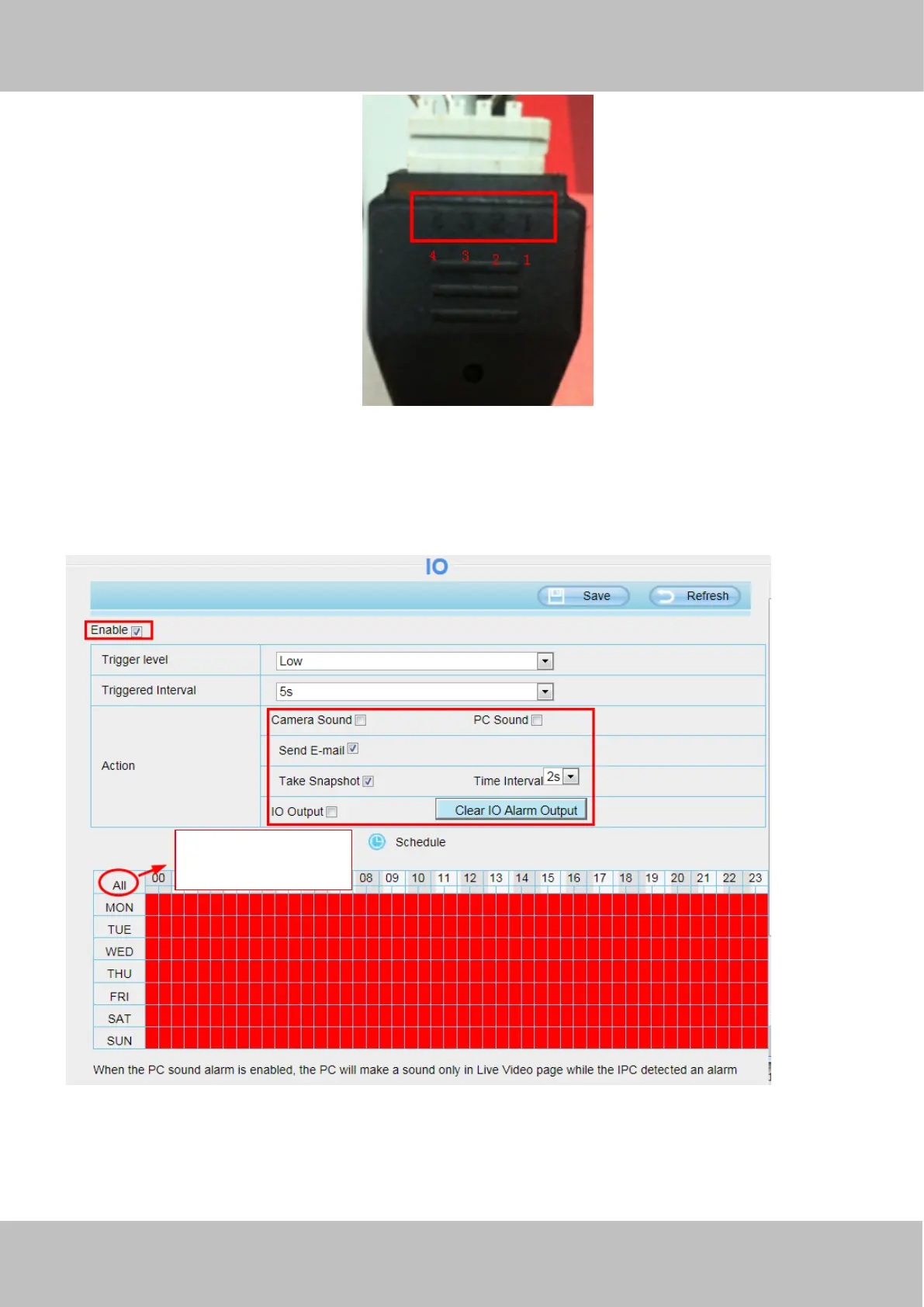
Setting IO alarm
On the IO page, Enable the I/O alarm, select the “Send E-mail”and ”Snapshot” before you have configured the mail
and FTP.
If an IO alarm is triggered and IO alarm output device will always alarm (sound alarm is issued a warning sound, alarm
lights in flash etc.). Click "Clear IO alarm output" , the alarm output device will stop alarming. If IO alarm is triggered
again after alarm interval, IO alarm output device will be restart.
Click this button and
select all time range.



 To Next Page