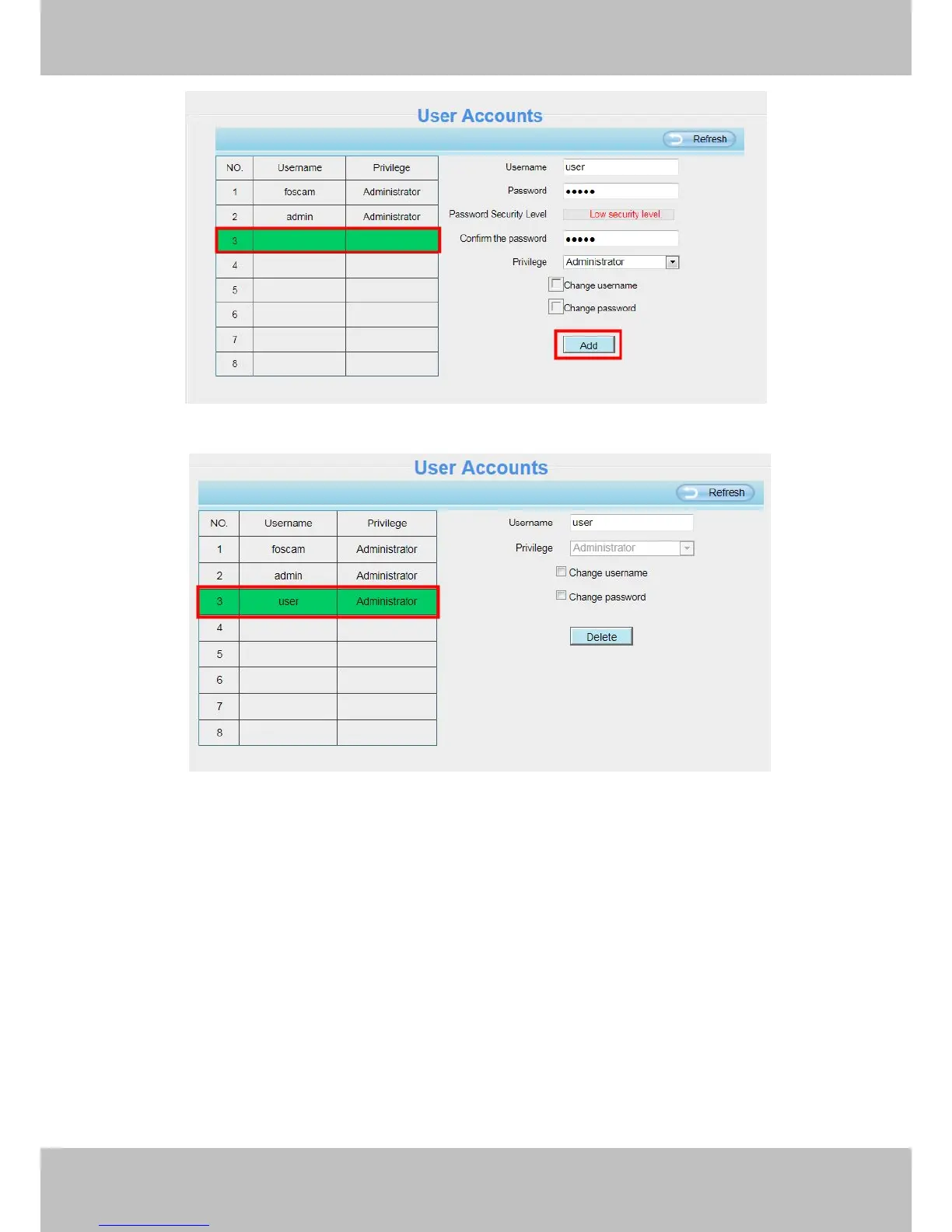
Delete :Select the account which you want to delete, then click Delete button to take effect.
Note:
The default admin account cannot be deleted, but you can add other administrator users.
4.2.4 Multi-Camera
If you want to view multi-surveillance screens on one window, you need to login one camera, and set it as the
main device, and do Multi-Device Settings, add other cameras to the first one camera. Before you do
multi-cams settings, you need to assign different port such as 81, 82, 83, 84, 85, 86, 87, 88 to the cameras if
there is 8 cams installed.
The firmware within the camera can support a maximum of 9 devices monitoring all at the same time. This
page you can both add FOSCAM MJPEG and H.264 series cameras to the first camera and view



 To Next Page