EasyManua.ls Logo

Foscam FI9816P - Configuring Snapshot Settings

Foscam FI9816P
85 pages
Print Icon
To Next Page IconTo Next Page
To Previous Page IconTo Previous Page
Loading...
51
www
www
.foscam.
.foscam.
us
us
Foscam Digital Technologies
Telephone: 1-800-930-0949
51
Click Save to take effect.
Click Test to see if FTP has been successfully configured.
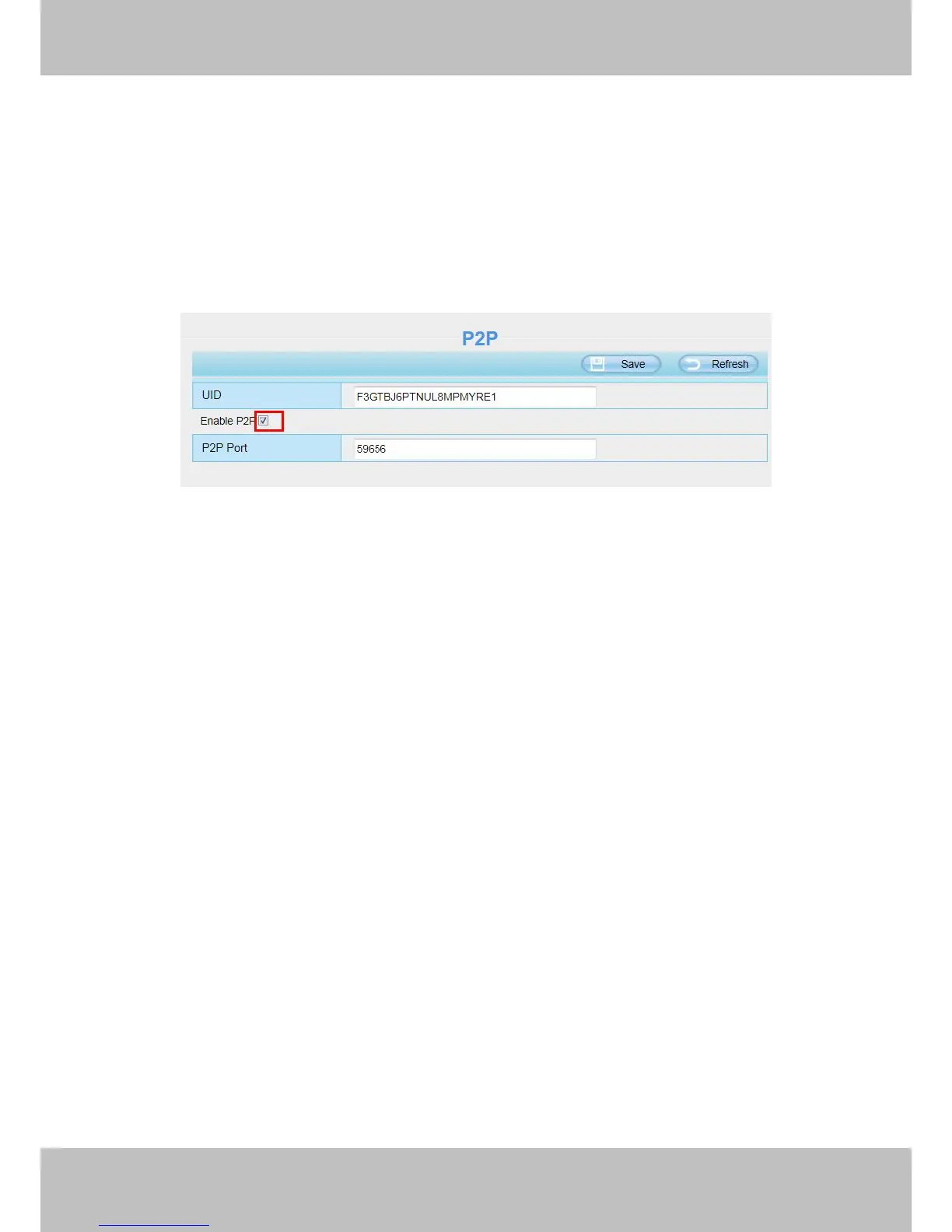
4.3.8 P2P
Access the IP Camera by Smart Phone (Android or iOS operating system)
First of all, you need to open the P2P function of the IP Camera at “Settings-->Network-->P2P”.
Figure 4.40
4.4 Video
This section allows you to configure Video stream settings, On screen display and Snapshot settings.
4.4.1 Video Settings
There are two ways to set the stream video settings. They are main stream video settings and sub stream
video settings.

Other manuals for Foscam FI9816P

Related product manuals