www
www
.foscam.
.foscam.
us
us
Foscam Digital Technologies
Telephone: 1-800-930-0949
6
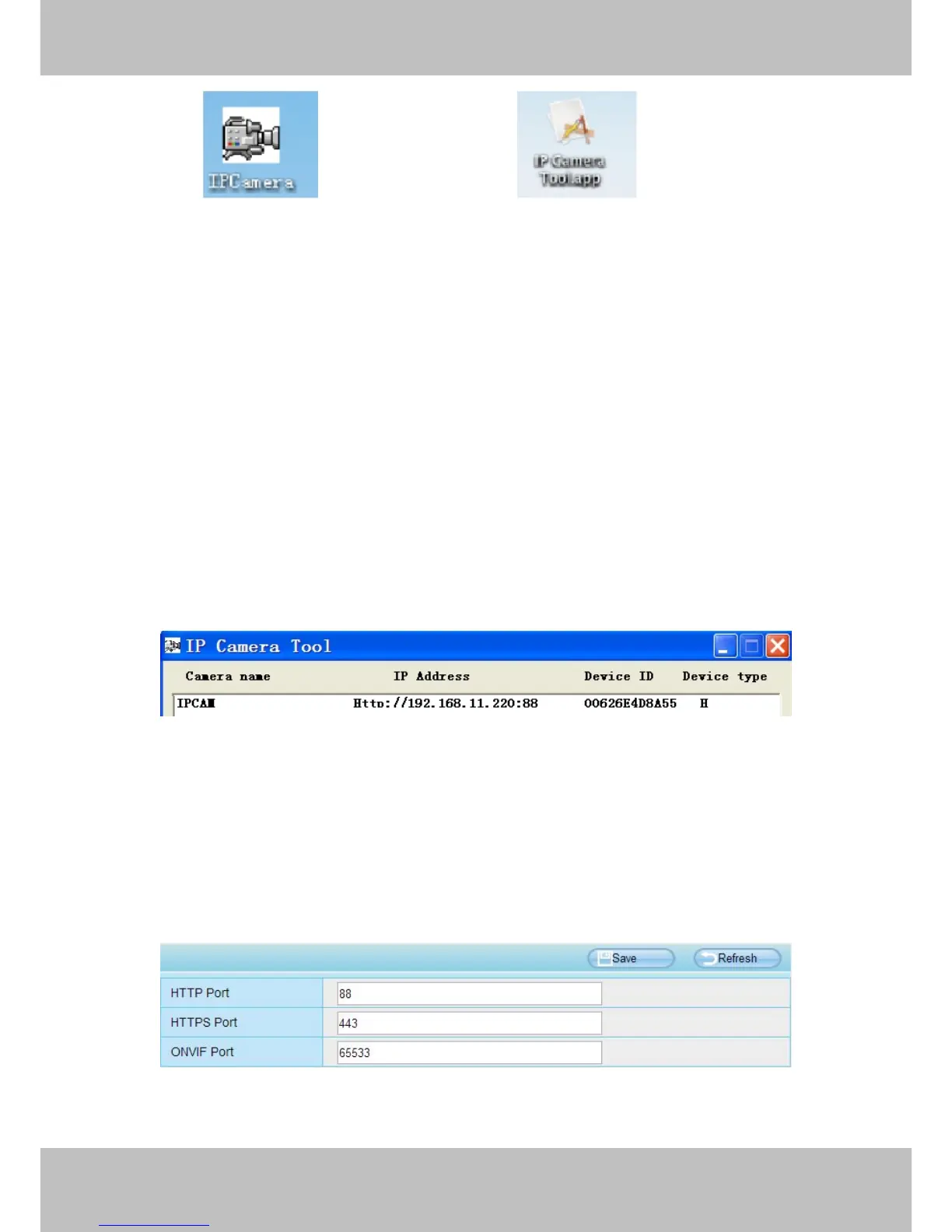
Shortcut icon for Windows OS Shortcut icon for Mac OS
Notes:
If your computer ( Windows OS ) supports autorun function, you can find the corresponding file in the
If your computer doesn’t have CD drive, you can download the IP camera tool from our website for free.
This chapter explains how to access the camera through browser and RTSP player.
2.2 Access the Camera in LAN
The camera supports HTTP and HTTPS protocols, you can access the camera in two ways.
(1) http:// LAN IP + HTTP Port NO.
The default HTTP port NO. is 88. Double click the IP Camera Tool icon to run, and it should find the camera’s
IP address automatically after you plug in the network cable.
Figure 2.2
Double click the IP address of the camera; the camera login page should be open in your default browser.
(2) https:// LAN IP + HTTPS Port NO.
The default HTTPS port NO. is 443. You can use the URL to access the camera: https:// LAN IP + HTTPS port
NO.
Go to Settings - Network - Port panel, you can see and change the HTTP and HTTPS port NO.
Figure 2.3



 To Next Page