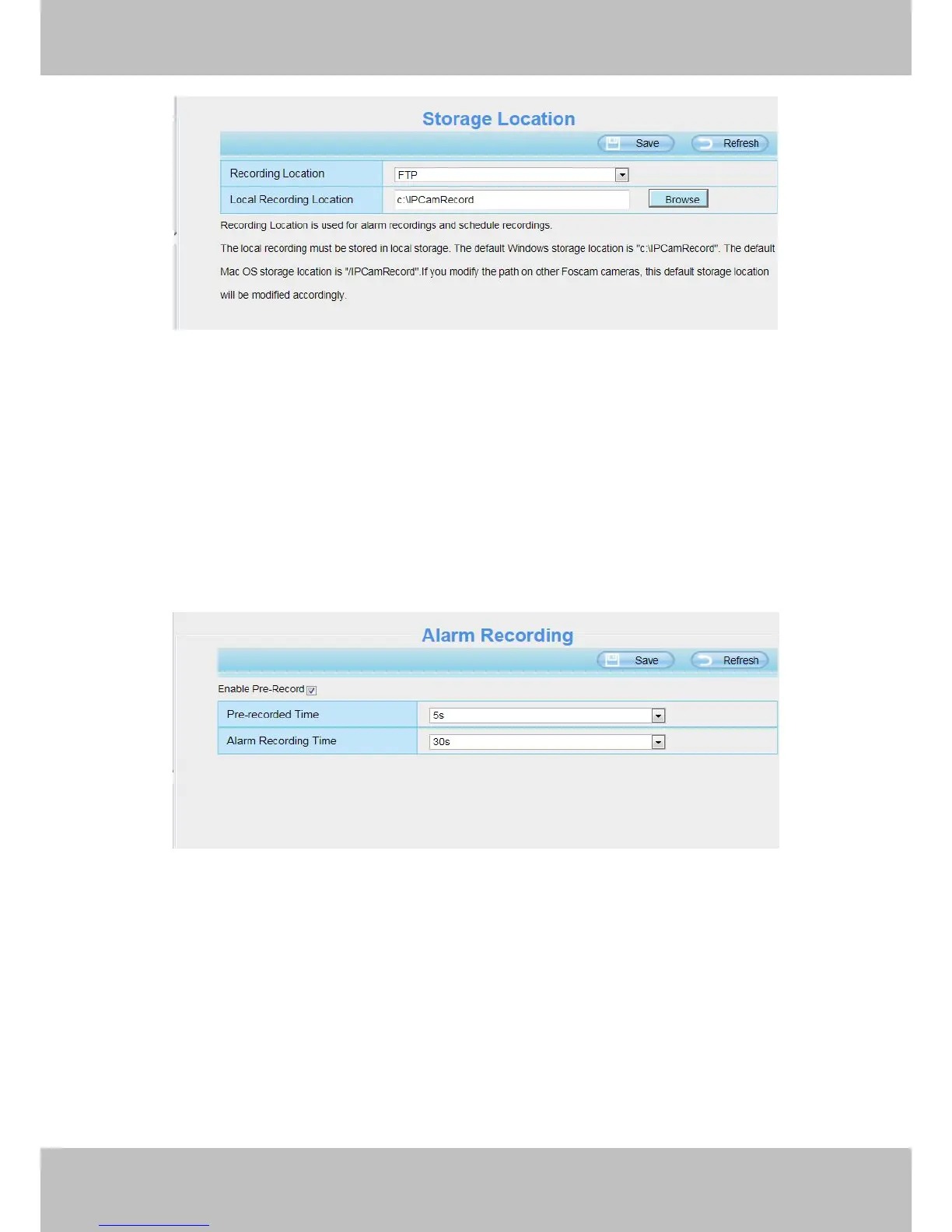
Recording Location: SD card. When the camera alarmed, it will store the alarm files to the SD card. Make
sure the camera has been inserted the SD card. On this page, you can see the available space of the SD card.
Local Recording Location: For Windows OS, the location recording path is c:/ IPCamRecord, you can
change another one. For MAC OS, the manual recording path is: / IPCamRecord.
4.6.2 Alarm Record
This page you can change the Pre-record time and Alarm record time.
The default Pre-recorded time is 5s and the alarm record time is 30s, you can change another time, click Save
button to take effect.
4.6.3 Local Alarm Record
This page you can enable the local alarm record and Local Alarm record time.



 To Next Page