www
www
.foscam.
.foscam.
us
us
Foscam Digital Technologies
Telephone: 1-800-930-0949
7
NOTE:
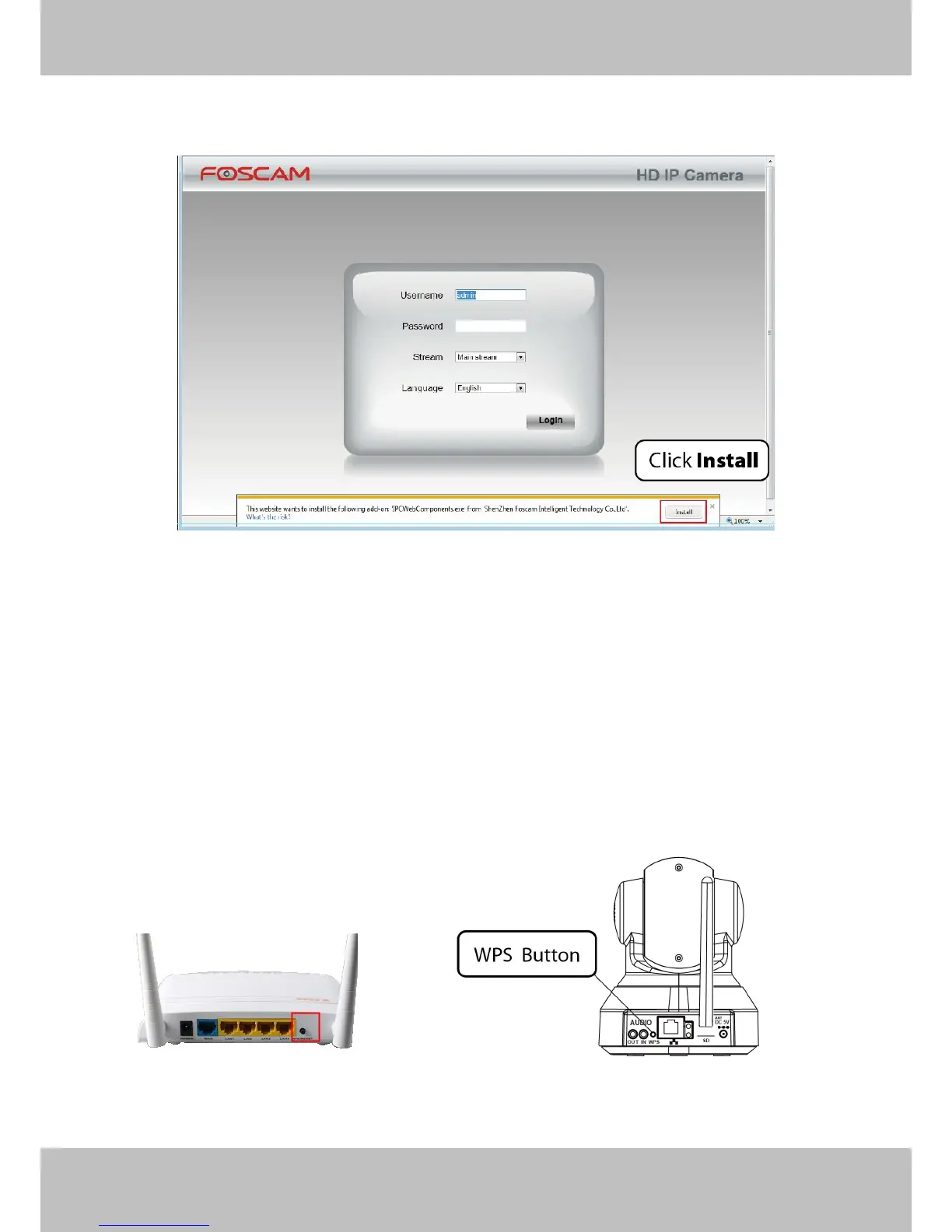
When logging in for the first time, you will need to download and install the add-on.
Figure 2.4
There are two ways of wireless connection: EZLink or WPS.
WPS (WI-FI Protected Set-up)
Before using WPS wireless connection, you need to:
Make sure that your wireless router has the WPS function, and has been properly connected to the
WPS button on the wireless router is typically located on the front panel or rear panel.TP-LINK router's
WPS button is called QSS (Quick Security Setup).
Make sure that the ethernet cable and the camera is disconnected.
Press and hold the WPS button for three seconds. The Network light of the camera begins to twinkle at
high frequency. (every 0.4 seconds)



 To Next Page