Step 2: Enter the username and password of the Administrator (default username is admin with a blank
password), and click “OK” to apply changes.
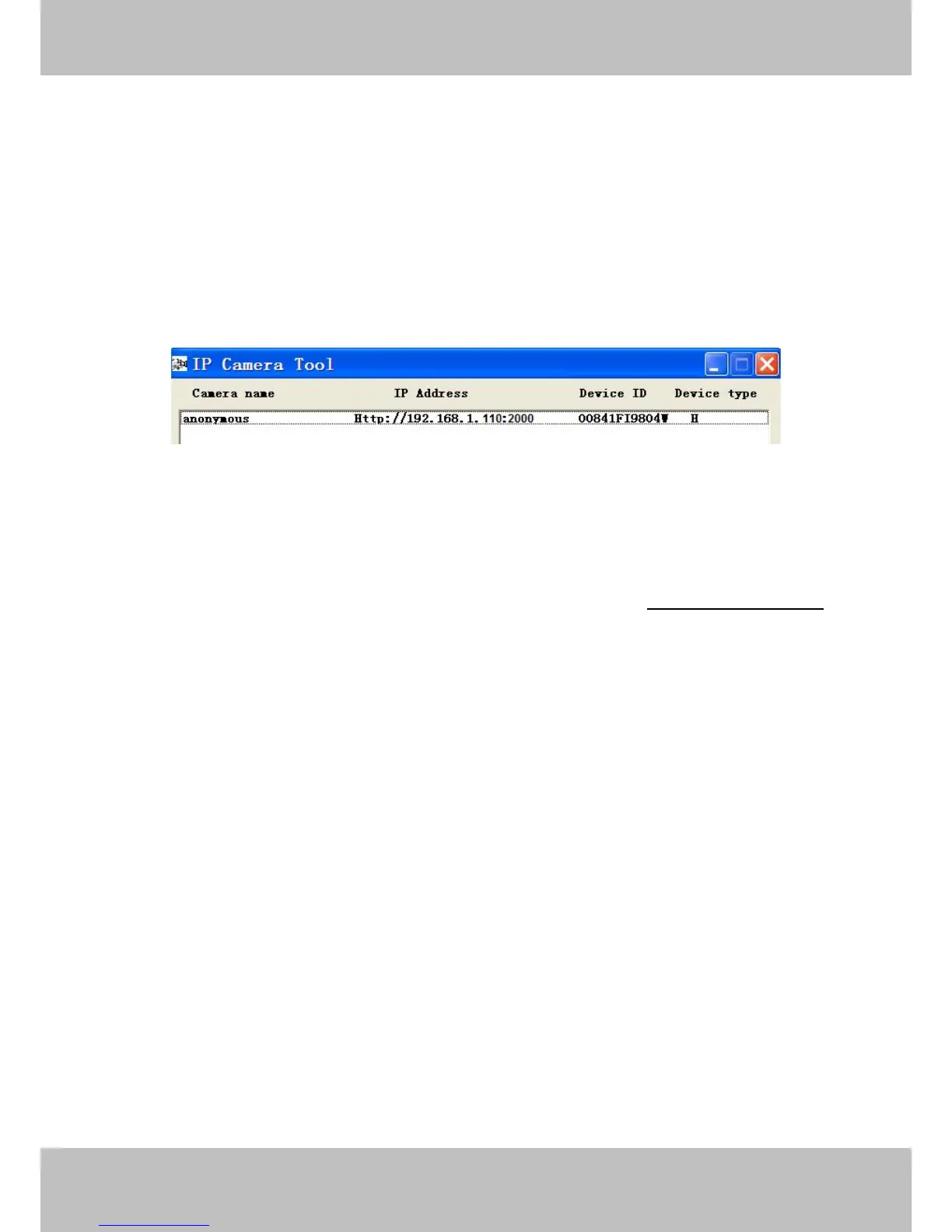
Step 3: Wait around 10 seconds, you’ll see that the camera’s LAN IP address has changed. In our example it
was changed to 2000, so we see http://192.168.1.110:2000 in IP Camera Tool. Also, the LAN IP address is
now fixed at a static IP address of http://192.168.1.110:2000 . This IP address will not change even if the
camera is powered off and back on, the camera will remain on this LAN IP address. This is very important that
a static LAN IP address is set, or you may have problems later with remote access and seeing the camera
remotely if the camera loses power and reconnects on a different LAN IP address. Make sure you set a static
LAN IP address!
If the camera cannot be accessed, please make sure the port forwarding is succeed.
ONVIF port: By default, the ONVIF port is set to 888. Also, they can be assigned with another port number
between 1 and 65535(except 0 and 65534). But make sure they can not be conflict with other existing ports.
HTTPS port: The default port is 443. You can use the url to access the camera: https:// IP + HTTPS port.
RTSP port: The default port is 554.
4.3.6 Mail Settings
If you want the camera to send emails when motion has been detected, here Mail will need to be configured.



 To Next Page