EasyManua.ls Logo

Fostex R8 - Front Panel Controls and Indicators; Basic Transport and Recording Controls; Monitoring and Status Indicators

Fostex R8
24 pages
Print Icon
To Next Page IconTo Next Page
To Previous Page IconTo Previous Page
Loading...
Prossing
this
button
io
ight
itp
LED
@
enters
AUTO
PLAY
тойо,
ic.
tho
A8
wil
siart
playback
whenever
a
memory
point
is
located.
(See
page
14)
@
AUTO
PLAY
LED
When
the
AUTO
PLAY
LEI
sot.
(9
AUTO
RTN
(RETURN)
button
When
this
button
has
been
pressed
to
ight
ils
LED
indicator.
ће
tape
wit
automaticaly
reum
to
а
preset
“start
paint
once
the
spectied
"end
point"
is
reached
(see
page
14).
Normally,
tho
tape
wil
stop
there,
but
if
used
in
combination
with
AUTO
PLAY,
playback
wil
automatically
begin
from
the
мап
point,
thus
creating
an
endless
play
loop
('shurtla
play")
То
carcel
auto
return
mode,
simply
press
ths
button
again
48
AUTO
ТАМ
LED
This
LED
lights
up
to
inclcate
auto
return
mode.
F
a
mistake
has
been
made
when
specifying
the
auto
reium
zone
(see
page
14),
this
LED
will
blink
instead,
showing
that
ашо
retum
mode
cannot
be
entered
©
LOCATE
0
button
Press
thie
button
to
automatically
rowindiast
forward
the
tape
te
the
"ОСНООМОС"
position
an
tho
TAPE
TIME
сора
9
(F
you
have
set
a
pre-roll.
the
tape
wil
sop
at
the
prerol
postion
instead.
See
page
13).
LOCATE
0
LED
This
LED
lights
up
whon
the
LOCATE
0
button
is
pressed
As
soon
as
the
"ООНООМО05"
poston
is
located,
this
LED
дого
cut
LOCATE
button
Used
to
rewincitas
forward
the
tage
to
the
currently
selected
memory
position.
(Sco
page
13).
(8)
LOCATE
LED
Lights
up
when
LOCATE
@
is
pressed
and
tre
FB
є
search
ing
for
the
selected
locate
point,
£
goes
out
as
soon
as
tape
laches
to
the
destination
When
the
RCL
button
@
is
used
in
combination
with
a
numeric
kay
to
recall
а
certain
memory
pont,
this
LED
starts
to
blink
®
ZONE
LIMIT
bution
Pressing
this
button
lirits
tape
travel
within
the
specifed
zone
(сва
pago
15).
The
tape
wil
automatically
Фор
as
soon
28
i
goes
out
of
the
pre-programmed
zone
То
cancel
the
zone
ит!
(or
tape
reel
zone)
function,
press
this
bution
again.
48
ZONE
LIMIT
LED
Pressing
the
ZONE
LIMIT
button
@
causes
this
LED
to
cither
light
up
or
blink,
И
ZONE
LIMIT
е
proccod
outside
of
tho
specified
zone,
this
LED
wil
bink.
It
also
starts
го
flash
when
the
end
or
the
be.
ginning
othe
zone
is
reached
in
zone
limit
made.
The
ZONE
LIMIT
LED
lats
up
continuously
when
ZONE
LIMIT
is
pressed
within
the
limited
zone,
or
as
soon
as
the
zone
is
entered
in
ary
of
the
transport
modes,
@
RESET
button.
This
button
resets
the
TAPE
TIME
counter
to
0;
all
currently
displayed
numbers
are
canceled
and
a
0
appears
for
all
igi.
The
present
tape
location
now
becomes
the
cue
point
for
the
locate
zero
function,
is
it,
auto
play
mode
is
currently
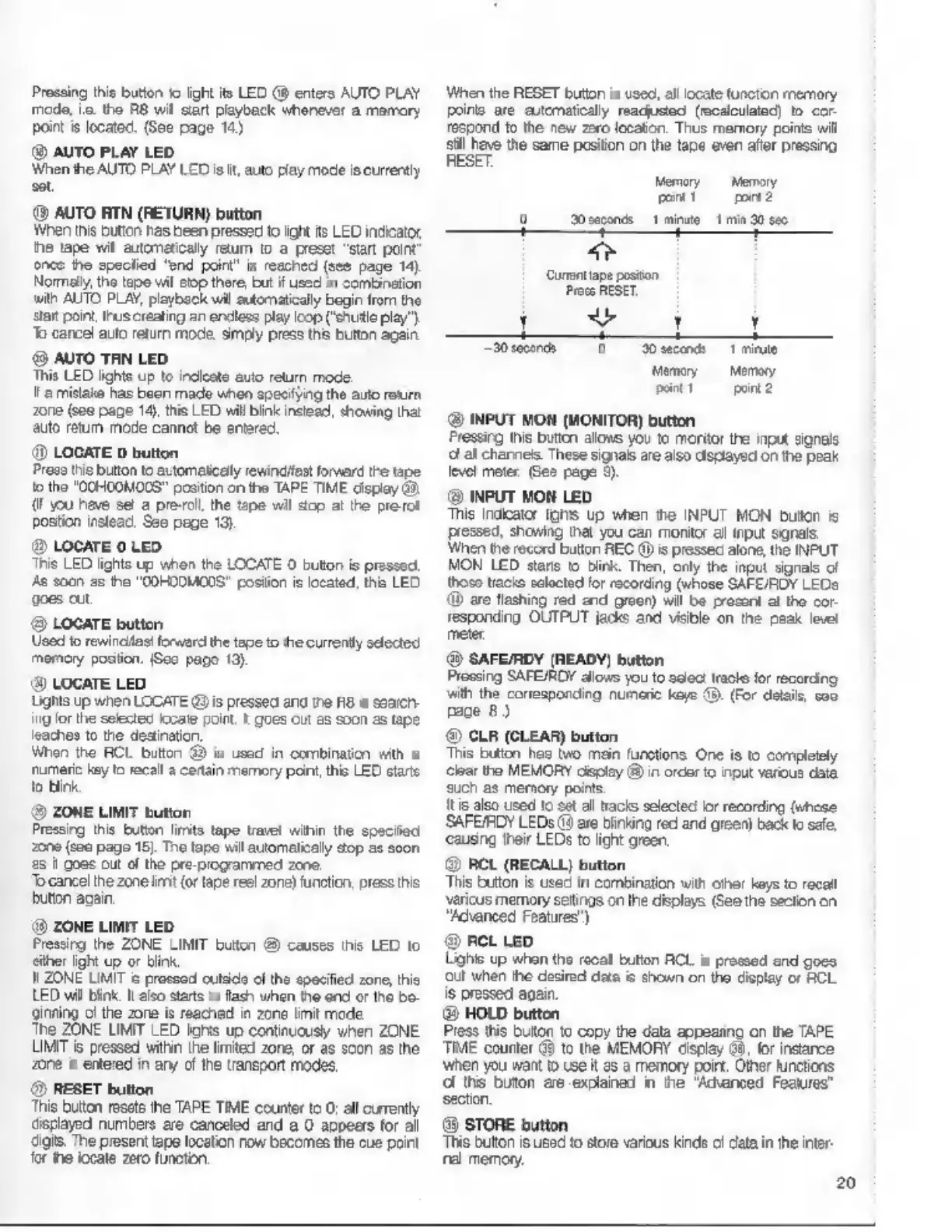
When
the
RESET
button
is
used,
allocate
functo
memory
ропе
are
eutcmatialy
readjusted
(recalculated)
to
cor-
respond
to
the
new
zero
locaton.
Thus
memory
points
will
sill
have
the
same
position
on
the
tape
even
afler
pressing
RESET
Memory
Memory
Tow!
mn
9
doses
fme
4
min
30
sec
H
:
Curt
ipo
poston
Press
RESET
Н
Ll
М
Тан
0
н
T
mine
Memey
Memory
рант
mm
@
INPUT
MON
(MONITOR)
button
Pressing
this
button
allows
you
to
moritor
the
input
signals
а
all
charness
These
signals
are
also
displayed
on
the
peak
level
meter.
Gee
page
9).
@
INPUT
MON
LED
This
indicator
Ins
up
when
the
INPUT
MON
button
is
pressed,
showing
that
you
can
monitor
al
input
signals.
When
the
record
button
REC
@
is
pressed
alone,
the
INPUT
MON
LED
stars
to
blink.
Then,
only
the
input
signals
of
thoso
паске
selected
for
recording
(whose
SAFE/ROY
LEDs
бр
are
flashing
red
end
green)
will
be
presant
at
the
cor-
responding
OUTPUT
jacks
and
visible
on
the
peak
level
meter,
@
SAFE/RDY
(READY)
button
Pressing
SAFE/ŘDY
allows
you
to
0000:
racle
for
recording
with
the
corresponding
numeric
keye
©.
(For
details,
soo
page
8.)
©
CLR
(CLEAR)
button
This
button
has
мо
main
functions.
One
is
to
completely
lear
the
MEMORY
display
@
in
orcer
to
при
various
data
such
as
memory
points
It
is
also
used
to
set
all
tracks
selected
ог
recording
(whose
SAFE/PDY
LEDs
(4
are
blinking
red
and
green)
back
to
safe
‘causing
their
LEDs
to
light
green
@
RCL
(RECALL)
button
This
button
is
used
in
combination
with
other
keys
to
recall
varicus
memory
settings
on
the
displays
(See
the
section
on
“Advanced
Features’
@
RCL LED
Lighis
up
when
the
racal
button
RCL
is
pressed
end
gocs
‘out
when
the
desired
data
is
shown
on
the
display
ог
RCL
is
pressed
again.
@
HOLD
button.
Press
this
buton
to
copy
the
data
appearing
on
the
TAPE
TIME
counter
@
to
the
MEMORY
cisplay
68,
for
instance
when
you
want
to
Use
it
es
а
memory
point.
Other
functions.
d
this
buton
are
exolaned
in
the
"Advanced
Features”
section,
($$
STORE
button.
This
button
is
used
to
store
various
kinds
data
in
the
inter-
na
memory.
20

Other manuals for Fostex R8

Related product manuals