EasyManua.ls Logo

Fostex X-28 - Mixdown and Effects Processing

Fostex X-28
36 pages
Print Icon
To Next Page IconTo Next Page
To Previous Page IconTo Previous Page
Loading...
5.
Press
the
REC
button
to
enable
input
monitoring
with
track
4’s
level
meter,
and
adjust
the
levels
of
the
signals.
The
MASTER
fader
should
be
at
its
optimum
level
(around
7),
as
should
the
INPUT
1
and
2
faders.
Also
adjust
the
TRIM
controls
for
the
inputs
to
suitable
levels.
6.
Monitor
the
previously
recorded
tracks.
Make
sure
that
the
INPUT
SELECT
switches
of
the
three
recorded
tracks
are
set
to
TRK.
Set
the
faders
for
the
channels
to
suitable
levels.
1
a
3
4
5
6
7
B
7.
P
ractice
the
vocal
and
guitar
parts
before
record¬
ing,
checking
the
level
of
the
signals
with
the
level
meters.
Press
the
REC
and
PLAY
buttons
simulta¬
neously
and
record
the
track
as
usual.
Mixdown
and
Effects
Processing
Adding
Reverb
Mixdown
is
the
process
of
playing
several
previously
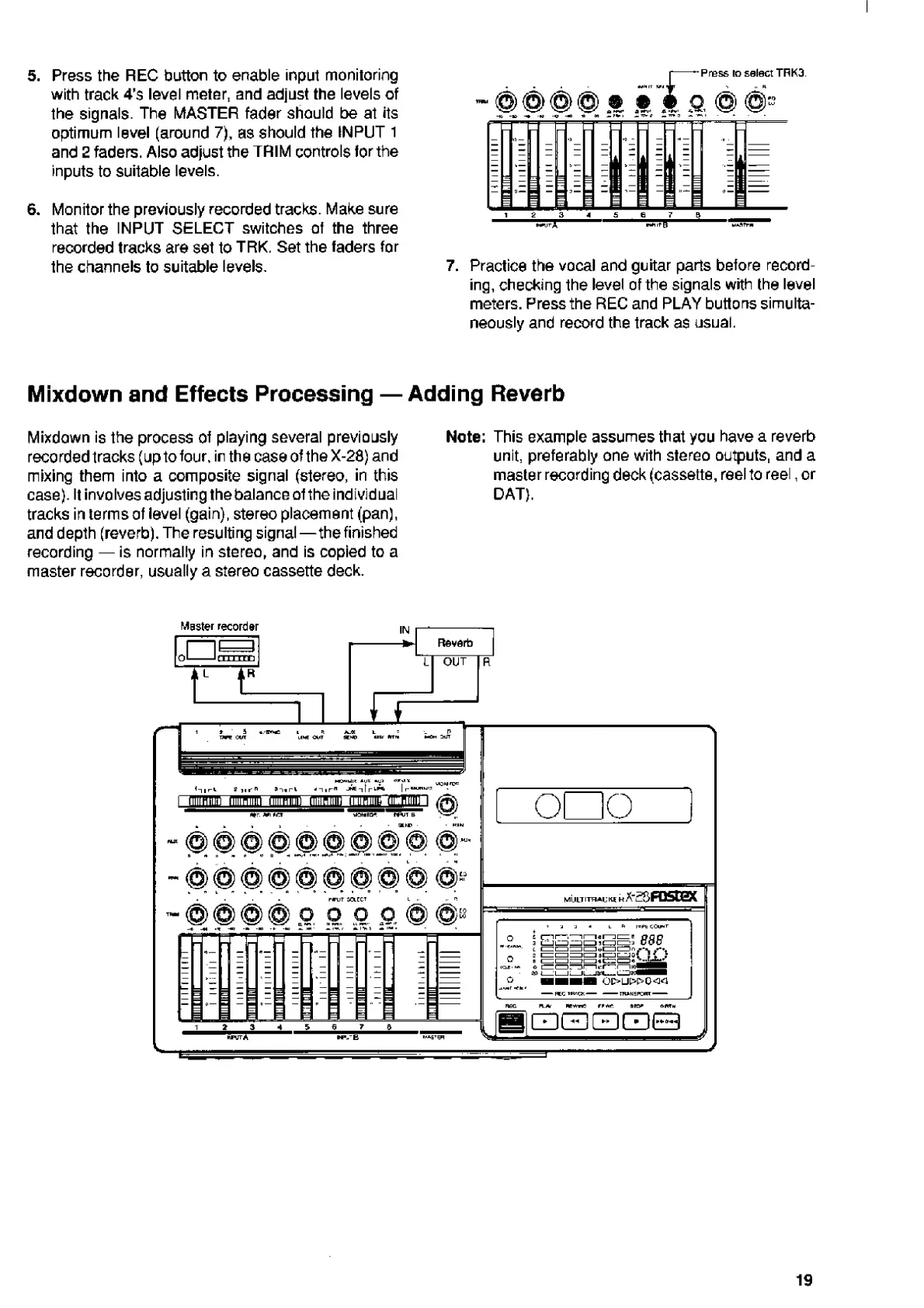
Note:
This
example
assumes
that
you
have
a
reverb
recordedtracks(uptotour,irthecaseoftheX-28)and
unit,
preferably
one
with
stereo
outputs,
and
a
mixing
them
into
a
composite
signal
(stereo,
in
this
master
recording
deck
(cassette,
reel
to
reel,
or
case).
It
involves
adjusting
the
balance
of
the
individual
DAT).
tracks
in
terms
of
level
(gain),
stereo
placement
(pan),
and
depth
(reverb).
The
resulting
signal—the
finished
recording
is
normally
in
stereo,
and
is
copied
to
a
master
recorder,
usually
a
stereo
cassette
deck.
19

Related product manuals