EasyManua.ls Logo

Fostex X-28 - Page 30

Fostex X-28
36 pages
Print Icon
To Next Page IconTo Next Page
To Previous Page IconTo Previous Page
Loading...
The
following
is
a
basic
exam
pie
of
tape
sync
operation
in
which
a
rhythm
machine
and
synthesizer
are
con¬
trolled
by
a
MIDI
sequencer
synchronized
to
the
X-28
via
tape
track
4.
Signals
recorded
to
the
other
three
tape
tracks
are
mixed
with
signals
from
the
rhythm
machine
and
synthesizer,
and
processed
with
reverb
during
mixdown.
1.
Generally,
it
is
a
good
idea
to
record
the
basic
parts
of
the
song
on
yoursequencer
first.
Save
the
tracks
of
the
X-28
for
lead
parts,
such
as
vocals
and
guitar
solos,
that
cannot
be
recorded
on
the
sequencer.
Also
take
care
to
program
the
proper
tempo
and
song
length
for
the
sequencer,
since
this
cannot
be
changed
once
the
tape
sync
track
is
recorded.
2.
Connect
the
sync
out
jack
from
the
FSK-to-MIDi
converter
to
INPUT
channel
4,
and
record
the
tape
sync
signal
on
track
4
(using
the
normal
recording
procedure).
Record
the
signal
all
the
way
to
the
end
of
the
song.
Once
you
have
recorded
it,
you
can
remove
the
tape
sync
input
from
the
jack.
Note:
The
synctone
should
be
recorded
on
one
of
the
“outside”
tape
tracks
(either
1
or
4)
to
minimize
possible
crosstalk
with
the
other
tracks.
(Crosstalk
is
when
the
signal
from
one
track
bleeds
through
to
an
adjacent
track.)
Track
4
has
been
chosen,
since
track
1
is
normally
regarded
as
the
first
track
of
the
recording.
Note:
For
detailed
information
concerning
proper
re¬
cording
level
for
the
FSK
signal
and
the
required
length
of
the
pilot
tone
that
precedes
the
start
of
the
song,
refer
to
the
owner’s
manual
of
your
MIDI
device.
3.
To
control
the
sequencer,
the
newly
recorded
sync
tone
must
be
sent
back
to
the
converter.
Connect
the
TAPE
OUT
4
jack
to
the
sync
in
jack
on
the
converter.
(This
tape
output
is
direct
and
bypasses
the
mixing
network.)
4.
The
exact
procedure
tor
running
the
X-28
and
the
sequencer
in
synchronization
differs
depending
on
the
sequencer
used.
Generally,
though,
these
are
the
steps
you
should
follow:
1)
set
your
sequencer
to
external
sync
(sometimes
called
"MIDI
slave
mode")
and
start
the
sequencer;
2)
press
PLAY
on
the
X-28.
Once
the
sync
tone
has
been
received
by
the
sequencer,
it
will
begin
running
and
the
two
devices
will
play
in
perfect
synchronization.
Note:
You
cannot
start
synchronized
playback
(with
FSK)
in
the
middleof
a
sequenced
song.
Always
rewind
to
well
before
the
beginning
of
the
sync
tone
and
play
back
from
that
point.
5.
Once
you
have
recorded
the
basic
parts
of
the
song
to
the
sequencer
and
synchronized
the
sequencer
to
the
X-28
in
the
above
steps,
you
will
need
to
listen
to
the
sequencer
tracks
as
you
record
additional
parts
to
the
X-28.
To
do
this,
temporarily
connect
the
tour
signals
from
the
rhythm
machine
and
synthesizer
to
the
INPUT
B
inputs
5
8.
6.
Set
the
MONITOR
select
switch
to
MONMIX
+
LINE,
and
the
INPUT
B
switch
to
REMIX.
Set
the
INPUT
B
channel
PAN
controls
to
center.
7.
Set
up
track
1
for
direct
recording.
Connect
the
sound
source
to
input
channel
1,
set
the
REC
SELECT
switch
for
the
channel
to
1,
and
bring
up
the
fader
and
TRIM
to
appropriate
levels.
8
.
Set
the
sequencer
to
external
sync
and
start
it,
then
press
PLAY
on
the
X-28,
as
you
did
in
step
#4
above
to
play
back
the
two
devices
in
synchroniza¬
tion.
Press
the
REC
button
once
to
check
the
input
level
of
the
new
signal
before
you
actually
record.
Once
everything
is
set
to
your
satisfaction,
set
the
sequencer
and
X-26
running
in
synchronization
again,
this
time
pressing
the
REC
and
PLAY
buttons
simultaneously
to
begin
recording.
Listen
to
the
rhythm
machine
and
synthesizer
as
a
guide
as
you
record
the
new
track.
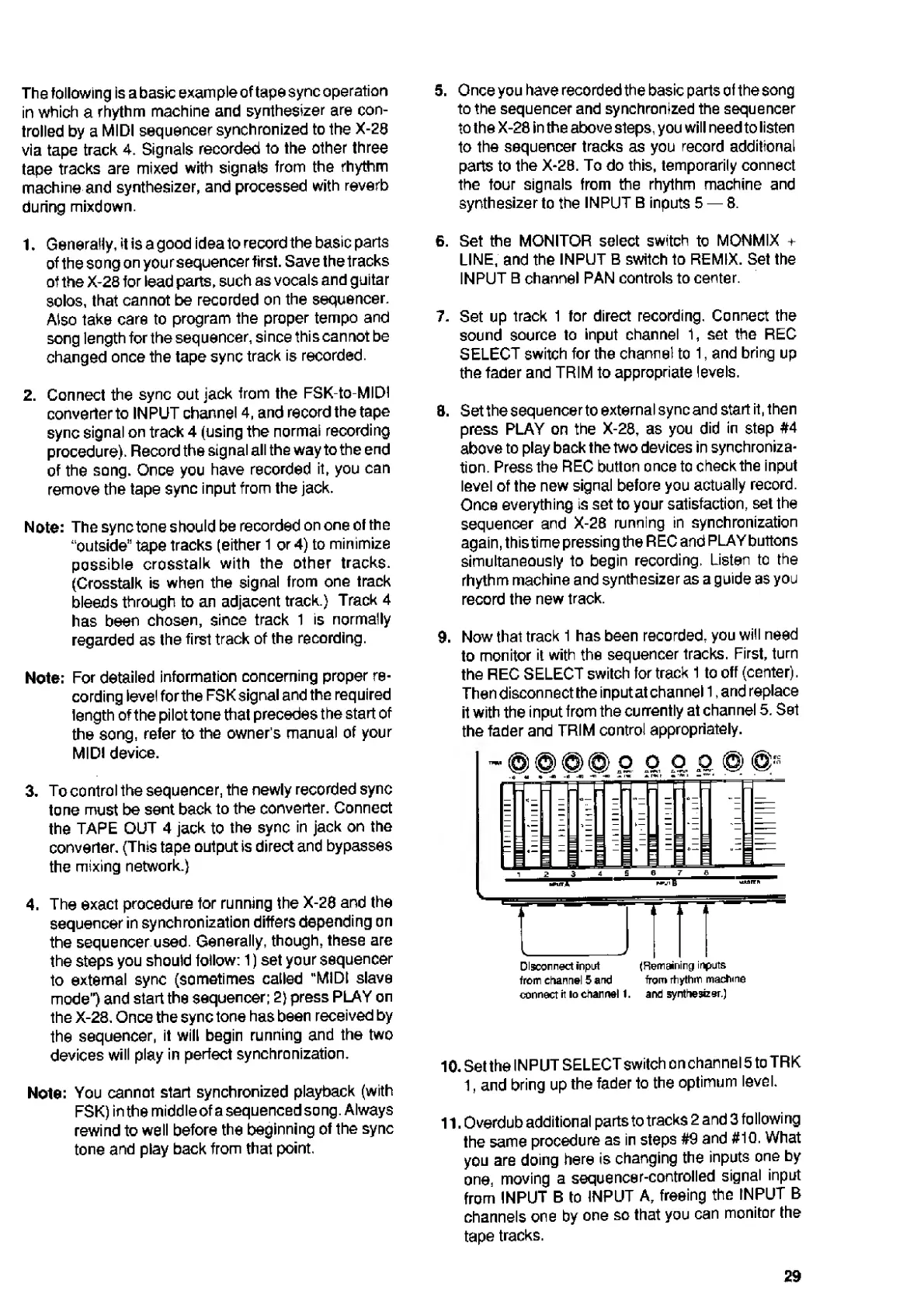
9.
Now
that
track
1
has
been
recorded,
you
will
need
to
monitor
it
with
the
sequencer
tracks.
First,
turn
the
REC
SELECT
switch
for
track
1
to
off
(center).
Then
disconnect
the
input
at
channel
1,
and
replace
it
with
the
input
from
the
currently
at
channel
5.
Set
the
fader
and
TRIM
control
appropriately.
10.
Set
the
INPUT
SELECT
switch
on
channel
5
toTRK
1,
and
bring
up
the
fader
to
the
optimum
level.
11.
Overdub
additional
parts
to
tracks
2
and
3
following
the
same
procedure
as
in
steps
#9
and
#10.
What
you
are
doing
here
is
changing
the
inputs
one
by
one,
moving
a
sequencer-controlled
signal
input
from
INPUT
B
to
INPUT
A,
freeing
the
INPUT
B
channels
one
by
one
so
that
you
can
monitor
the
tape
tracks.
29

Related product manuals