Warning!
Make sure the directory is strictly in accordance with above
form.Do not modify the program file name! It may cause the
inverter to cease functioning.
Update
Master/Slave/Manager/All
(5).Upgrade
User can update the inverter system through a U-disk.
Upgrade Steps:
1
Please contact the service support to get more information and the update
files, and copy the files to U-disk as the following path
master: “Update\Master\MasterVx.xx.hex”
slave: “Update\Slave\SlaveVx.xx.hex”
manager: “Update\Manager\ManagerVx.xx.hex”
Note:
Vx.xx is version number.
2
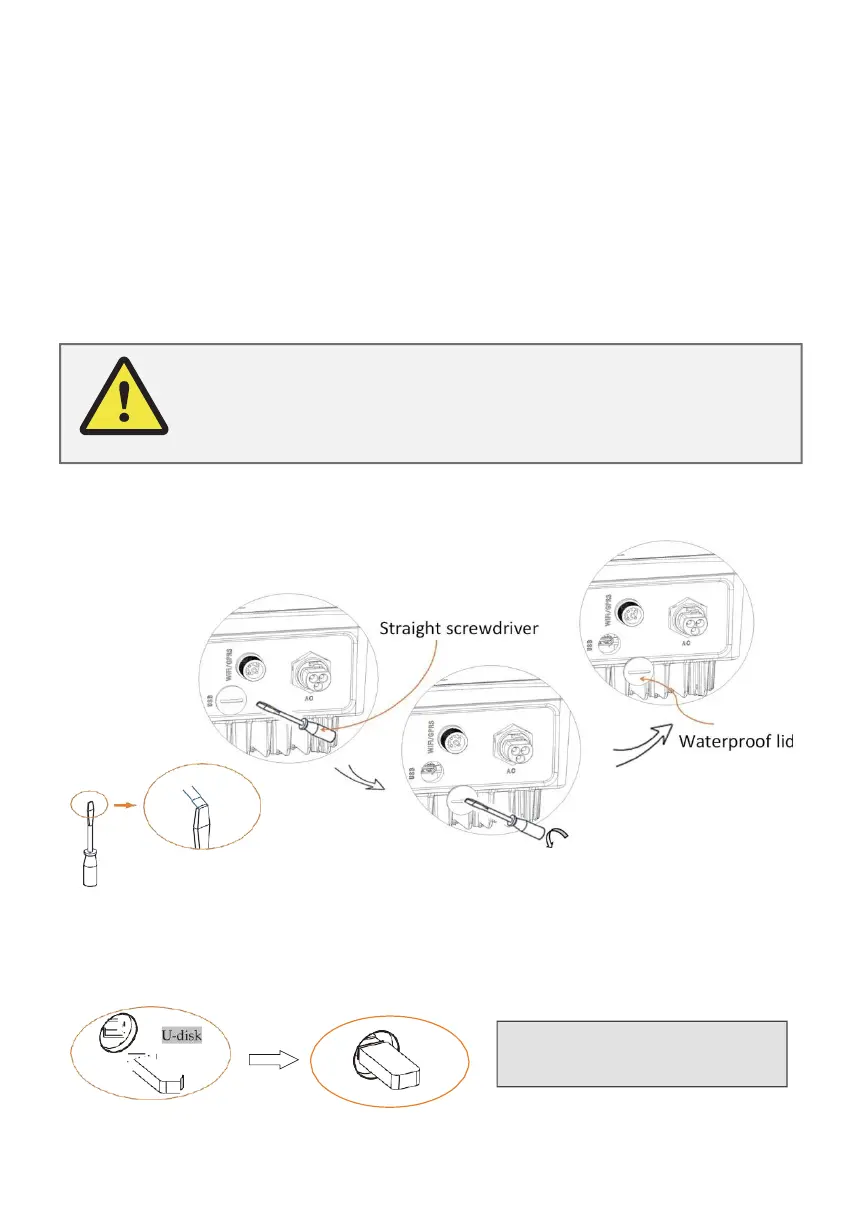
Make sure the DC switch(if no DC switch,please disconnect the PV
connector)is off and the AC is disconnected from the grid. Unscrew the
water
proof
lid
of
the
USB
port
using a flat-headed
screwdriver as
below
.
5mm
3
Wait until the LCD switch off, then insert the U-disk and turn on the DC
switch
or
connect
the PV
connector,
the LCD
will
show
picture
as
below
.



 To Next Page