RECORDING
WITH MYSTAR
TECHNICAL HELP
& SPECIFICATIONS
PUTTING THE “HD”
INTO MYSTAR HD
PERSONALISING
YOUR MYSTAR
YOUR PLANNER
WATCHING YOUR
RECORDINGS
RECORDING
WITH MYSTAR
HOW TO FIND
YOUR MYSTAR
REMOTE CONTROL
MYSTAR – WHAT’S
CONTENTS
RECORDING
WITH MYSTAR
Recording clashes
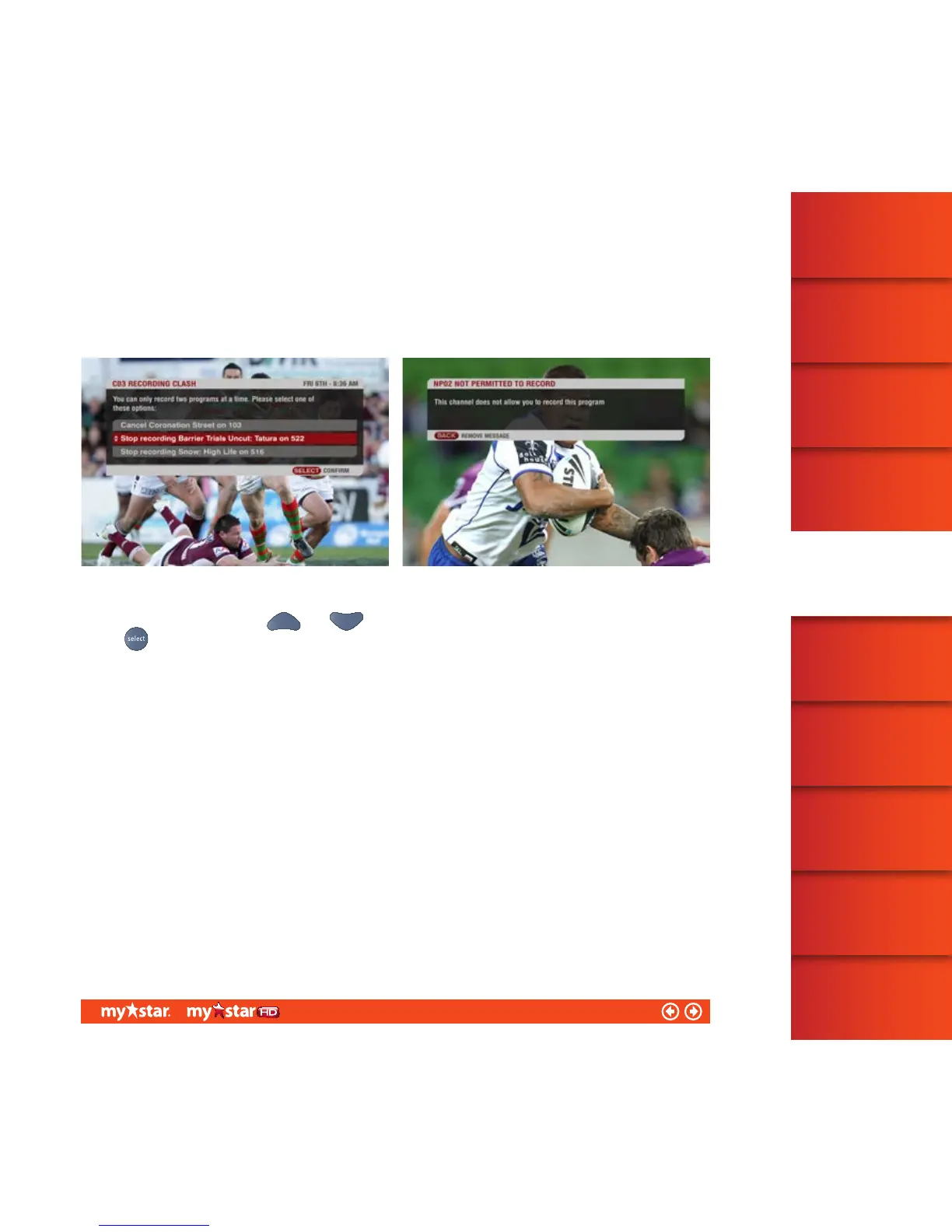
If you attempt to set a recording for a program which is scheduled to be shown at the same time as two previously
set recordings, a Recording Clash message will appear (see figure 20). The Recording Clash message allows you
to see what programs are causing the clash, so you can either resolve or cancel the request.
To choose an option, use the and arrows to highlight the option you want, and then press
the
button
If you attempt to set up a recording for a program from a channel that does not permit recordings, such as
BoxOffice movies, a ‘Not Permitted to Record’ message will appear (see figure 21).
Note: If there are any scheduled programming changes (received by the set top box the day prior to broadcast),
Planner will automatically adjust your recordings accordingly. If the new scheduled time causes a recording
clash, MyStar will record the program that starts first or the program that is marked as ‘Keep’, the other
programs will commence recording as soon as the clashing time period ends.
28/81



 To Next Page