YOUR PLANNER
TECHNICAL HELP
& SPECIFICATIONS
PUTTING THE “HD”
INTO MYSTAR HD
PERSONALISING
YOUR MYSTAR
YOUR PLANNER
WATCHING YOUR
RECORDINGS
RECORDING
WITH MYSTAR
HOW TO FIND
YOUR MYSTAR
REMOTE CONTROL
MYSTAR – WHAT’S
CONTENTS
YOUR PLANNER
YOUR PLANNER
Planner
Programs are automatically added to your Planner whenever you press record, choose a program to be recorded
ata later time, or set a reminder for a program. The Planner is divided into easy to manage sections: BOOKED
andRECORDED.
Finding programs that have been booked to record or reminders set
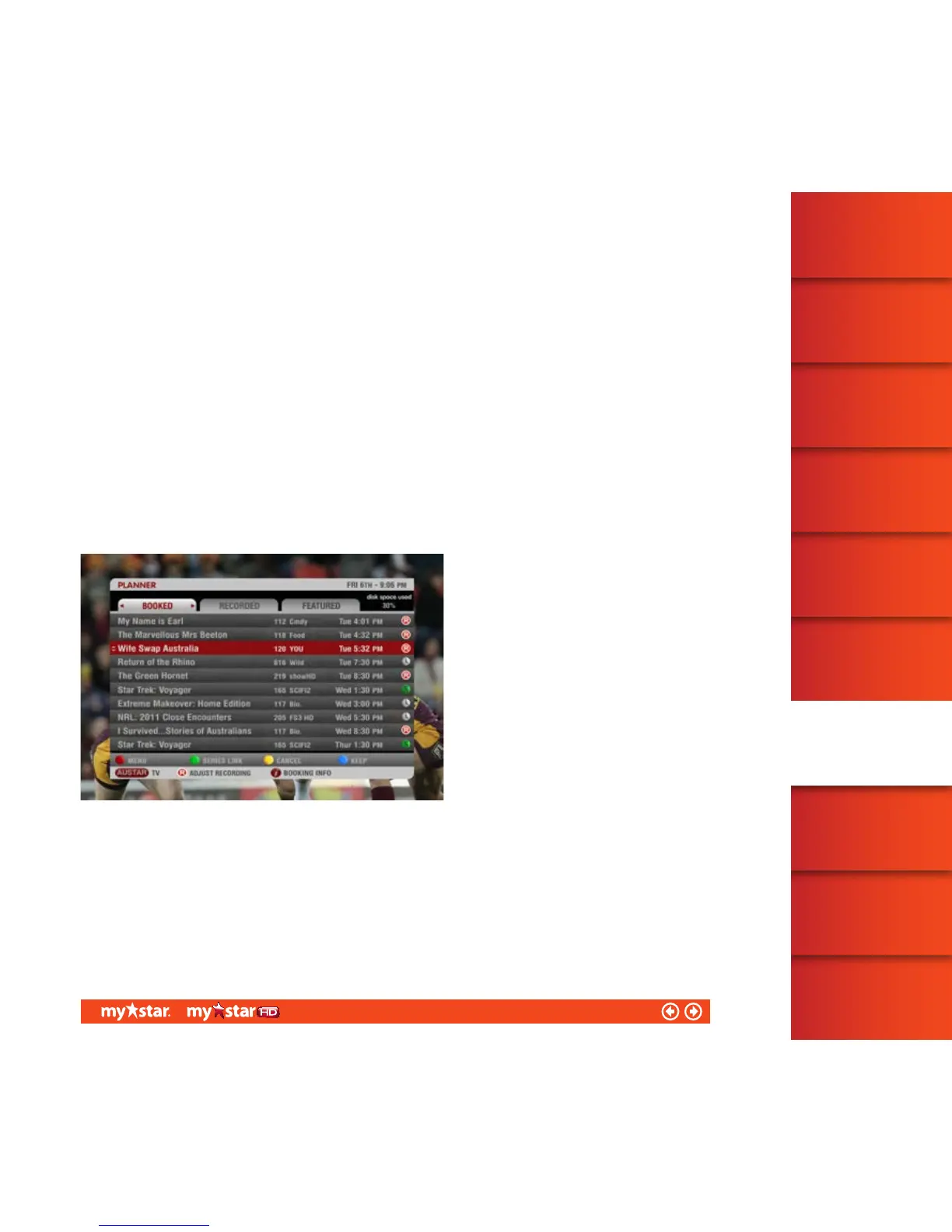
Programs that have a reminder set, or are booked to be recorded, can be found in the Booked screen
(see figure 30). They will be displayed in the order of time they are scheduled to broadcast.
As soon as a program you have set to record begins recording, it will move from the Booked screen to the
Recorded screen in your Planner.
37/81


 To Next Page