Frama Matrix F22
32
5.4. Print date
Sometimes, it might be necessary for your mail to be franked several days before the delivery date.
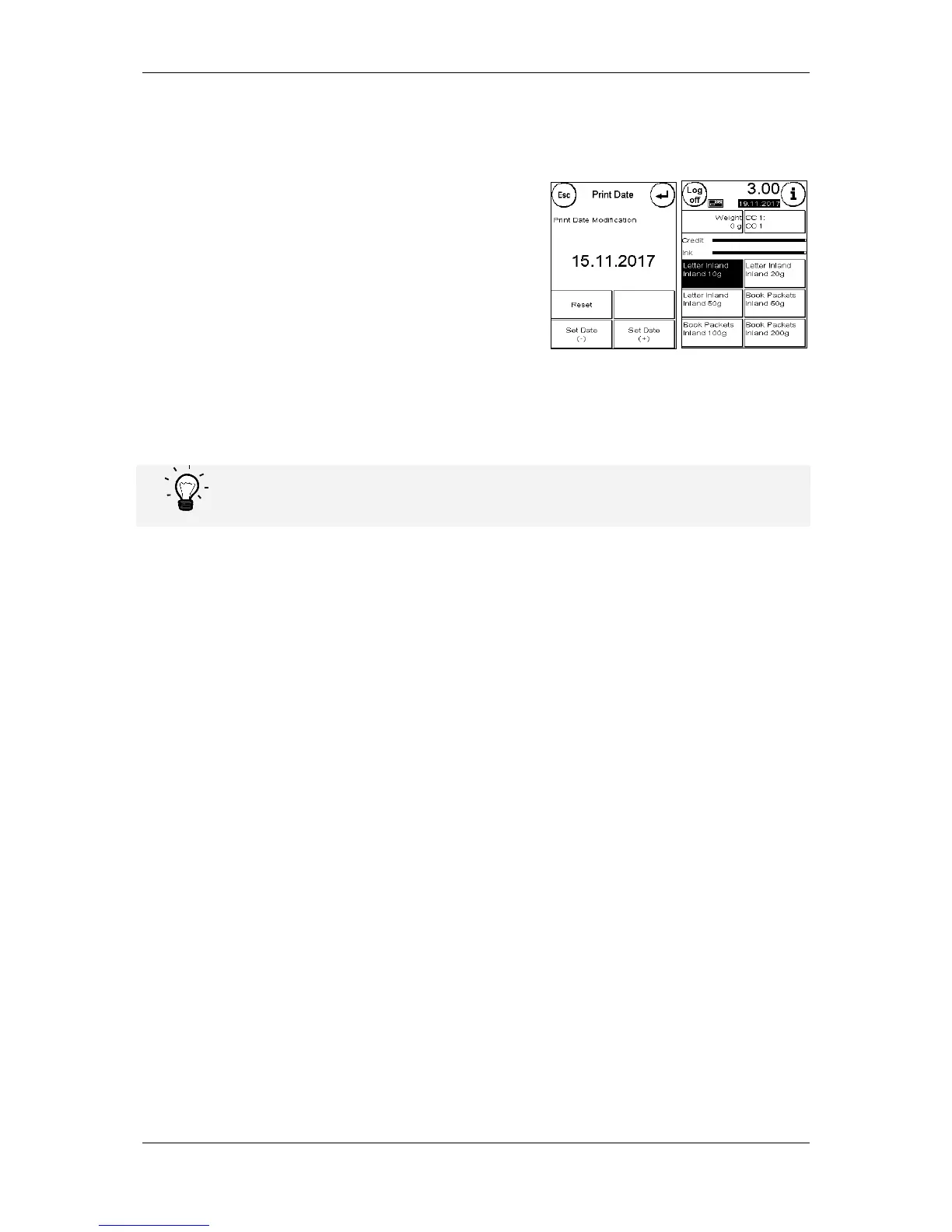
To this end, you can set the date printed in the Frama
Matrix frank mark up to thirty days ahead.
You can bring forward the date using the + key.
You can push back the date you have previously brought
forward using the - key.
The Reset key returns you to the current date.
You can switch printing of the date in the franking mark on
or off using the Print Date ON/OFF key.
Confirm your choice by pressing the ENTER key. Press ESC to return to the Main Menu without
applying the setting.
The date brought forward is shown inverse in the franking screen to draw attention to its difference
from the current date.
Please do not forget to reset the system to the current date when you have finished franking
with a date brought forward. A change of cost centre automatically resets the date.



 To Next Page