Frama Matrix F22
17
3. FramaOnline2
3.1. General notes
FramaOnline2 will deal with preparing the postage rates, sending use data to the post office and
provides a simple way of loading new postage credit onto your franking system.
Your franking system must set up a connection with the data centre to allow use of FramaOnline2.
Refer to section 9.4. Connection on page 45 for this.
Tip
It is only possible to fetch postage and communicate with FramaOnline2 in Admin mode.
Tip: The Admin mode is password (PIN) protected. Keep your PIN in a safe place. The PIN
can only be reset in a chargeable call-out of a service technician to your premises or in the
central workshop.
3.2. Loading postage credit
It is only possible to load postage credit in Admin mode. The Admin mode is password-protected.
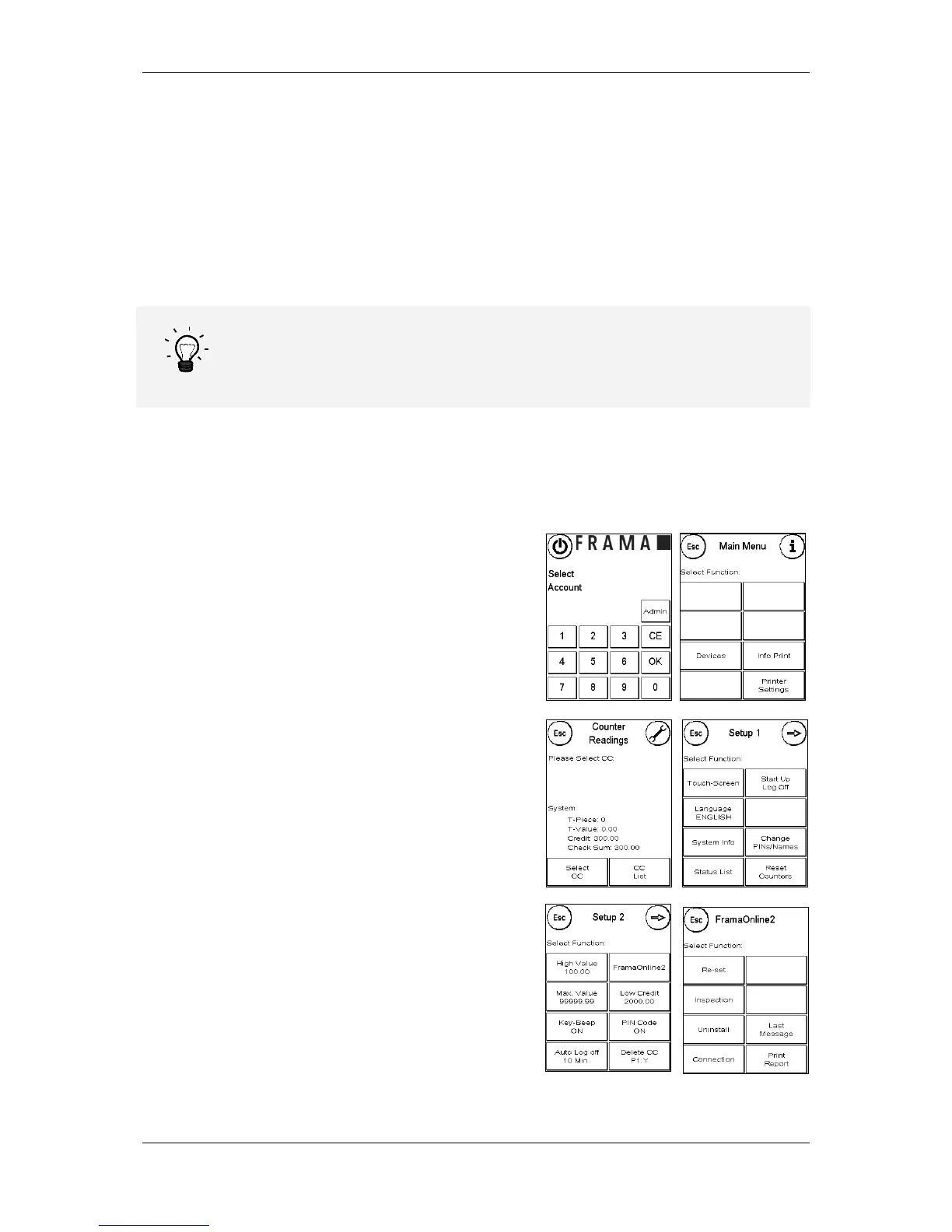
Switch the device on or change to Select Cost Centre.
1. Press Admin in the Select Cost Centre display.
2. Enter your PIN (default: 1234). Then press OK key
to access Admin mode.
3. Press the „i“ key.
4. Press the Spanner.
5. Press Next (arrow).
6. Select FramaOnline2.
7. Select Load credit.



 To Next Page