Frama Matrix F22
34
5.6. Printer Settings
Information
1. Do not frank mail items thicker than 10 mm. You risk allowing the printing head to touch
the surface of the mail item and thus smearing the franked mark. You should therefore
always use Frama Matrix franking labels for thick letters and packets.
2. Please make sure that no sharp objects, such as paper clips, are near the franking zone.
This can damage the print head.
3. Do not use very absorbent or fibrous envelopes which could prevent a cleanly printed
mark. This could invalidate your franking.
4. The use of coloured envelopes which offer insufficient contrast with the franking mark is
not permitted.
5. After a certain time the printing head is sealed to prevent the individual nozzles from
drying. Do not, therefore, switch the franking system off immediately, but wait until the
print head is sealed, or use the Log off button.
6. Please run a print head test and clean the print head using the Nozzle Cleaning function
should you have the impression that there are lines missing from the franked mark.
7. Always use the functions from the Printer Settings menu. Replacing the print head without
adjusting the alignment and testing from the Printer Settings menu can lead to
inadequate quality of the franking mark.
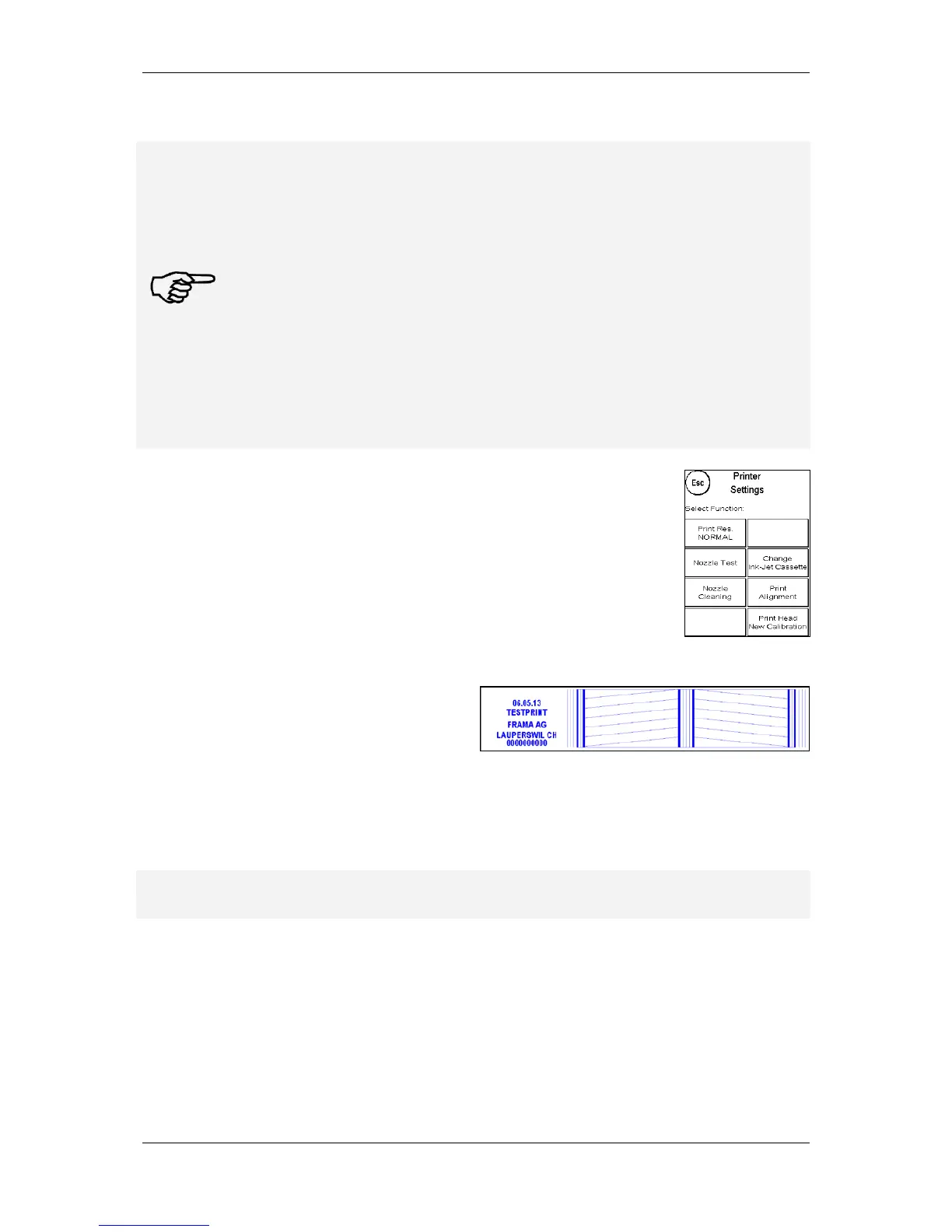
The Printer Settings menu gives you access to the options and functions
required for perfect printing. The functions in the Printer Settings menu are
described in sequence below.
5.6.1. Nozzle test
A franking mark test is incorporated in your Frama Matrix franking system.
This test activates each individual nozzle in the printing head. This enables you
to easily locate defective nozzles, and also to determine the scope of the
cleaning program.
Press the Nozzle Test key and insert an
envelope or similar into the system.
A test franking mark is made. Check whether all
lines have printed. Run Nozzle Cleaning if
necessary.
5.6.2. Nozzle cleaning
White lines in the print mark or lines missing from the nozzle test print mean that the print head
must be cleaned to restore the print quality.
Information
Blocked nozzles are often the result of the electric supply being disconnected before the
nozzles could be properly sealed. Always use the system shut-down function to switch off your
franking system reliably.
Two cleaning programmes are available to you for cleaning the nozzles:
Nozzle cleaning: A normal print head cleaning operation is run. The print head and the nozzles are
cleaned.



 To Next Page