F3Dn Service Manual Advanced Troubleshooting Guide / Section 1.3
For Technical Support, Call 800-537-2653. Copyright 2006 Franke, Inc. All rights reserved.
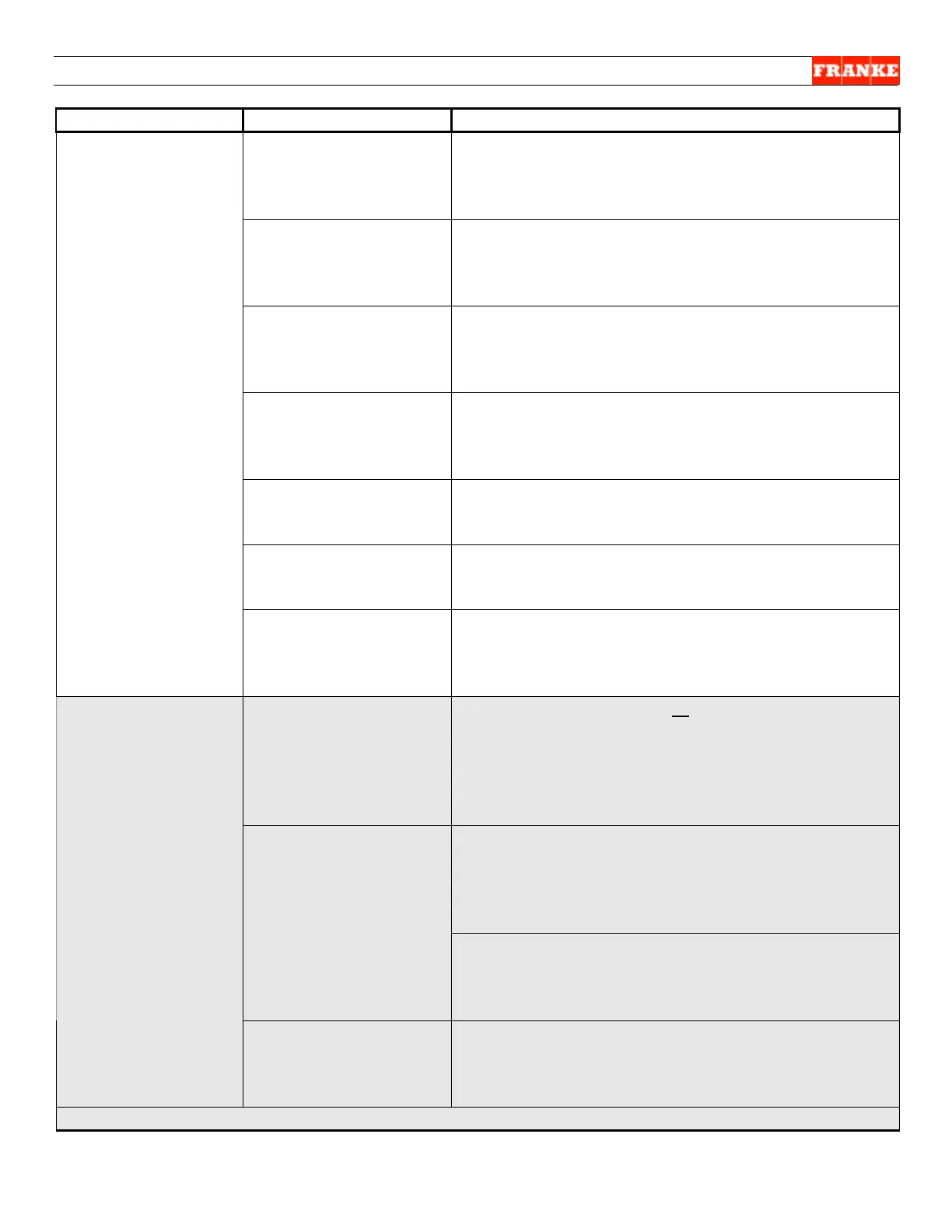
The Problem Possible Cause What To Check & Do
Not allowing enough
cycle time?
Wait 8 seconds after dispensing fries; did “Load
Ready” light illuminate? Yes = withdraw basket and
reinsert. If no fries dispensed, go to Basket Present
sensor item below.
Fries bridge forming
inside Hopper?
Open freezer door and press “Reset Lane” button;
did drum rotate? Yes = look for fries bridged inside
hopper due to thawing and refreezing; disrupt
bridge by hand...
Drum Is binding inside
Hopper?
No = Remove hopper/drum assembly & repeat;
does drum rotor drive rotate? Yes = drum is binding
inside hopper; clear obstacle [i.e. ice] then replace
hopper/drum and retry this step. No = continue…
Drum Rotor Motor
failure?
Check power from PC Board to drum rotor motor. Is
it getting 24-Volt DC? Yes = remove drum rotor
motor and check for free rotation of drive rotor shaft.
If free, replace drum motor per Section 2.6
PC Control Board? No = check 24-Volt DC power to PC Control Board?
Yes [has power] = replace PC Control Board per
Section 2.18
24-Volt DC Power
Supply?
No = Check for 120-Volt AC input to power supply?
Yes [OK] = replace 24-Volt DC power supply per
Section 2.17
NO Fries Dispensed
Main Power
Switch/Main Power
Supply?
No = Check 120-Volt AC input from Main Power
Switch & power supply to unit. If Yes/Main Power is
OK = replace Power Switch per Section 2.15; if No
= see section: Main Power Not “ON”.
First things to check: Is LANE POWER: AUTO or MANUAL illuminated?
Yes = Continue… No = Press and hold LANE
OFF/ON button for 1.5 seconds. Did LANE
AUTO/MANUAL button light turn on within 20
seconds? Yes = Continue…No = Go to “Reset
Lane” Indicator Flashing section above.
Remove basket from dispenser area and identify
Basket Present Sensor for lane not working. Is “Low
Product LED on the Main Board illuminated? Yes =
Install fry basket; does LED on backside of sensor
change its brightness? Yes = basket sensor is OK.
Basket Present
Sensor?
Check DOOR OPEN motor assembly (see below)
No = Replace Basket Present Sensor per Section
2.12
.
NO Fries
Dispensed:
[Dispense Doors Do
Not Open]
Control Wiring
Harness?
No = Is wiring harness from basket present sensor
connected to PC Control Board? Yes = Continue…
No = Connect (or replace if damaged) cable
assembly & return to LED check described above.
[Continue…NEXT PAGE]



 To Next Page