Inline Pressure Boosting System
13
Cleaning the Flow Switch:
In some cases the ow switch may become clogged with mineral deposits or plugged with
debris. In those cases the switch may be cleaned by the following steps:
1. Disconnect the unit from incoming power.
2. The system may be under pressure. As such, close both the inlet and outlet valves
and drain all pressurized water from the system prior to performing maintenance on
the ow switch.
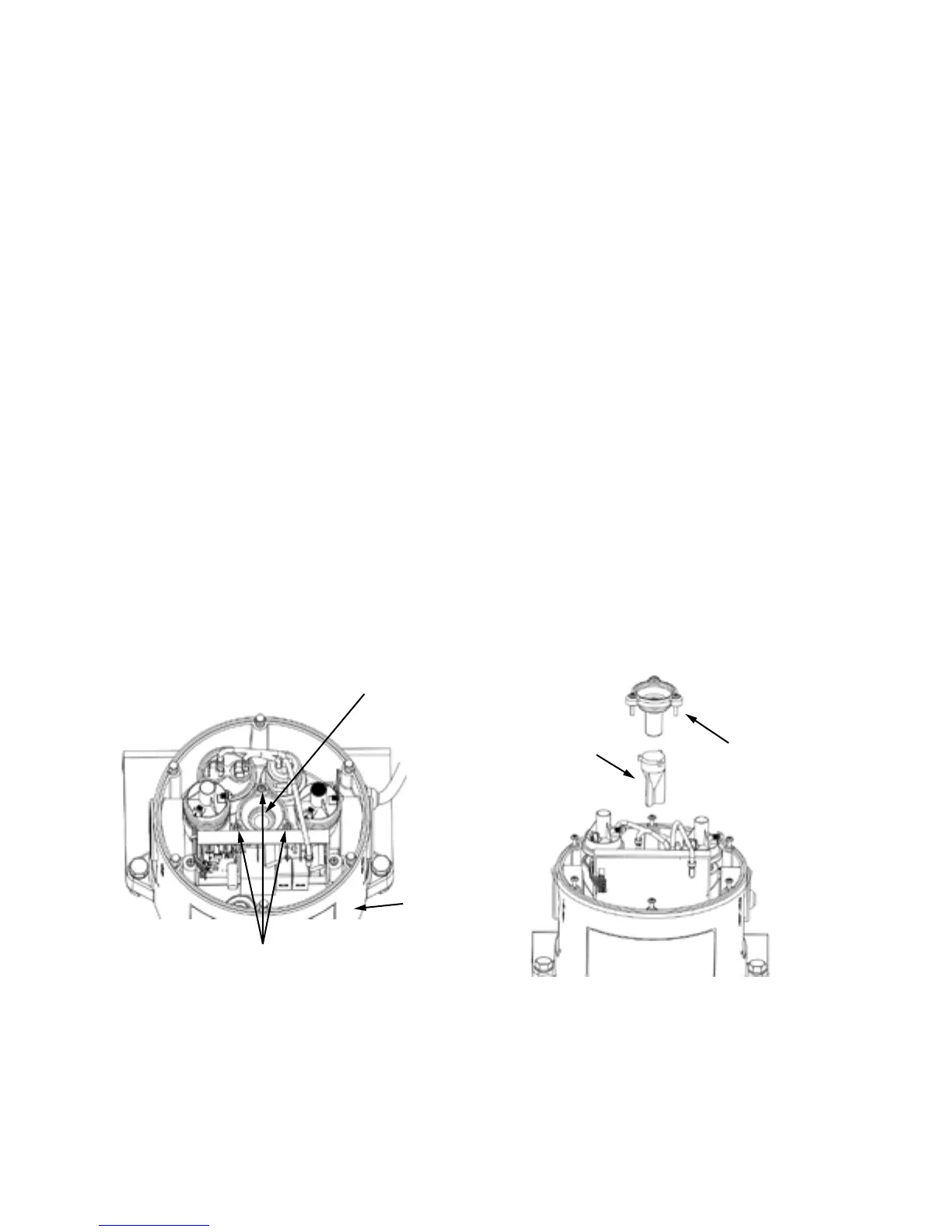
3. Remove the (6) Control Cap screws and remove the cap (note: be careful when
removing the control cap as there is an electrical cable attached to the head.)
4. Remove the three Phillips screws that hold the Flow Cap in place.
5. Remove the ow control cap. The o-ring may come off with the cap or may remain
in the head. Remove the o-ring and make sure it is free of debris. Place it back on
the bottom of the ow cap.
6. Use a small metal object, such as a screwdriver or nut driver, to retrieve the
magnetic ow control piston from the cavity. (It is magnetic and will stick to the
metal object)
7. Clean the magnetic ow control piston with a cloth.
8. Clean any debris or residue from the head where the Piston is inserted.
9. Replace the Piston into the head. Press the Flow Cap w/o-ring rmly into the head.
Tighten the (3) screws to 15 inch-lbs torque (do not overtighten)
10. Replace the control cap and tighten (6) screws to 15 inch-lbs torque.
11. Re-calibrate control head (see page 14)
Flow Cap,
Screws,
O-ring
Piston
Control Head
Flow Cap
Screws


 To Next Page