20
- Display Wi-Fi Name: If ON is selected, the Wi-Fi Name will be displayed on your
R850 device display menu.
- Display Wi-Fi Password: If ON is selected, the Wi-Fi password will be displayed on
your T9 device display menu.
- Wi-Fi Settings Reset: Click the Reset button to reset all Wi-Fi settings to the default.
- Advanced
These advanced settings should only be changed for specific circumstances. Changes to
the advanced settings could result in loss of Wi-Fi connection with your devices. Consult
your devices’ manuals for Wi-Fi specifications.
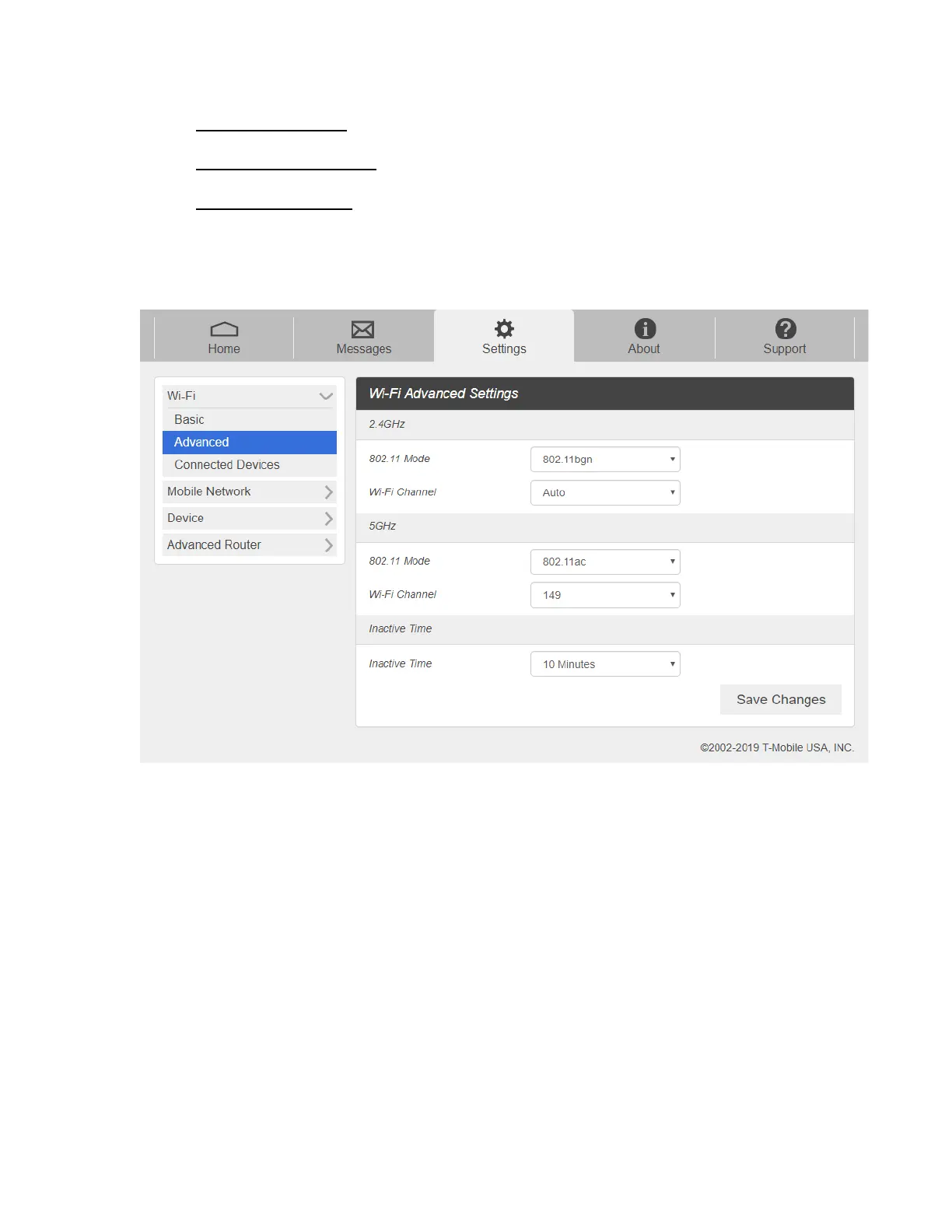
1. From the Web UI, click Settings > Wi-Fi > Advanced to view the wireless network
advanced parameters (2.4GHz, 5GHz)and the WPS settings shown in the following
figure.
- 802.11 Mode: Select an 802.11 mode from the drop-down list.
- Wi-Fi Channel: Select a Wi-Fi channel from the drop-down list.
2. Click Save Changes to save your settings.
NOTE: Default Inactive Time is 10 minutes. If the T9 is inactive for more than 10 minutes, it
is required to press the power button to connect to Wi-Fi.



 To Next Page