12
98
96
95
101
1
1
9
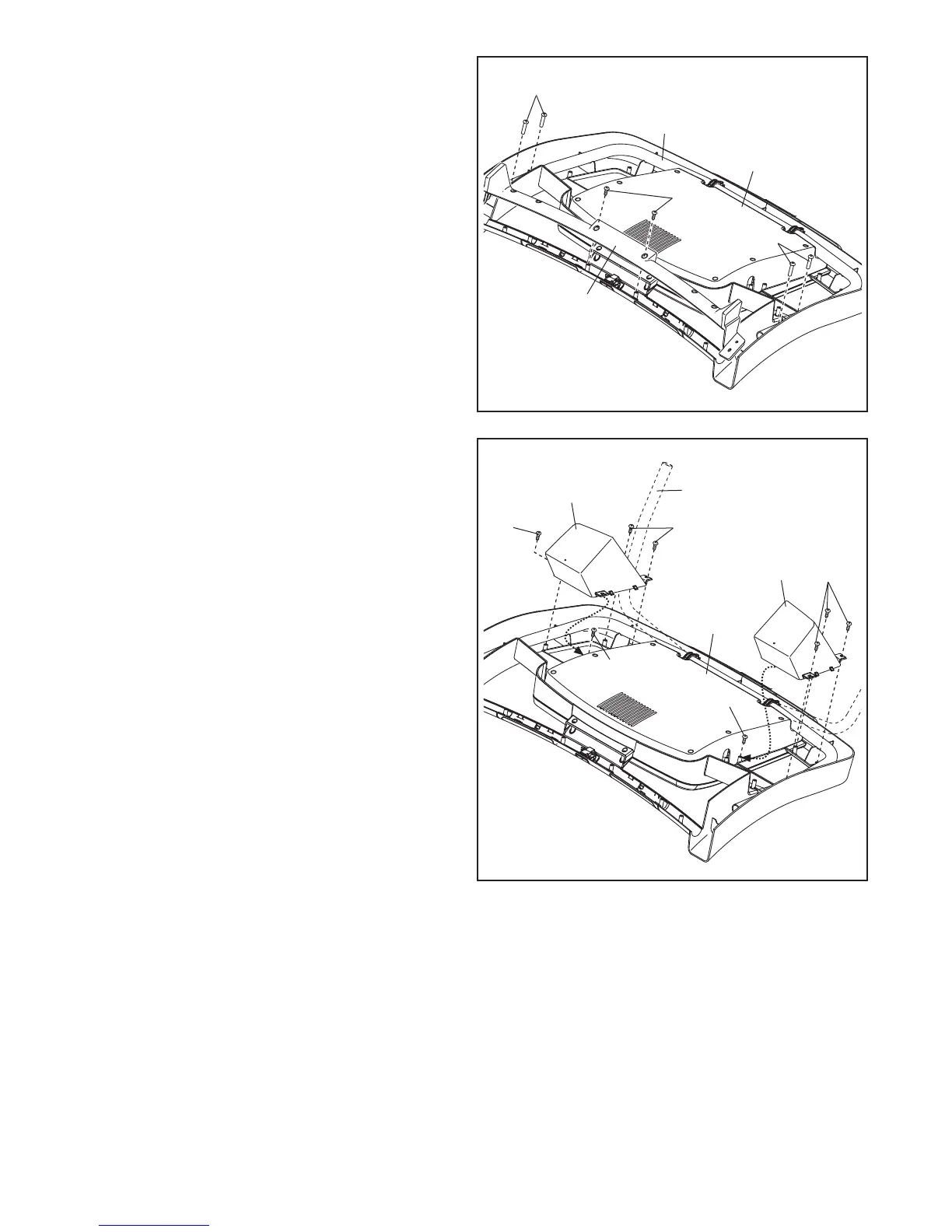
9. Identify the Left and Right Trays (95, 96), which
are marked “Left” and “Right.”
Attach the Trays (95, 96) to the Console Base
(98)witheight#8x1/2"Screws(1).Note:Itmay
be easier to start the two inside Screws and then
slide the Trays into place before tightening the
othersixScrews.
Note: It may be necessary to rotate the Console
Frame (101) upward when attaching the Trays
(95, 96).
1
1
1
98
81
11
11
C
8
8. Set the Console Base (98) face down on a soft
surface to avoid scratching the Console Base.
Remove the two screws (C) from the Pulse
Crossbar (81). Remove the Pulse Crossbar and
discard the screws.
Removethefour5/16"x5/8"Screws(11)from
the Console Frame (101). The Screws will be
used in a later step.
101



 To Next Page