Under heavy loads, such as when climbing steep
grades, temperatures up to a maximum of 250°F
(121°C) are not unusual.
Digital Clock
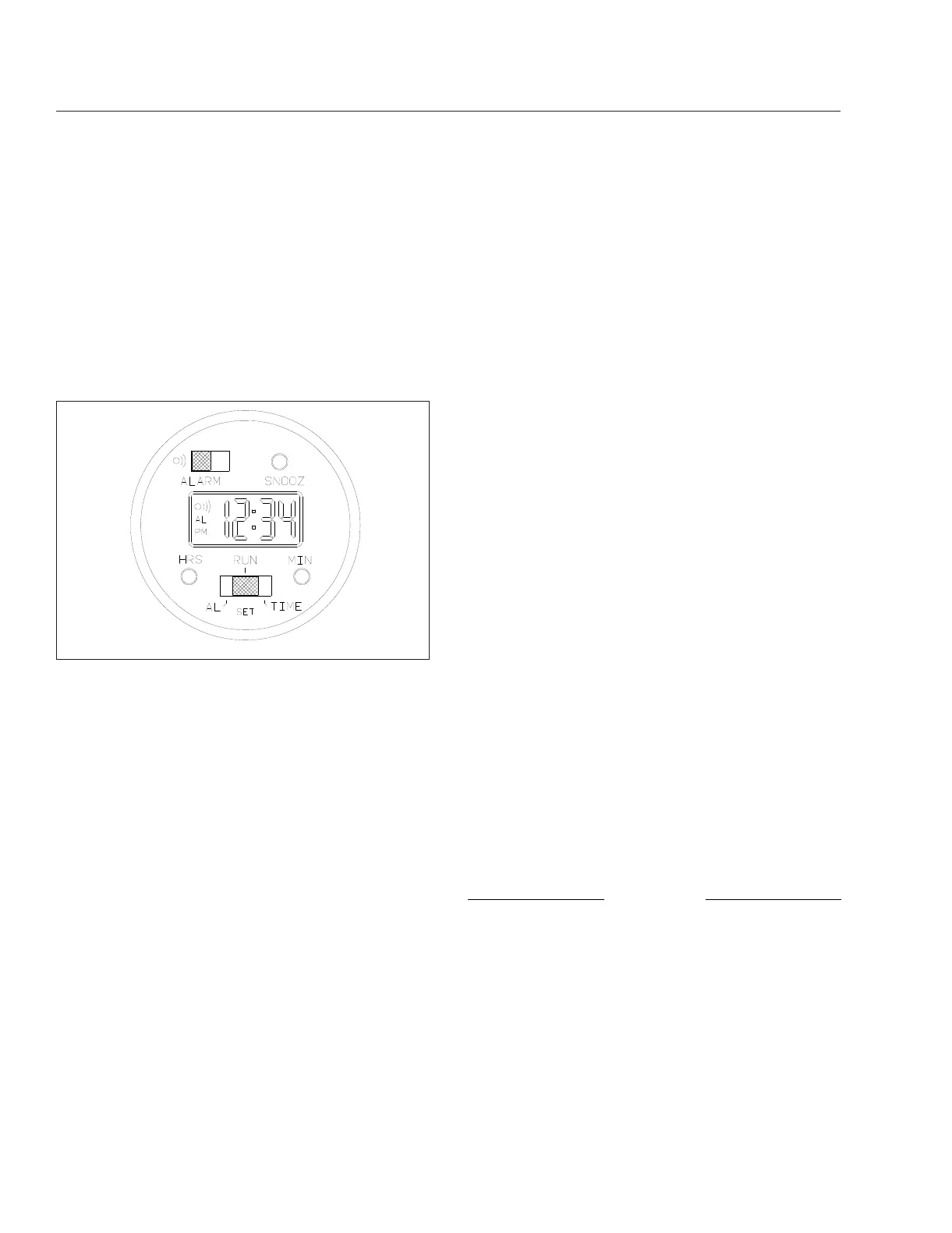
The optional digital clock has black characters on a
constantly backlighted green display, with a bright-
ness that automatically adjusts for day or night. The
clock has a 24-hour alarm, with a three-minute
snooze feature. See
Fig. 3.18.
1.
To set the time of day:
1.1
Push the Run/Set (lower) switch to the
right (TIME-SET position).
NOTE: When the hour setting is for a time
between noon and midnight, the small letters
PM will appear in the lower left corner of the
display; no PM display indicates an AM set-
ting.
1.2
Advance the hour setting to the correct
number by pushing and releasing the hour
button as many times as needed. Or if the
button is pressed and held in for longer
than 2 seconds, the numbers will continue
to advance until the button is released.
1.3
Advance the minute setting by repeatedly
pushing, or pushing and holding the min-
ute button as needed.
1.4
Push the Run/Set switch to the middle
(RUN) position.
2.
To set the alarm time:
2.1
Push the Run/Set switch to the left
(ALARM-SET position).
2.2
Set the alarm time by using the same pro-
cedure used to set the time of day; re-
member to set the hour for AM (no letters
in the corner of the display), or PM as de-
sired.
2.3
Return the Run/Set switch to the middle
(RUN) position; the readout will return to
the time-of-day setting.
3.
To operate the alarm:
3.1
With the alarm time set, push the alarm
(upper) switch to the left. An alarm "wave"
symbol and the letters AL will appear in
the upper left corner of the display when
the alarm is on.
3.2
When the displayed time of day coincides
with the alarm time, the alarm will sound.
If the SNOOZ button is not pushed or the
alarm switch is not moved, the alarm will
automatically stop sounding after 1 minute
and will not sound again for 24 hours.
3.3
If desired, press the SNOOZ button while
the alarm is sounding to shut the alarm off
for 3 minutes. The alarm symbol will flash
in the display when the button is pushed
and will continue to flash until the alarm
switch is moved or the alarm has sounded
for one minute. The snooze procedure can
be done as many times as desired.
3.4
Move the alarm switch to the right when
you wish to shut off or cancel the alarm;
the alarm symbol will disappear.
Engine Oil Temperature Gauge
NOTICE
A sudden increase in oil temperature that is not
caused by a load increase may indicate mechani-
cal failure. Bring the vehicle to a safe stop and
investigate the cause to prevent further damage.
Do not operate the engine until the cause has
been determined and corrected.
During normal operation, the optional engine oil tem-
perature gauge should read in the following tempera-
ture range:
10/11/2001
f610576
Fig. 3.18, Digital Clock
Instruments
3.13











 To Next Page