P a g e | 20 of 40
FREMCO A/S
ELLEHAMMERVEJ 14 | DK9900 FREDERIKSHAVN, DENMARK | VAT NO.: DK30815416
TELEPHONE +45 7230 1213 | SALES@FREMCO.DK | WWW.FREMCO.DK
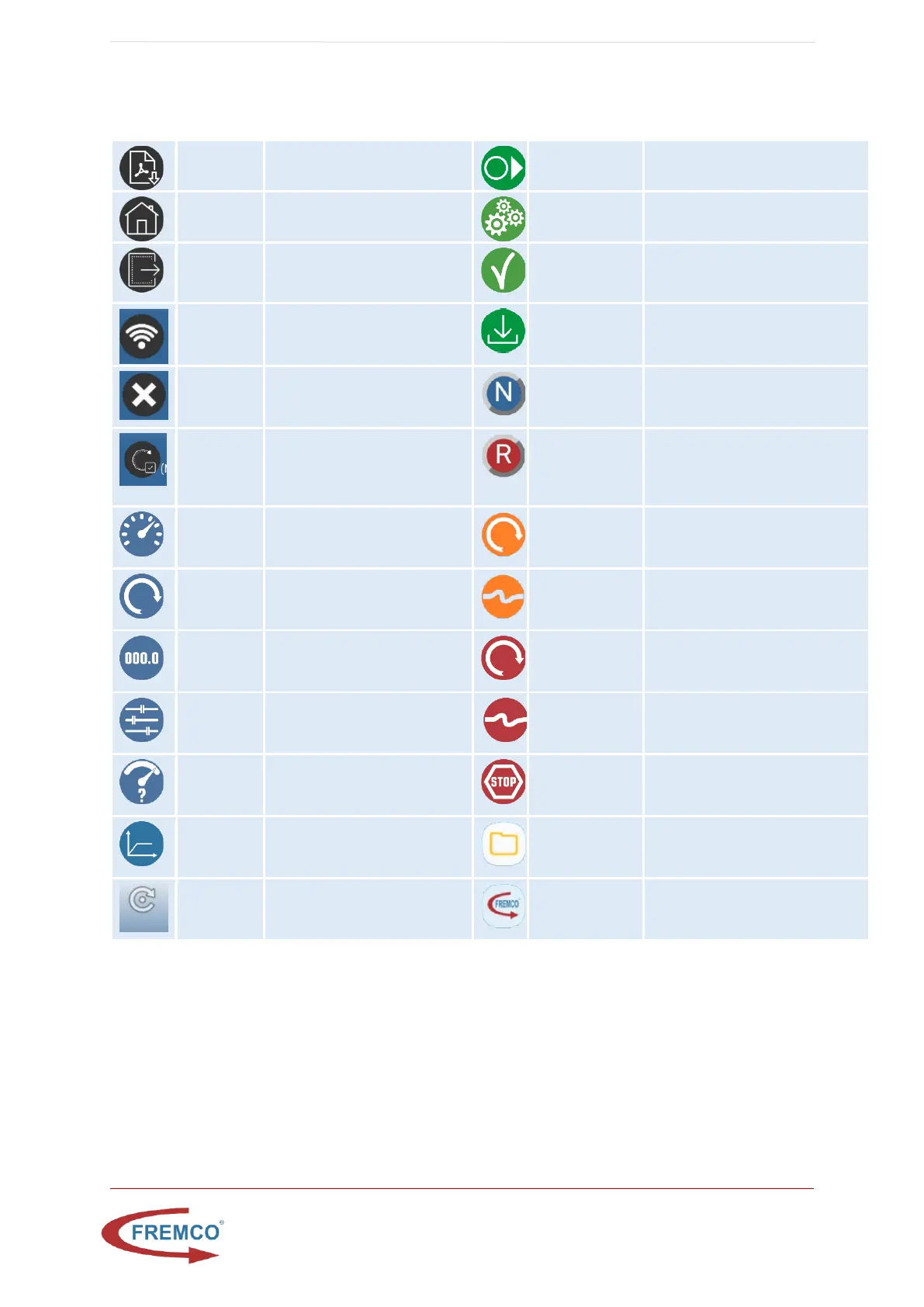
11.1. DISPLAY SYMBOLS
Press to get report as pdf
Press to return to the select
job type screen
Press to set stop length. Not
active if value is “0”
Press to confirm manual job
complete return select job type
screen
Go to controller wifi selection
setup
Press to download report and
confirm job complete on a
report job
Delete current user from
controller
Indicates that the machine runs
forward Press to reverse (only
available in manual mode)
Update software on
controller
Indicates that the machine pulls
the fiber out of the duct. Press
to forward (only available in
manual mode)
Info when job has been
interrupted by a possible torque
issue
Info when job has been
interrupted by a possible fiber
protection issue
Actual values for length, speed
and torque
Info when machine is stopped by
the torque overload system
Pre-set values for length,
speed and torque
Info when machine is stopped by
the fiber protection system
Info when machine is stopped,
e.g. fiber or torque stop
Shortcut to
reports folder
Press to gain access to pdf
reports already generated
Shortcut to
MicroFlow LOG
Press to access MicroFlow LOG


 To Next Page