P a g e | 25 of 40
FREMCO A/S
ELLEHAMMERVEJ 14 | DK9900 FREDERIKSHAVN, DENMARK | VAT NO.: DK30815416
TELEPHONE +45 7230 1213 | SALES@FREMCO.DK | WWW.FREMCO.DK
11.3.1. Adjustable Parameters
11.4. LOG DISPLAY SCREEN OVERVIEW
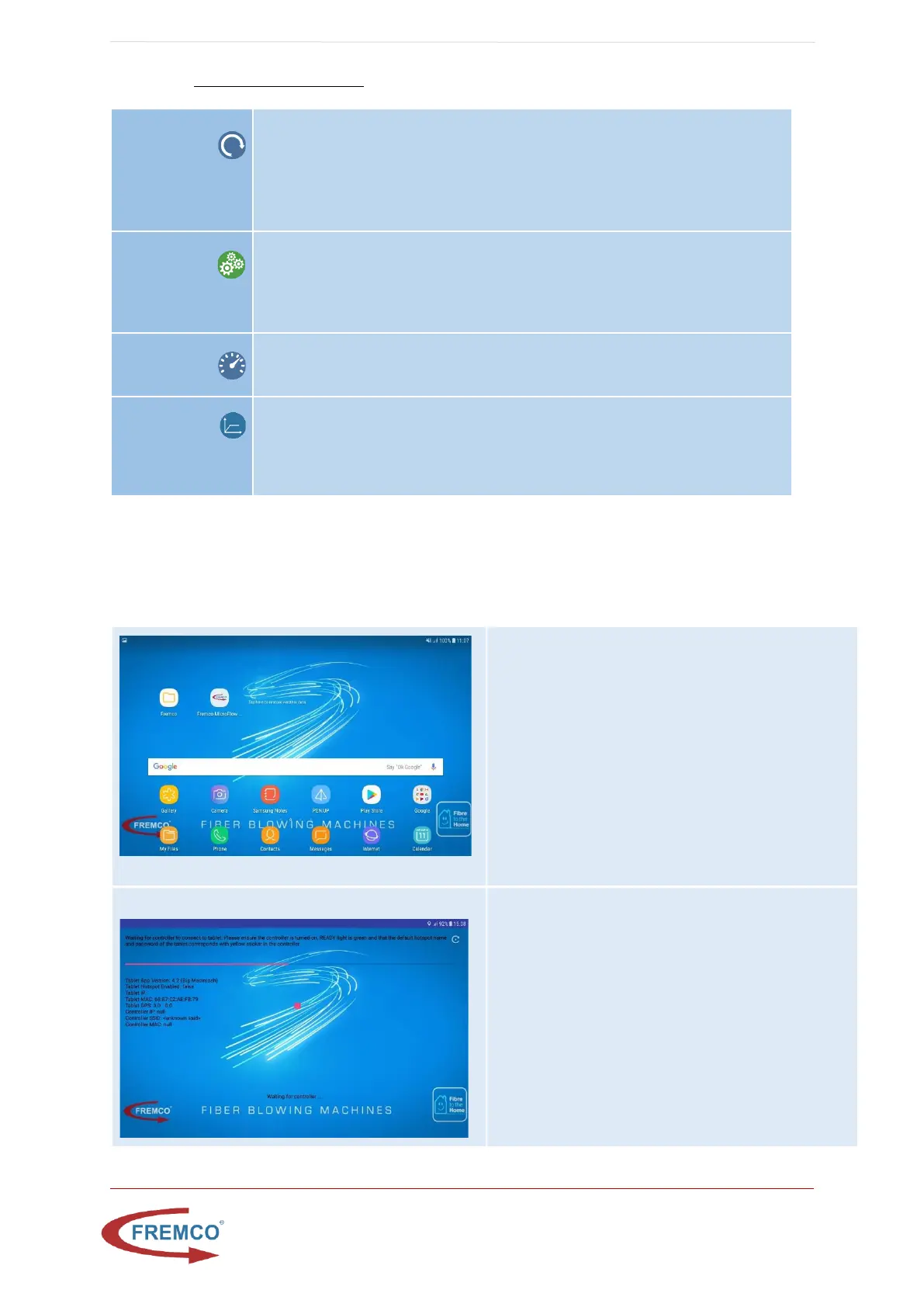
Start screen
As soon as the controller is turned up, the tablet will
boot into the start screen where one can access the
MicroFlow log as well as the report folder.
Please note: If the tablet does not start press the
tablet power button on the top left edge on the tablet.
Connection Screen
This screen is shown when the controller and the tablet
is not yet connected. This should only last for a couple
of minutes, if it stays for longer, please:
- Ensure that the controller is turned on and
there is green light in ready
- Verify that the hotspot name on the tablet
corresponds with the name on the yellow label
in the controller.
To avoid overload of the fiber cable, it is possible to adjust the maximum torque
level. If this maximum torque level is exceeded during blowing, the protection
technology stops the machine so that the fiber cable does not get damaged. The
torque level can be adjusted from 10 to 100% of the motor’s maximum effect.
Can be adjusted from the tablet initially and from the controller during operation.
Here you can choose a distance that the cable should be blown. When the pre-set
distance has been reached, the machine will stop automatically. If the counter is
set at “0”, the machine will continue indefinitely. Can be adjusted from the tablet
initially as well as during operation.
Here the speed of the machine can be adjusted in meter per minute.
Can be adjusted from the tablet initially and from the controller during operation.
Adjusts the acceleration when the machine starts. It can be adjusted between 0.5
and 3 sec, recommended value is 1 sec
Can be adjusted from the tablet initially.


 To Next Page