QUANTUM™ LX/HD SYSTEM INTERFACE PANEL
INSTALLATION-OPERATION-MAINTENANCE
090.030-IOM (OCT 13)
Page 11
MANAGE TAGS Page
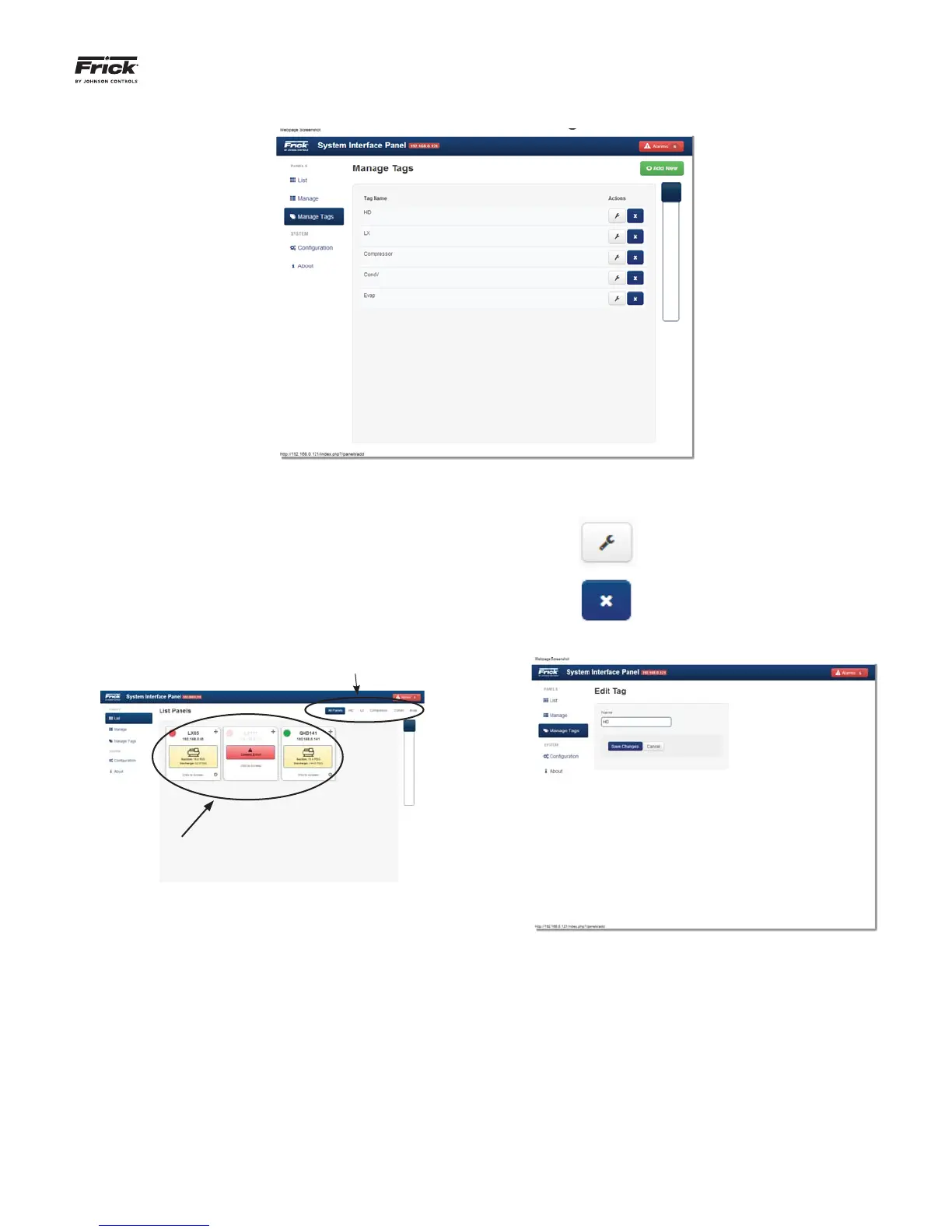
DESCRIPTION: A Tag is simply a name that you may assign for
a Work Group. Each Work group can contain one or multiple
panels. Work Groups do not need to be created, but in facili-
ties where multiple panels exist it can be a benefi t. Use the
Manage Tags page to change the names of Work Groups as
they appear on the List page. Work Group tag names are cus-
tomizable names that can be created to allow for grouping of
similar product panels. Tags can be created to represent com-
mon locations, such as a freezer, dock, warehouse, etc., or by
package type such as Evaporator, Compressor, etc.:
Work Group Tag Names
Confi gured
panels
within a
Work Group
List Panel Page
Actions -
Selecting this ICON will cause the
Edit Tag page to appear (see be-
low).
Selecting this ICON will delete
the entire row.
Edit Tag Page



 To Next Page