QUANTUM™ LX/HD SYSTEM INTERFACE PANEL
INSTALLATION-OPERATION-MAINTENANCE
090.030-IOM (OCT 13)
Page 5
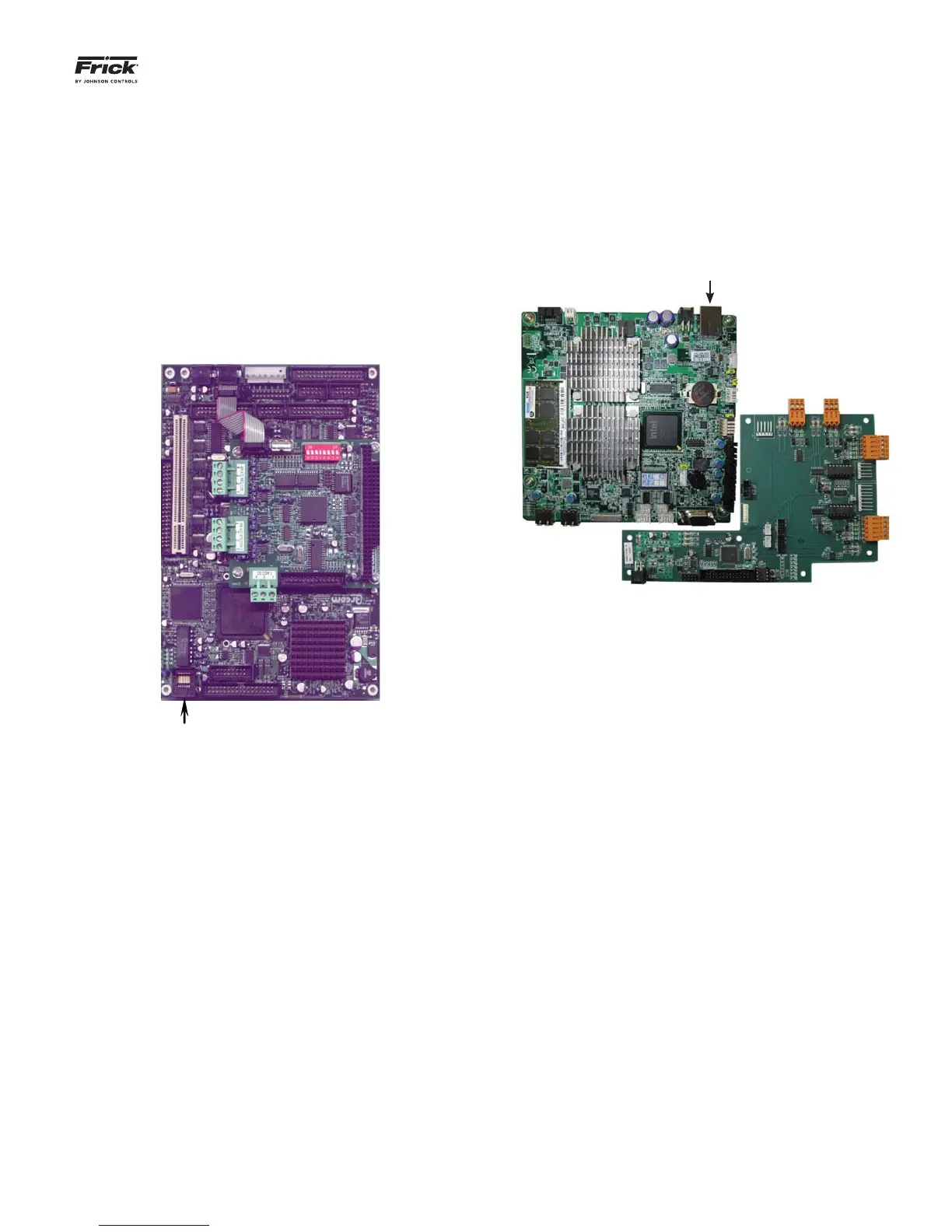
LOCATING THE ETHERNET CONNECTIONS
NOTE: All Quantum™ HD panels utilize the Q5 processor
board, however, the Quantum™ LX panel may have either a Q4
or Q5 controller. Refer to the photos in this section to identify
which control board is in each of the panels that you propose
to confi gure for SIP usage.
For a Quantum™ LX with a Q4 processor:
The Ethernet connector for the LX Q4 panel can be found
by opening the control panel door, and locating the Q4
controller, as shown here:
Ethernet
Connector
Q4 Processor
Plug one end of the cable into the port as labeled. Route
the cable out of the box, and to the point at which it will
either tie into a switch (for multiple connections), or di-
rectly to the SIP in the event of a single panel network.
For a Quantum™ LX or HD with a Q5 processor:
The Ethernet connector for the Q5 panel can be found by
opening the control panel door, and locating the Q5 con-
troller, as shown here:
Ethernet Connector
Q5 Processer
On the SIP Side
Open the panel door of the SIP, and look at the inside of
the door. The location of the Ethernet connection within
the SIP is the same location as shown above for the Q5
processor.



 To Next Page