QUANTUM™ LX/HD SYSTEM INTERFACE PANEL
INSTALLATION-OPERATION-MAINTENANCE
090.030-IOM (OCT 13)
Page 9
MANAGE PANELS Page
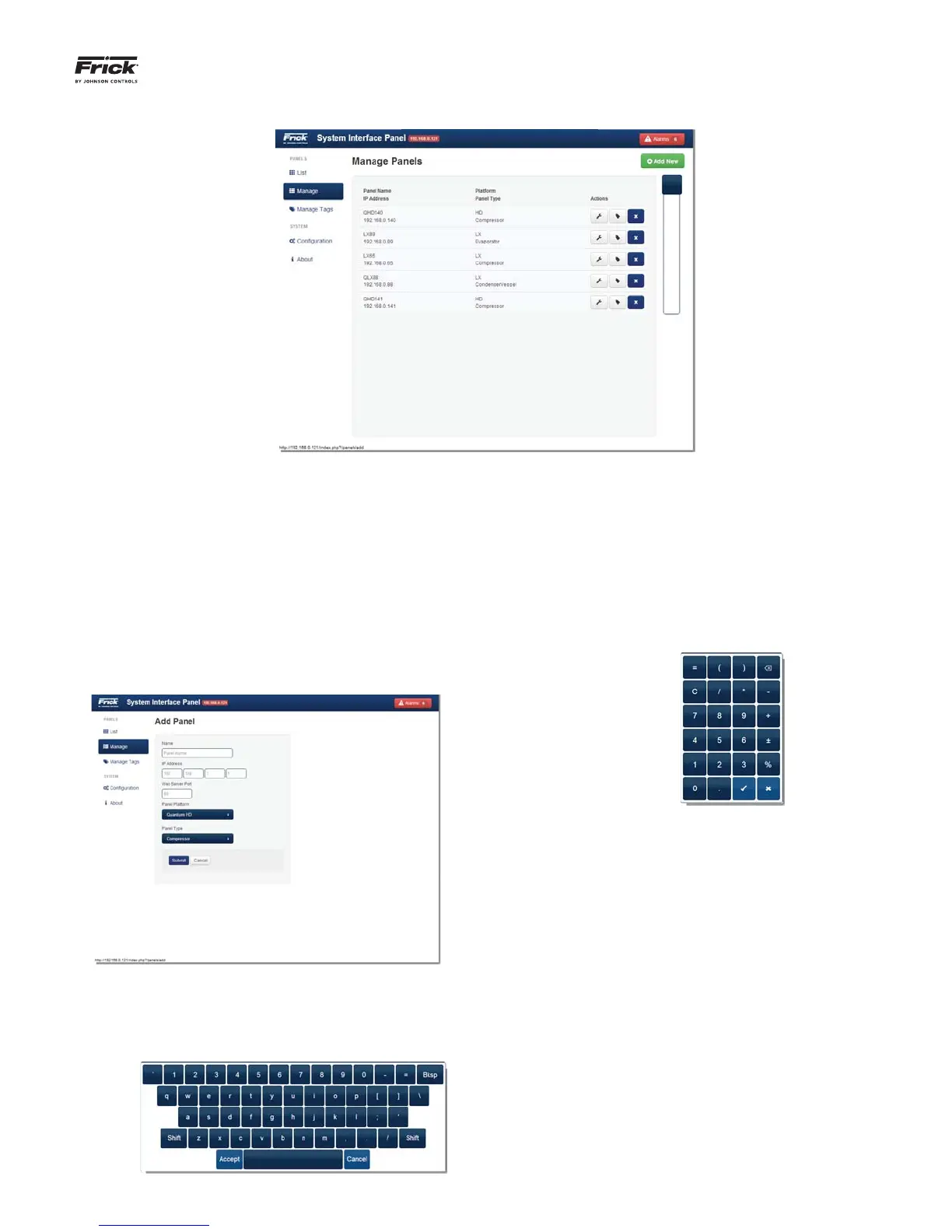
This page provides a detailed listing of all panels that have
been confi gured for this system. Panels that are confi gured
here, will be displayed on the List page. A new panel coming
from the factory or one that requires a new program will have
this screen unpopulated, and it will need to be confi gured. Any
time that a new panel is added to the system, or if an existing
panel has to be updated, this page will be used to make those
changes/additions.
To ADD a new panel to this list:
Select the green [Add New] button. The following
screen will appear:
The selections on this screen are:
Name - By selecting inside the box below the Name
designation, a graphic keyboard will appear:
Use this keyboard to enter a unique name that helps
to describe the location or function that applies to the
panel being added. The Name is tied with the IP ad-
dress. As each IP address is unique, the Panel Name
must be unique also. It is much simpler to identify a
panel by a name rather than a number. Select [Ac-
cept] once satisfi ed with the entry.
IP Address – By selecting the left hand box below the
IP Address designation, a graphic keypad will appear:
Using the keypad, enter the IP address of the device
into the four provided boxes.
Web Server Port - This is traditionally set to 80
which all web browsers understand to be the default
port. It is advisable to consult with the network ad-
ministrator about this value.
Panel Platform - Select the type of operating plat-
form for the panel, using the following selections:
• Quantum™ LX
• Quantum™ HD
Panel Type - Enter the type of panel (product) using
one of the following choices:
• Condenser/Vessel
• Compressor
• AcuAir
• Evaporator



 To Next Page