i Cooling Your Room 1
You must select the Cool mode if you wish to lower the temperature
in your room. You can also set the Fan speed.
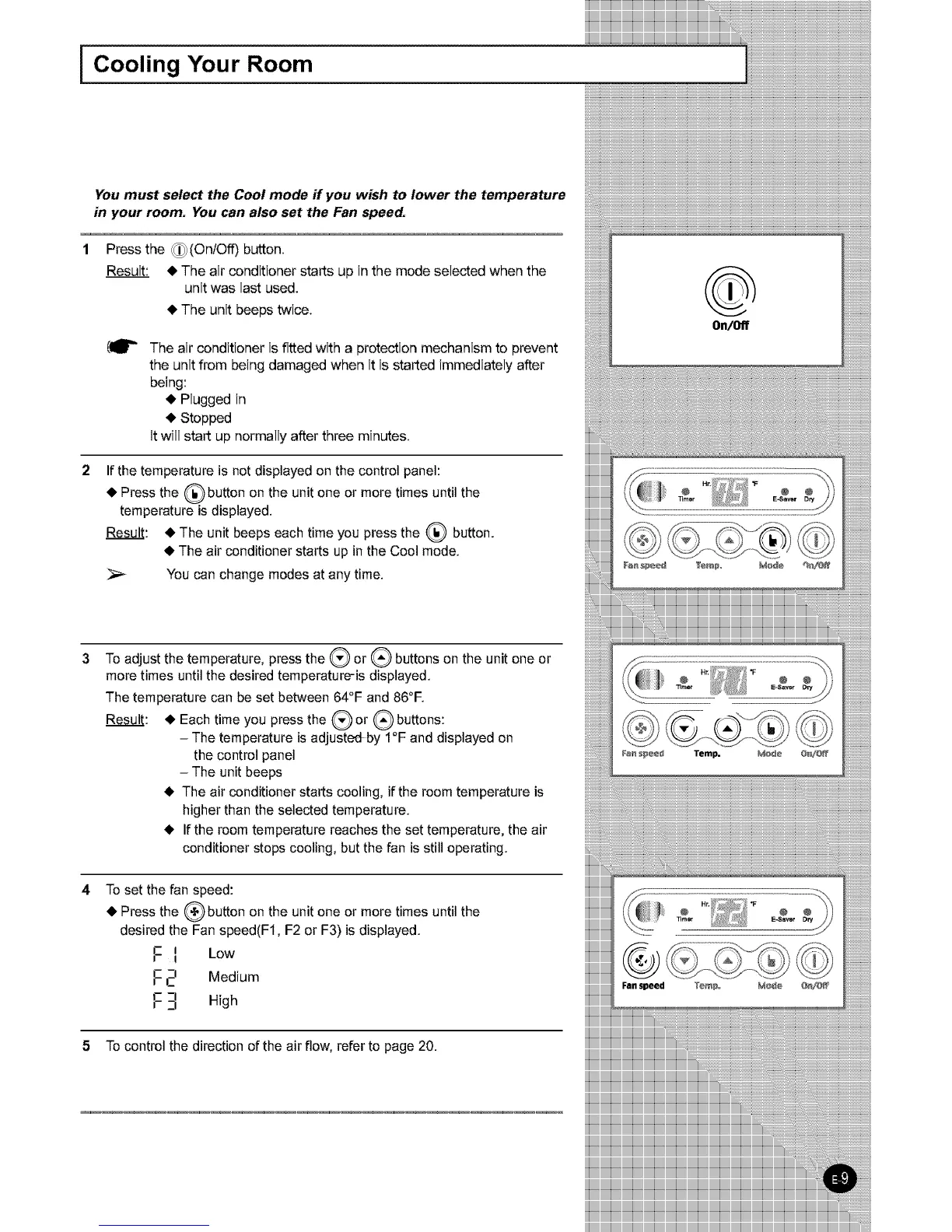
Press the _(OnlOff) button.
Result: • The air conditioner starts up in the mode selected when the
unit was last used.
• The unit beeps twice.
The air conditioner is fitted with a protection mechanism to prevent
the unit from being damaged when it is started immediately after
being:
• Plugged in
• Stopped
It will start up normally after three minutes.
Ifthe temperature is not displayed on the control panel:
• Press the (_ button on the unit one or more times until the
temperature is displayed.
Result: • The unit beeps each time you press the 1_ button.
• The air conditioner starts up in the Cool mode.
You can change modes at any time.
To adjust the temperature, press the Q or Q buttons on the unit one or
more times until the desired temperature-is displayed.
The temperature can be set between 64°F and 86°F.
• Each time you press the (_ or (_ buttons:
Result:
v
- The temperature is adjusted by I°F and displayed on
the control panel
- The unit beeps
• The air conditioner starts cooling, if the room temperature is
higher than the selected temperature.
• If the room temperature reaches the set temperature, the air
conditioner stops cooling, but the fan is still operating.
To set the fan speed:
• Press the (_ button on the unit one or more times until the
desired the Fan speed(F1, F2 or F3) is displayed.
F I LOW
F _-_ Medium
[:- 3 High
5 To control the direction of the air flow, refer to page 20.
®
On/Off



 To Next Page