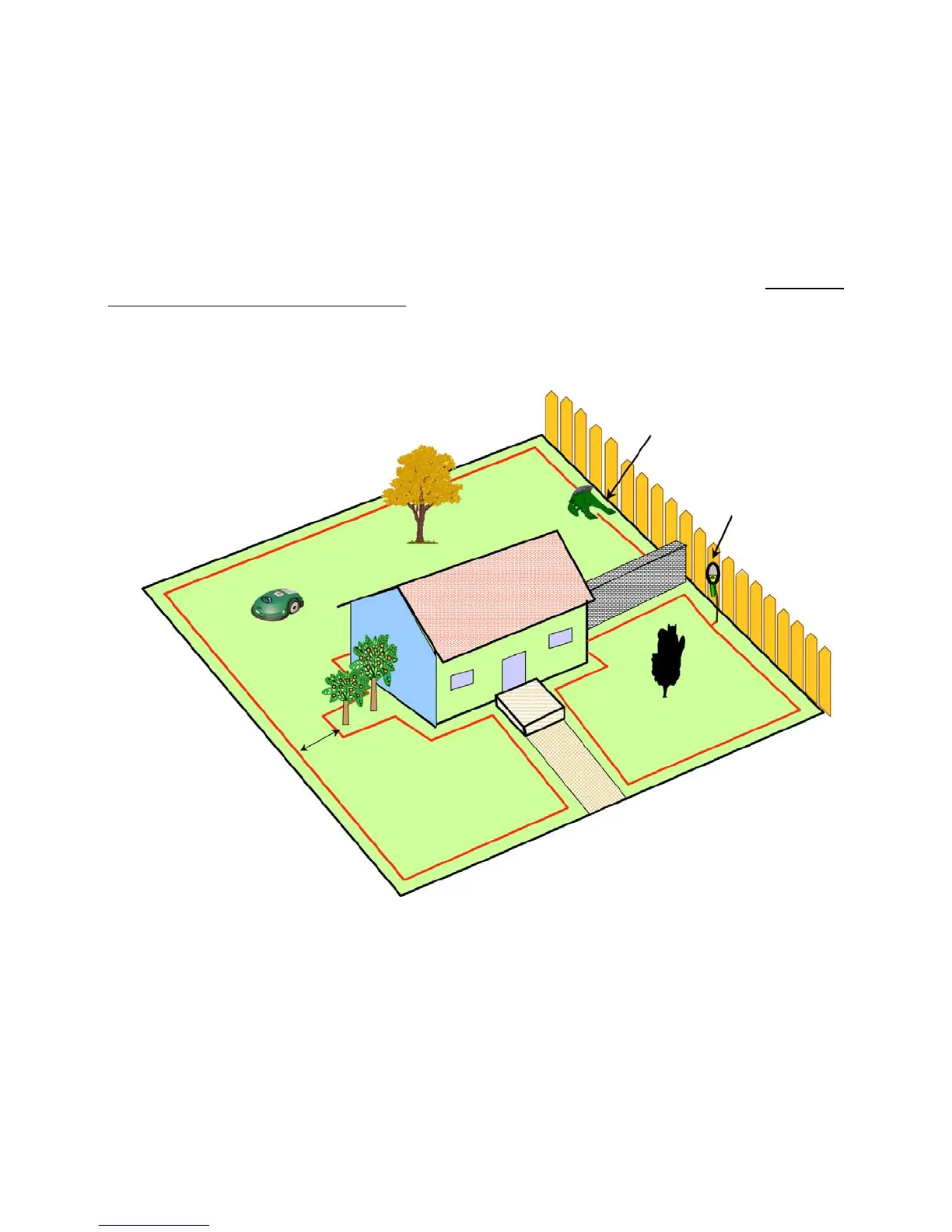
1.9 Multiple Zones/Areas
As mentioned earlier, your home may require more than one zone to be set up in order for the Robomow
to work in all of your lawn effectively. Having two or even three zones does not affect the efficiency of the
Robomow and in many circumstances is more desirable than one large zone. Where grass areas are not
contiguous, or are separated by fences or other objects, it is also recommended to make each of these a
separate zone. A simple but effective and common way to set the Robomow up is to have one zone for
the front yard and one for the back yard, where one zone is a Charging zone.
The key is to set up the zones that will allow the Robomow to operate with the greatest efficiency, even if it
is more than one or two zones. You will quickly find that mowing the lawn in these zones is an easy
process that will allow you greater flexibility in your mowing habits. The Robomow gives you the ability to
control the operating time for each zone independently, up to four different zones. In this way, if one zone
needs a shorter operating time than another, it can easily be set for such a process. See
Chapter 6,
Operator Settings and Advanced Features for detailed information on how to use this feature. There are
several ways to set up these zones, including the placement of the Perimeter Switch, depending on the
actual layout of the lawn. Examples are given in figures 1.14 and 1.15.
Figure 1.15a – Two zones
1. Dock zone, including the back yard and part of the front yard, operated by the Charging Station.
Robomow will mow them as one zone
2. Zone B operated by the Perimeter Switch.
Min distance of 5.5ft. (1.7m)
between perimeter wire to
perimeter wire
Dock Zone
Dock Zone
Zone B
Perimeter Switch
Charging Station
20








 To Next Page