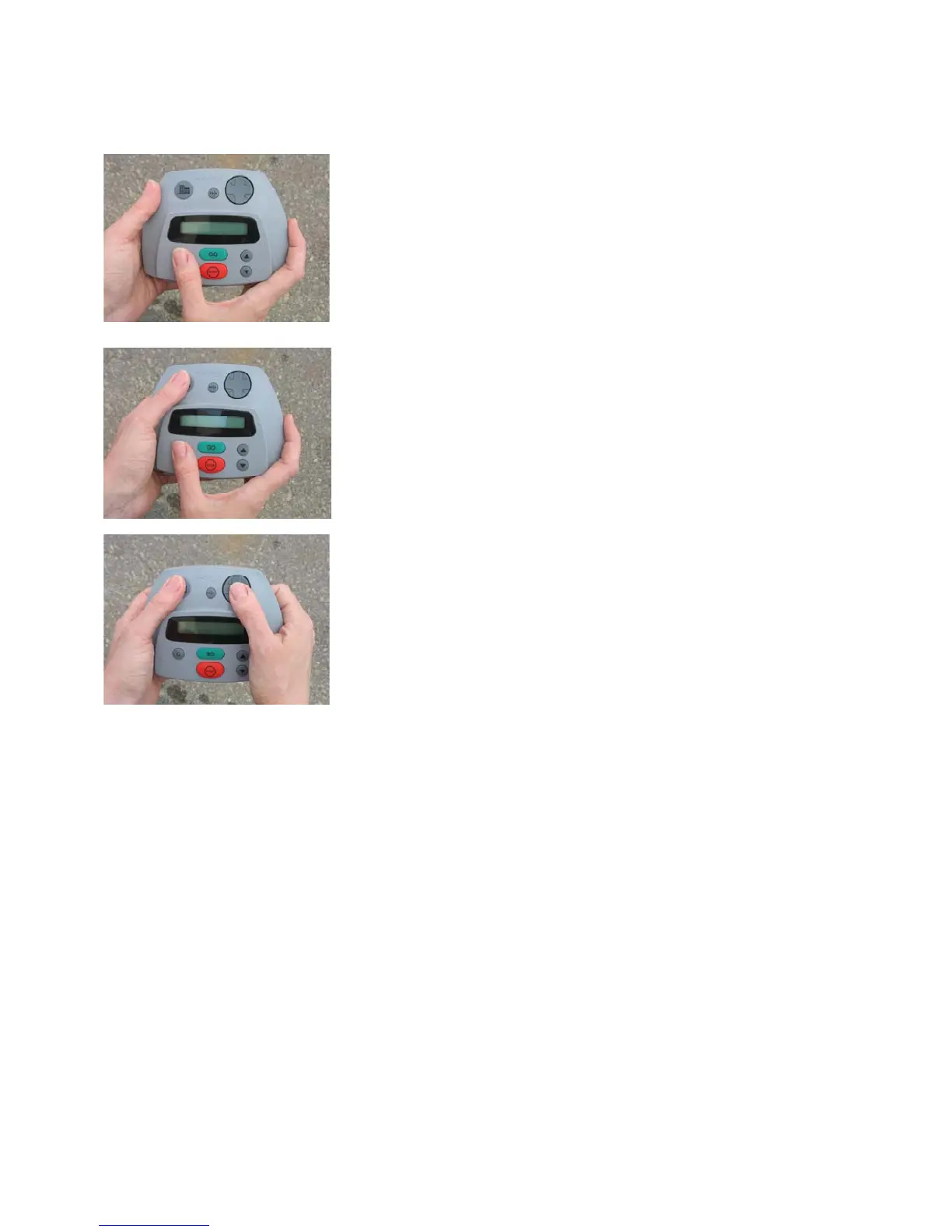
Fi
ure 3.11
Manual mowin
with manual controller
Step 1
Using right thumb, press and hold ‘C’ button.
Step 2
While holding the ‘C’ button, press the
‘Mow’ button with your left thumb. The
blades will now start.
Step 3
Release the ‘C’ button. Maintain pressure
on the ‘Mow’ button with your left thumb.
avigate and drive the mower using your
right thumb on the ‘navigator’ pad.
43








 To Next Page