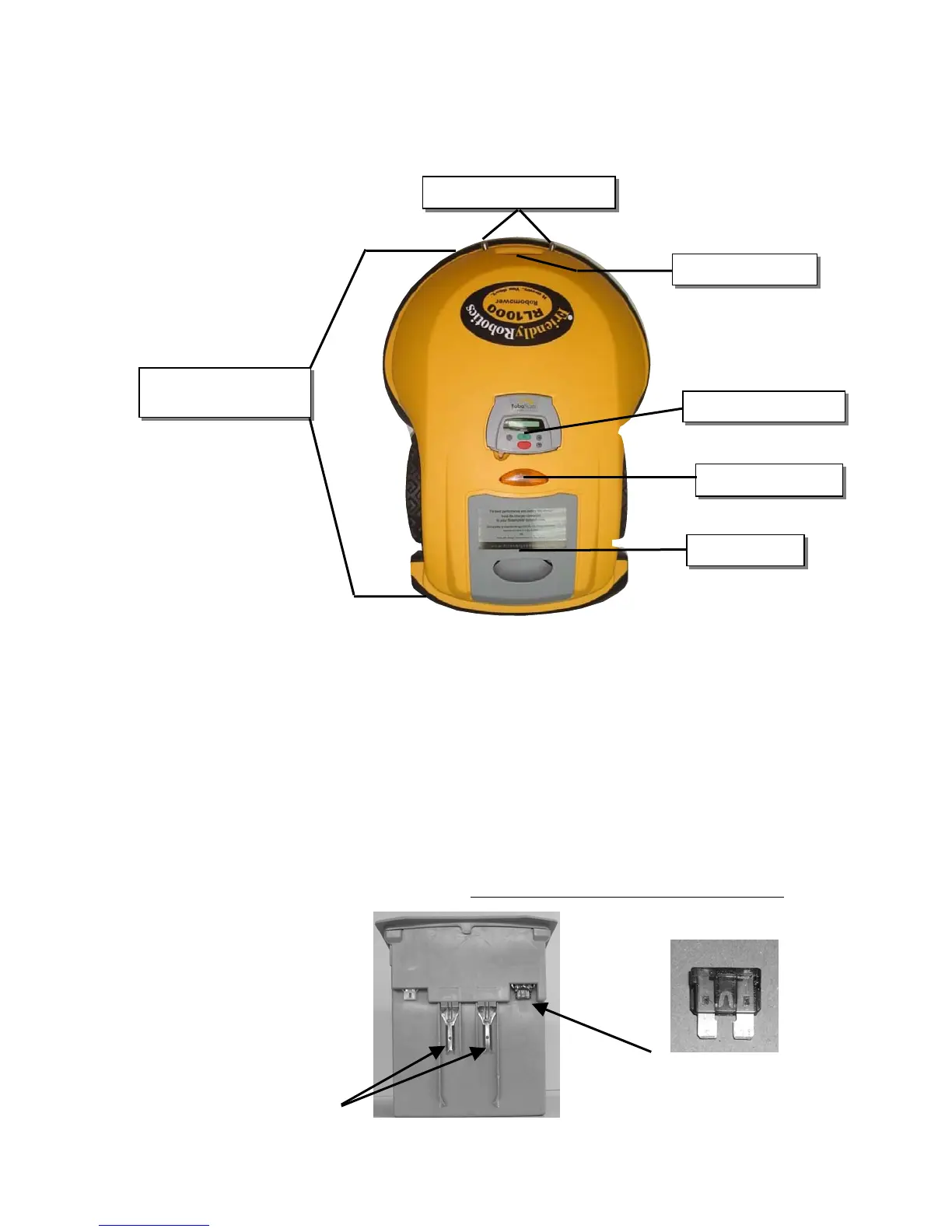
Insert the Power Pack fuse into the
fuse holder. The fuse can be inserted
in either direction
Bumpers with touch
sensitive sensors
Manual Controller
Power Pac
Operatin
Lamp
Chapter 2
Preparing The Robomow
®
2.1 Inserting Power Pack Fuse
Your Robomow is shipped with the Power Pack fuse removed and it will not operate without it. The
fuse is contained in a small plastic bag attached to the top of the Power Pack. Remove the Power
Pack from the Robomow and insert the fuse. The fuse can be inserted in either direction. See Figure
2.2
Carefully lower the Power Pack into the Robomow. The Robomow now will power up (wake up). The
Power Pack is charged at the factory and has plenty of power to perform the initial setup and test run.
However, after the initial set-up process is completed the Power Pack needs to be charged for a full 20
hours before the first operation. See Chapter 4,
Power Pack Charging & Power Management.
Figure 2.1 - A basic ‘what is what’ of the Robomow
Char
in
Contact Pins
Carr
in
handle
Figure 2.2 – Inserting Fuse Into Power Pack
30








 To Next Page