46
character and press to select the character.
button to confirm..Press
to return to the setup page.
9.
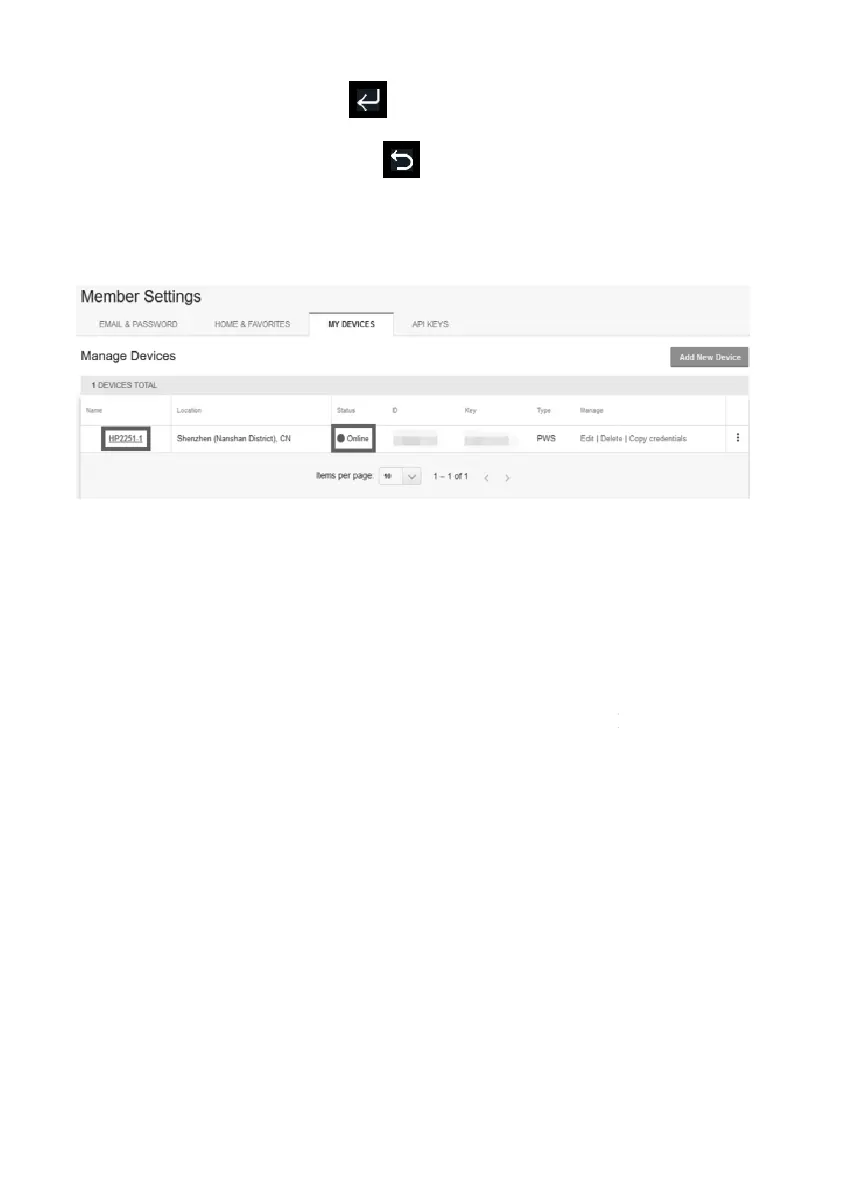
Refresh the page, you may have to wait about a few minutes until the
status becomes ‘Online’. Then you can click device name to view data.
5.6.15 .2 Viewing data on wunderground.com
The most basic way to observe your weath
er station’s data is by using the
wunderground.com web site. You will use a URL like this one, where your
station ID replaces the text “STATIONID”:
http://www.wunderground.com/personal-weather-
ATIONID
It will show a page such as this, where you can look at today’s data and
historical data as well:
to return to the setup page.
Refresh the page, you may have to wait about a few minutes until the
status becomes ‘Online’. Then you can click device name to view data.
er station’s data is by using the
wunderground.com web site. You will use a URL like this one, where your
It will show a page such as this, where you can look at today’s data and



 To Next Page