27
History key
Press this key to select History data display.
Return key
Press this key to return to normal display mode
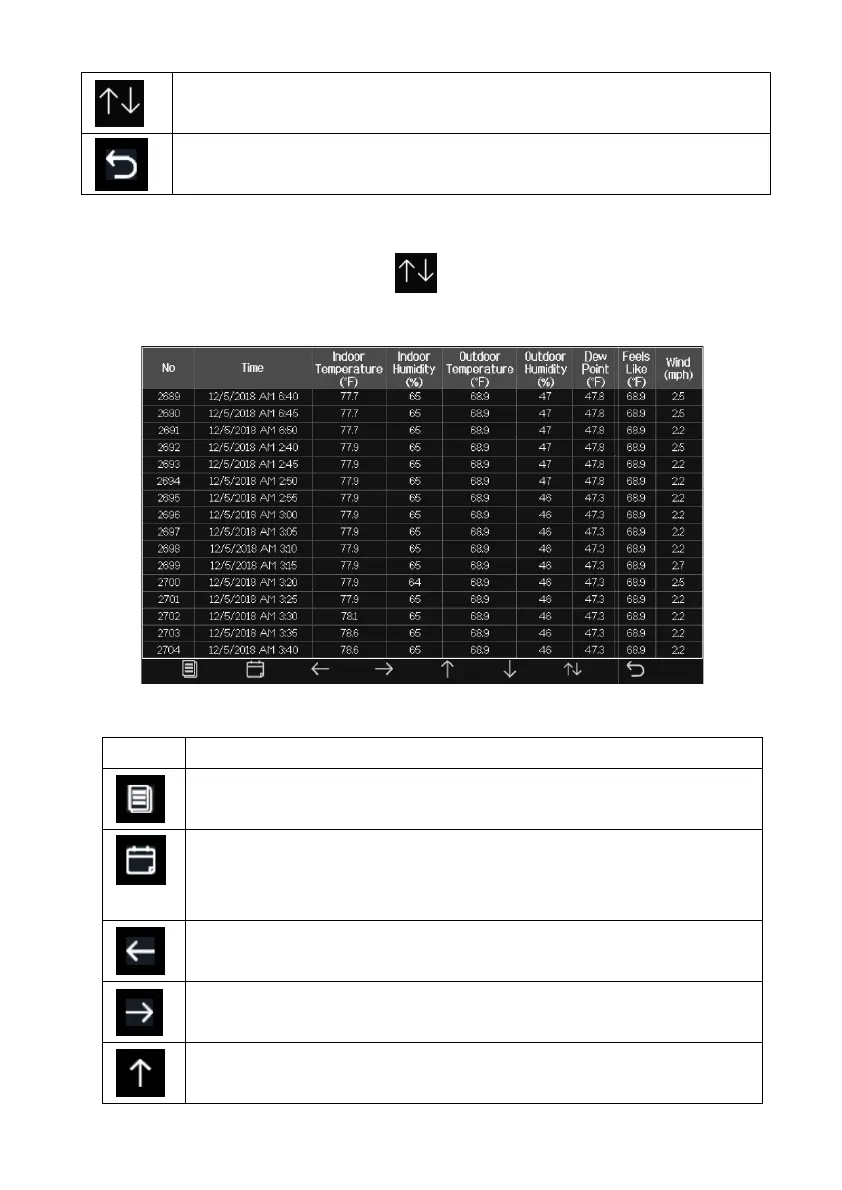
5.5.2 History Record Mode
While in normal display, press the
key twice to enter History Record
Mode.
Figure 10: History record Screen
Icon Description
File Select key
Press this key to clear all history record
Page Select key
Press this key to enter particular page of the history data. Each
page contains 16sets data.
Scroll left key
Press this key to
view the left of the scrollable area.
Scroll right key
Press this key to
view the right of the scrollable area.
Page up key
Press this key to scroll up the page you are viewing
key twice to enter History Record
Press this key to enter particular page of the history data. Each
view the left of the scrollable area.
view the right of the scrollable area.
Press this key to scroll up the page you are viewing



 To Next Page