63
1) Press
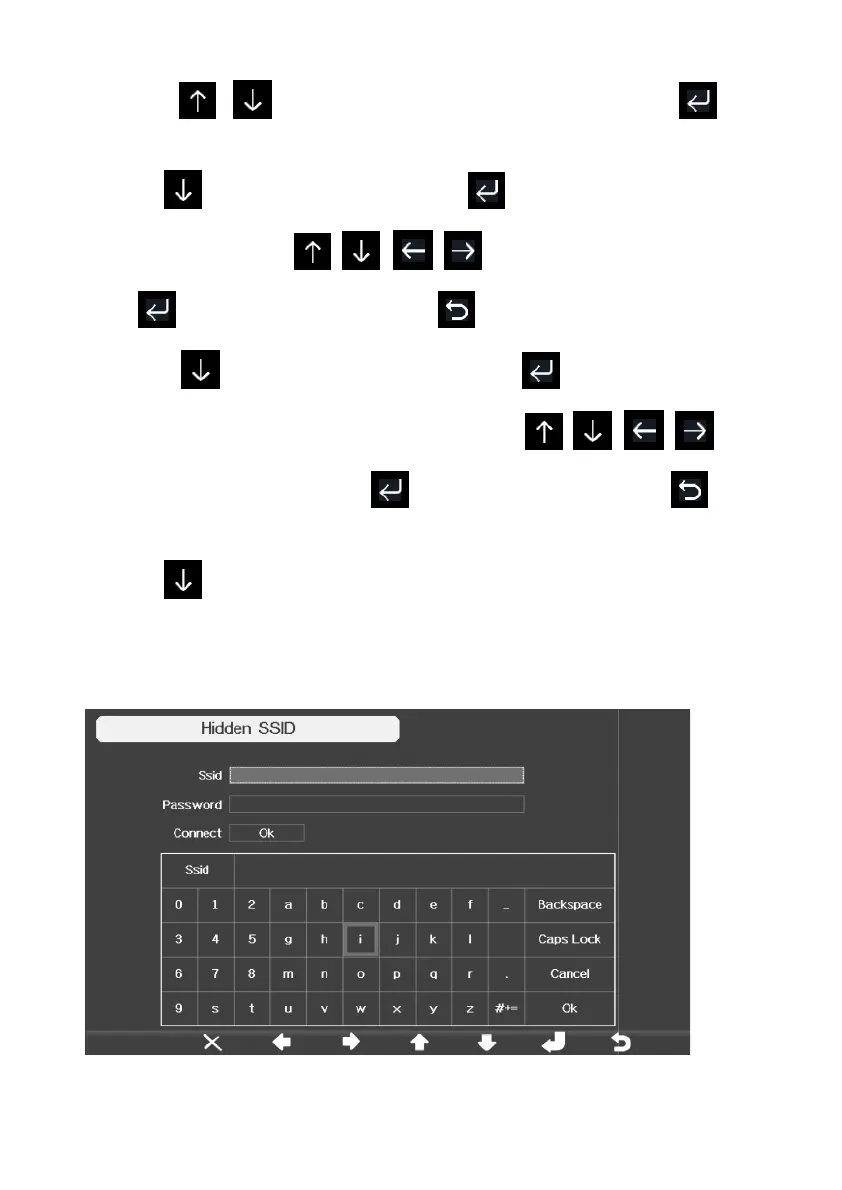
to select Hidden SSID setup, and press
directly to enter.
2).Press to highlight the SSID. Press
to display the keyboard and
enter your SSID. Press
to scroll to the character and
press to enter the character. Press
to return to the setup page.
3). Press to highlight the Password. Press
keyboard and start to enter your password.. Press
scroll to the character and press
to enter the character. Press
return to the setup page.
4).Press
to highlight the “OK” button beside “Connect ” to start
connecting.
After connected
successfully, the status will display” Connected”.
to select Hidden SSID setup, and press
key
to display the keyboard and
to scroll to the character and
to return to the setup page.
to
to enter the character. Press
to
to highlight the “OK” button beside “Connect ” to start
successfully, the status will display” Connected”.



 To Next Page