67
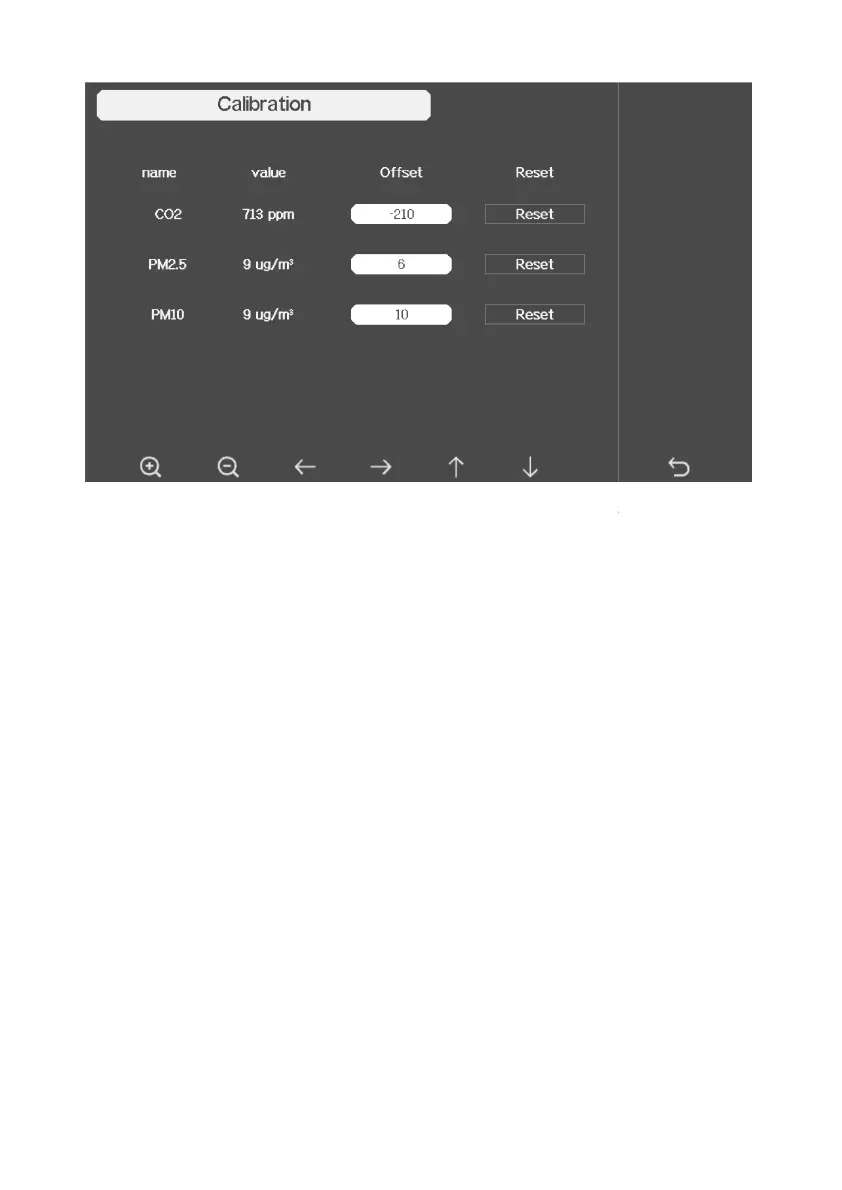
Figure 30:
PM2.5, PM10 and CO2 Air Quality Sensor Calibration
Note:
To calibrate the optional soil moisture sensor, please refer to the manual of the
WH51 soil moisture senor.
To calibrate the PM2.5 sensor, you’ll need to find a reliable source, such as
professional devices from your local air quality service.
To calibrate the temp and humidity sensor, please refer to section 4.9.19.
Sensor ID Setup
On this page you can set the following:
View sensor ID, signal strength and battery power condition. 1
means 1-
4 successful successive signal receptions without missed ones.
Register the sensor when offline.
Enable or disable the sensor.
Input the Sensor ID when offline.
PM2.5, PM10 and CO2 Air Quality Sensor Calibration
To calibrate the optional soil moisture sensor, please refer to the manual of the
To calibrate the PM2.5 sensor, you’ll need to find a reliable source, such as
To calibrate the temp and humidity sensor, please refer to section 4.9.19.
View sensor ID, signal strength and battery power condition. 1
-4 bars
4 successful successive signal receptions without missed ones.



 To Next Page