12
Requirements A 5-character access code is required to access Field Adjustable Trip
Enter the
Setup Menu
for Field Adju-
stable Trip
Points
Points in the Setup menu. This access code will be provided by Fronius
upon request.
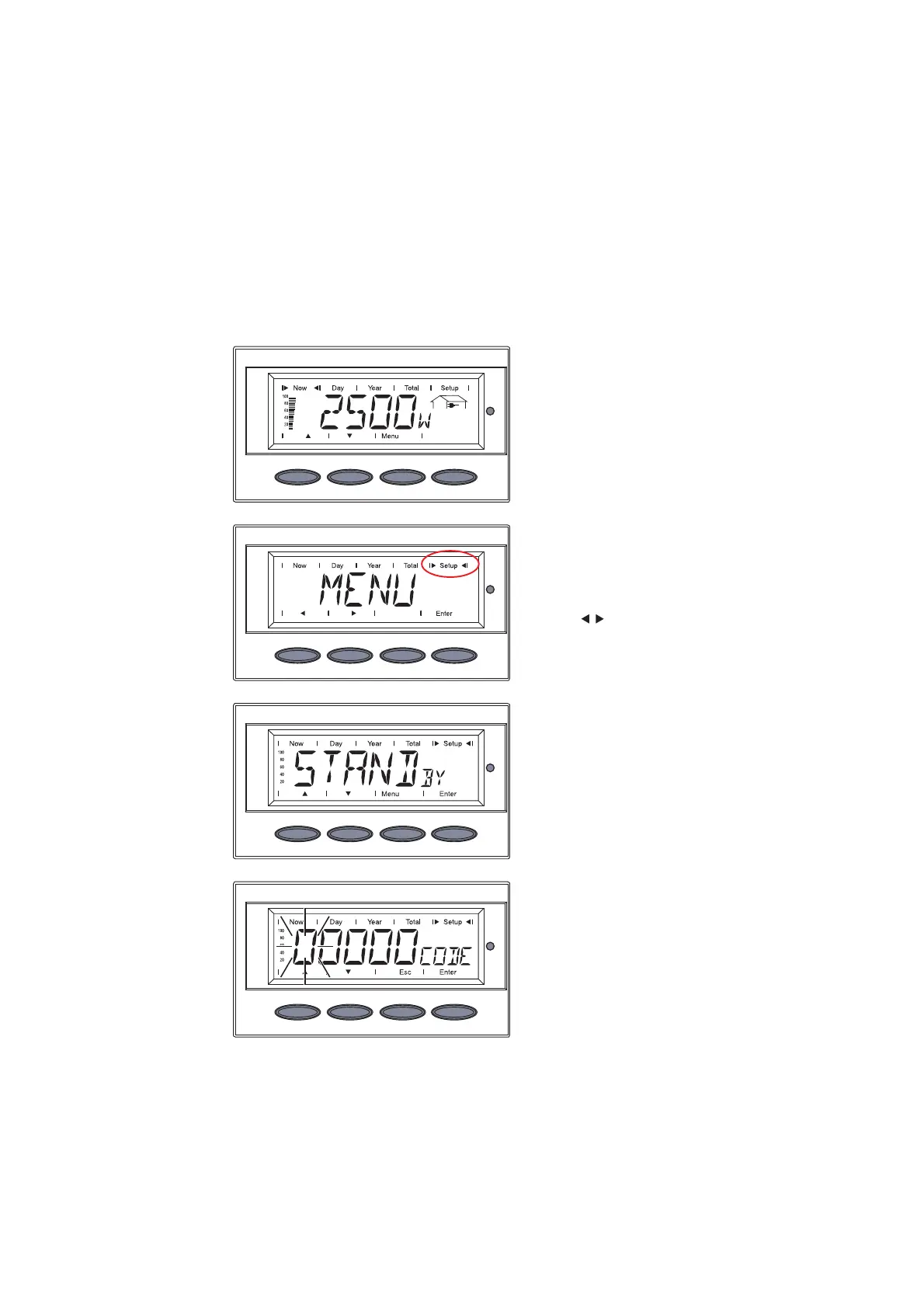
1. Press the ‘Menu’ key
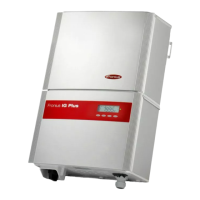
‘MENU’ is displayed
2. Select the ‘Setup’ mode using
the ‘Left’ or ‘Right’ keys
3. Press the ‘Enter’ key
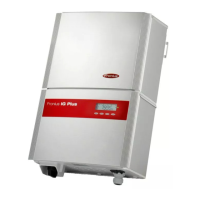
‘STANDBY’ is displayed.
4. Press the ‘Menu’ key 5 x
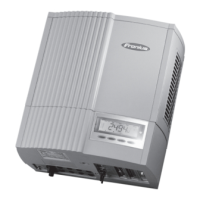
‘CODE’ is displayed, the first
digit flashes.
5. Enter the access code
Enter the Setup Menu for Field Adjustable Trip
Points



 To Next Page