13
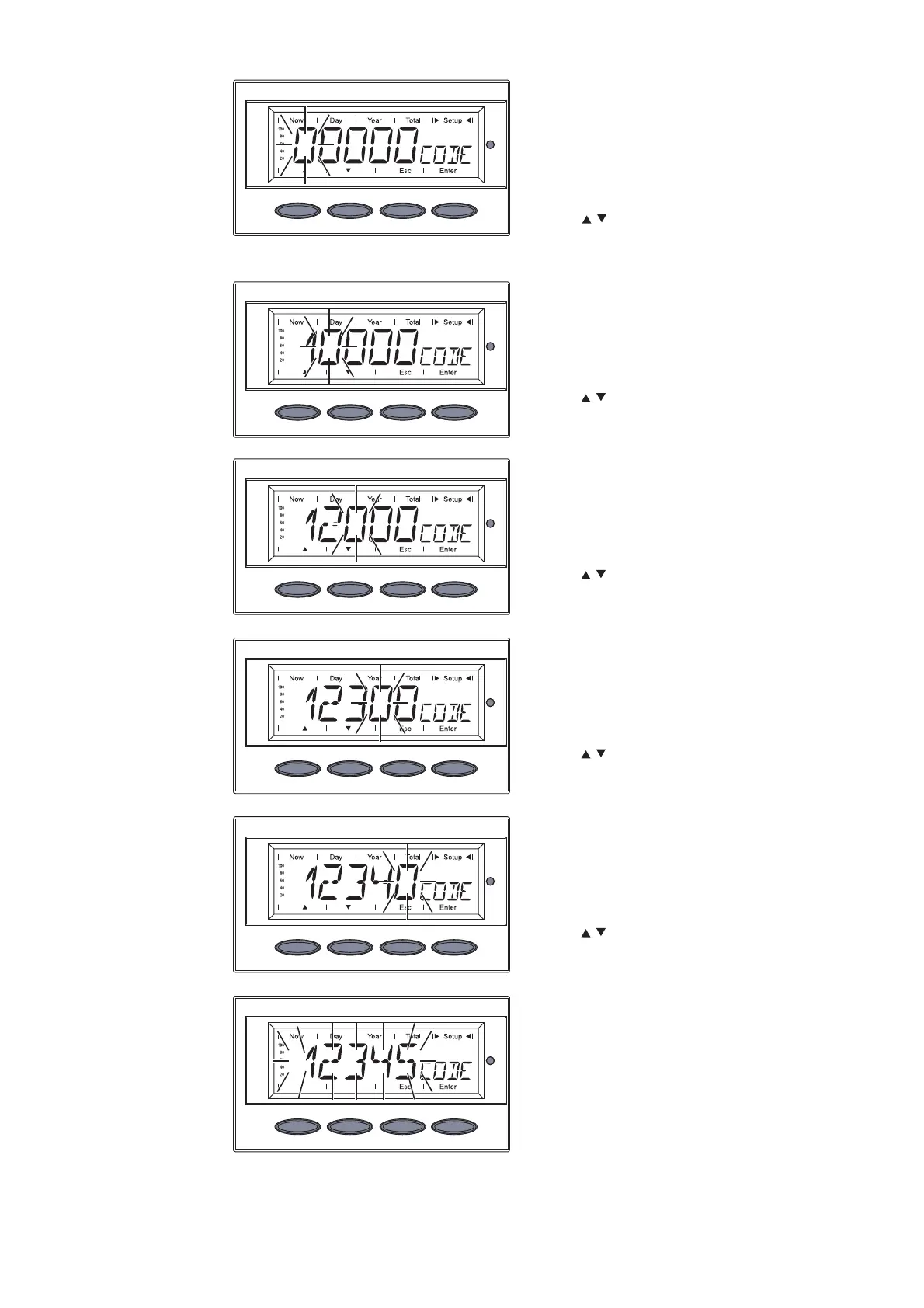
‘CODE’ is displayed, the first
digit flashes.
1. Use the ‘Up’ and ‘Down’ keys to
select a value for the first digit
of the access code
2. Press the ‘Enter’ key
Enter the
access code
The second digit flashes.
3. Use the ‘Up’ and ‘Down’ keys to
select a value for the second
digit of the access code
4. Press the ‘Enter’ key
The third digit flashes.
5. Use the ‘Up’ and ‘Down’ keys to
select a value for the third digit
of the access code
6. Press the ‘Enter’ key
The fourth digit flashes.
7. Use the ‘Up’ and ‘Down’ keys to
select a value for the fourth
digit of the access code
8. Press the ‘Enter’ key
The fifth digit flashes.
9. Use the ‘Up’ and ‘Down’ keys to
select a value for the fifth digit
of the access code
10. Press the ‘Enter’ key
The access code flashes.
11. Press the ‘Enter’ key






 To Next Page