EasyManua.ls Logo

Fronius MagicWave 3000 - User Manual

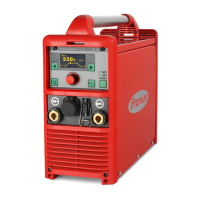
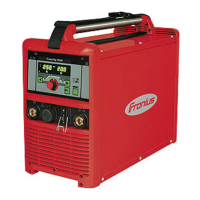
Fronius MagicWave 3000
220 pages
Print Icon
To Next Page IconTo Next Page
Loading...
Fronius prints on elemental chlorine free paper (ECF) sourced from certified sustainable forests (FSC).
/ Perfect Charging / Perfect Welding / Solar Energy
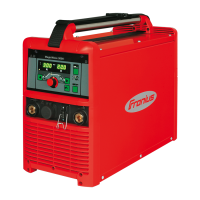
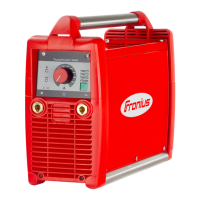
TransTig 2200 / 2500 Comfort
TransTig 3000 / 4000 Comfort
TransTig 5000 Comfort
MagicWave 2200 / 2500 Comfort
MagicWave 3000 / 4000 Comfort
MagicWave 5000 Comfort
EN
Operating instructions
TIG power source
42,0426,0063,EN 022-18122020

Table of Contents

Other manuals for Fronius MagicWave 3000

Questions and Answers

  • S
    stuart82Aug 18, 2025
    What to do if the Fronius Welding System displays 'Ignition time-out'?
    • P
      Phillip WalshAug 18, 2025
      If the Fronius Welding System indicates an 'Ignition time-out', it means the current didn't start flowing before the set wire length was fed, and the power source safety cut-out was activated. Try pressing the torch trigger repeatedly. Also, clean the workpiece surface. If the problem persists, increase the time until the safety cut-out is triggered via the level 2 setup menu.
  • M
    Matthew FloresAug 20, 2025
    What to do if Fronius Welding System shows error 'PE'?
    • D
      Diane BradleyAug 20, 2025
      If your Fronius Welding System displays error 'PE', the earth current watchdog has triggered the power source's safety cut-out. To resolve this, switch off the power source, wait 10 seconds, and then switch it back on. If the error continues after several attempts, the provided information is insufficient to resolve this issue.
  • A
    Alexa Boyd DDSAug 22, 2025
    What to do if Fronius Welding System tP1 error occurs?
    • J
      Jessica GreenAug 23, 2025
      If the Fronius Welding System displays a tP1 error, it indicates overtemperature in the power source's primary circuit. Allow the power source to cool down.
  • M
    Meagan RushAug 26, 2025
    What to do if Fronius Welding System tP2 error occurs?
    • C
      Crystal HaleAug 26, 2025
      If the Fronius Welding System displays a tP2 error, it indicates overtemperature in the power source's primary circuit. Allow the power source to cool down.
  • D
    Debra HarmonAug 28, 2025
    What to do if Fronius Welding System tP3 error occurs?
    • M
      Mrs. Jacqueline GarciaAug 28, 2025
      If the Fronius Welding System displays a tP3 error, it indicates overtemperature in the power source's primary circuit. Allow the power source to cool down.
  • M
    Michelle SchroederAug 30, 2025
    What to do if Fronius Welding System tP4 error occurs?
    • D
      Donna JonesAug 30, 2025
      If the Fronius Welding System displays a tP4 error, it indicates overtemperature in the power source's primary circuit. Allow the power source to cool down.
  • C
    cynthia86Sep 2, 2025
    What to do if Fronius Welding System tP5 error occurs?
    • C
      Christopher RomeroSep 2, 2025
      If the Fronius Welding System displays a tP5 error, it indicates overtemperature in the power source's primary circuit. Allow the power source to cool down.
  • R
    Robert CampbellSep 4, 2025
    What to do if Fronius Welding System tP6 error occurs?
    • C
      christopherwoodsSep 4, 2025
      If the Fronius Welding System displays a tP6 error, it indicates overtemperature in the power source's primary circuit. Allow the power source to cool down.
  • J
    James HigginsSep 7, 2025
    What to do if Fronius Welding System tS1 error occurs?
    • A
      Austin CooperSep 7, 2025
      If the Fronius Welding System displays a tS1 error, it indicates overtemperature in the power source's secondary circuit. Allow the power source to cool down.
  • J
    Jeffery ColemanSep 9, 2025
    What to do if Fronius Welding System tS2 error occurs?
    • T
      Tyler MorrisSep 10, 2025
      If the Fronius Welding System displays a tS2 error, it indicates overtemperature in the power source's secondary circuit. Allow the power source to cool down.

Summary

Operating Instructions

Safety Rules

General Safety Precautions

Covers operator responsibilities, proper use, environmental conditions, and general safety rules for safe operation.

Health and Environmental Hazards

Details risks from toxic gases, vapours, flying sparks, and noise pollution during welding operations.

Electrical Hazards

Explains risks associated with mains current and welding current, including electric shock and proper grounding.

Cylinder Safety

Covers dangers related to shielding gas cylinders, including pressure, explosion risks, and safe handling practices.

Control Elements and Connections

Installation and Commissioning

Start-up Procedure

Provides a step-by-step guide for safely powering on and connecting the device for the first time.

Welding Processes

TIG Modes and Parameters

Explains TIG welding modes like 2-step, 4-step, spot welding, and their associated parameters.

TIG Welding Operations

Details TIG welding safety, parameter display, navigation, preparation, and arc ignition methods.

MMA Welding Operations

Covers MMA welding safety, parameter display, navigation, and general MMA process overview.

Job Management

Troubleshooting and Maintenance

Troubleshooting Guide

Provides a comprehensive list of error codes, their causes, and recommended remedies.

Fronius MagicWave 3000 Specifications

General IconGeneral
Output Power3000 W
Input Voltage230 V
Frequency50/60 Hz
Protection ClassIP23
PhaseSingle-phase

Related product manuals