EasyManua.ls Logo

Fronius MagicWave 4000 - User Manual

Fronius MagicWave 4000
140 pages
Print Icon
To Next Page IconTo Next Page
Loading...
Fronius prints on elemental chlorine free paper (ECF) sourced from certified sustainable forests (FSC).
/ Perfect Charging / Perfect Welding / Solar Energy
42,0426,0027,EN 018-23022017
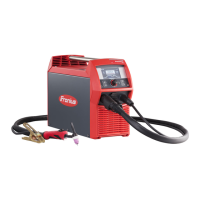
TransTig 2200
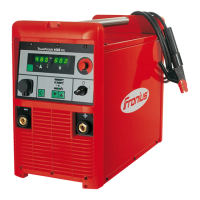
TransTig 2500 / 3000
TransTig 4000 / 5000
MagicWave 1700 / 2200
MagicWave 2500 / 3000
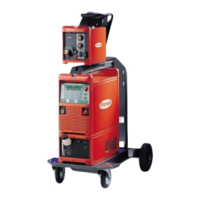
MagicWave 4000 / 5000
Operating Instructions
Spare parts list
TIG Power source
EN

Table of Contents

Questions and Answers

  • A
    Amanda TaylorAug 17, 2025
    What to do if the Fronius MagicWave 4000 Welding System displays 'Ignition time-out'?
    • L
      laurenhughesAug 17, 2025
      If the Fronius Welding System indicates an 'Ignition time-out', it means the current didn't start flowing before the set wire length was fed, and the power source safety cut-out was activated. Try pressing the torch trigger repeatedly. Also, clean the workpiece surface. If the problem persists, increase the time until the safety cut-out is triggered via the level 2 setup menu.
  • B
    Brian StoneAug 20, 2025
    What to do if Fronius MagicWave 4000 shows error 'PE'?
    • J
      Joshua LiuAug 20, 2025
      If your Fronius Welding System displays error 'PE', the earth current watchdog has triggered the power source's safety cut-out. To resolve this, switch off the power source, wait 10 seconds, and then switch it back on. If the error continues after several attempts, the provided information is insufficient to resolve this issue.
  • R
    robertstonyaAug 22, 2025
    What to do if Fronius MagicWave 4000 tP1 error occurs?
    • C
      Corey ThomasAug 22, 2025
      If the Fronius Welding System displays a tP1 error, it indicates overtemperature in the power source's primary circuit. Allow the power source to cool down.
  • D
    Deborah AlexanderAug 25, 2025
    What to do if Fronius MagicWave 4000 tP2 error occurs?
    • K
      Kenneth JacksonAug 26, 2025
      If the Fronius Welding System displays a tP2 error, it indicates overtemperature in the power source's primary circuit. Allow the power source to cool down.
  • T
    Teresa FosterAug 27, 2025
    What to do if Fronius MagicWave 4000 tP3 error occurs?
    • M
      Mark LeeAug 27, 2025
      If the Fronius Welding System displays a tP3 error, it indicates overtemperature in the power source's primary circuit. Allow the power source to cool down.
  • J
    Joseph DavisAug 30, 2025
    What to do if Fronius MagicWave 4000 Welding System tP4 error occurs?
    • V
      Victor AndersonAug 30, 2025
      If the Fronius Welding System displays a tP4 error, it indicates overtemperature in the power source's primary circuit. Allow the power source to cool down.
  • L
    Lucas SuttonSep 1, 2025
    What to do if Fronius Welding System tP5 error occurs?
    • D
      Damon PattonSep 2, 2025
      If the Fronius Welding System displays a tP5 error, it indicates overtemperature in the power source's primary circuit. Allow the power source to cool down.
  • S
    Sherri DavisSep 4, 2025
    What to do if Fronius Welding System tP6 error occurs?
    • S
      Susan MitchellSep 4, 2025
      If the Fronius Welding System displays a tP6 error, it indicates overtemperature in the power source's primary circuit. Allow the power source to cool down.
  • C
    christinaandradeSep 6, 2025
    What to do if Fronius Welding System tS1 error occurs?
    • V
      vrosarioSep 6, 2025
      If the Fronius Welding System displays a tS1 error, it indicates overtemperature in the power source's secondary circuit. Allow the power source to cool down.
  • K
    Keith LevySep 9, 2025
    What to do if Fronius MagicWave 4000 tS2 error occurs?
    • S
      Steven GuzmanSep 9, 2025
      If the Fronius Welding System displays a tS2 error, it indicates overtemperature in the power source's secondary circuit. Allow the power source to cool down.

Summary

Safety Rules and Precautions

Explanation of Safety Symbols

Defines safety symbols like DANGER, WARNING, CAUTION, NOTE, and IMPORTANT.

General Safety Precautions

Outlines general safety standards, operator obligations, and device handling requirements.

Proper Use Guidelines

Specifies the intended purpose of the device and lists improper uses.

Operator and Personnel Obligations

Defines responsibilities for personnel operating the welding device, including qualifications and training.

Personal Protection and Hazard Awareness

Lists risks like sparks, arc radiation, EMF, electrocution, noise, fumes, and required protective clothing.

Toxic Gases and Vapour Safety

Warns about welding fumes causing health issues and details ventilation and mask requirements.

Flying Sparks and Fire Hazard Prevention

Details risks from flying sparks, fire hazards, and necessary precautions like fire extinguishers.

Electrical Shock and Cable Safety

Explains risks of electric shock from mains/welding current and precautions for cables and connections.

EMC Mitigation and EMF Hazard Awareness

Lists measures to avoid EMC issues and discusses potential health risks from electromagnetic fields.

Operational Safety and Coolant Handling

Details safety checks during operation, handling hot parts, and risks associated with coolant.

Shielding Gas and Installation Safety

Covers shielding gas cylinder safety, installation stability, and workplace safety measures.

Normal Operation Safety Checks

Emphasizes operating only with functional safety devices, avoiding bypass, and checking for damage.

Maintenance, Repair, and Disposal Safety

Stresses using original parts, avoiding modifications, and proper grounding screw usage.

General Information on Welding Equipment

Device Concept and Modularity

Describes the power sources as digitized, microprocessor-controlled inverters with modular design and flexible add-ons.

Mandatory Device Warning Labels

Emphasizes that warning notices on the device must not be removed or painted over.

System Components Overview

System Components Identification

Illustrates and lists power sources, cooling units, trolleys, torches, remote controls, and cables.

Control Elements and Connections

MagicWave Control Panel Details

Identifies and describes components like digital displays, HOLD indicator, and their functions for MagicWave.

MagicWave Control Panel Functions

Explains indicators (voltage, unit), process buttons, mode buttons, and parameter selection buttons.

TransTig Control Panel Details

Identifies and describes components like digital displays, HOLD indicator, and their functions for TransTig.

TransTig Control Panel Functions

Explains voltage indicator, unit indicators, mode buttons, parameter selection, and gas test button.

Connections, Switches, and Mechanical Components

MagicWave 1700;2200 Connections

Details front and rear connections for MagicWave 1700/2200, including torch, LocalNet, grounding, gas, and mains.

MagicWave 2500;3000 Connections

Details front and rear connections for MagicWave 2500/3000, including grounding, LocalNet, torch, gas, and mains.

Installation and Commissioning Procedures

Pre-Installation and Commissioning Safety

Emphasizes that all work must be done by trained personnel and highlights risks of incorrect operation or toppling.

Equipment Start-up Procedures

Start-up Safety Precautions

Warns about severe injury/damage from electric shock during installation and emphasizes unplugging the device.

Gas Cylinder Connection Safety

Warns about injury/damage from toppling gas cylinders and stresses secure mounting and manufacturer's instructions.

TIG Welding Operations

TIG Welding Mode Safety

Warns about injury/damage from incorrect operation and requirement to read all instructions.

TIG Welding Parameters and Setup

TIG Welding Safety and Preparation

Warns about injury/damage from incorrect operation and electric shock if the power source is connected.

Arc Ignition Techniques

High Frequency (HF) Ignition Procedure

Explains HF ignition activation, indicator, benefits, and the procedure for placing the nozzle and actuating the trigger.

MMA Welding Procedures

MMA Welding Safety and Preparation

Warns about injury/damage from incorrect operation and electric shock during installation.

Setup Settings Configuration

Troubleshooting and Maintenance

Troubleshooting Safety Precautions

Warns about injury/damage from incorrect work and electric shock, emphasizing safety rules and device disconnection.

Troubleshooting Service Codes (tP1-tSt)

Details service codes for overtemperature in primary/secondary circuits and control circuits.

Troubleshooting: Power Source Not Functioning

Addresses issues where indicators are not lit, including mains lead, plug, or socket faults.

Troubleshooting: No Welding Current

Covers issues with no welding current, including overload, thermostatic cut-out, fan faults, and grounding connection errors.

Care, Maintenance, and Disposal

Care and Maintenance Safety Precautions

Reiterates safety warnings for work on the device, including electric shock and ground connection integrity.

Appendix Information

MagicWave 1700;2200 Technical Data

Lists mains voltage, frequency, fuse protection, current ranges, open circuit voltage, and dimensions.

MagicWave 2500;3000 Technical Data

Provides technical specifications for MW 2500/3000, including mains voltage, current ranges, and weight.

MagicWave 2500;3000 MV Technical Data

Lists technical data for MW 2500/3000 MV, covering mains voltage, frequency, and continuous power.

MagicWave 4000;5000 Technical Data

Details technical specifications for MW 4000/5000, including welding current ranges and insulation class.

MagicWave 4000;5000 MV Technical Data

Covers technical data for MW 4000/5000 MV, including mains voltage tolerance and EMC emission class.

MagicWave 4000;5000 MV Data Continued

Continues technical data for MW 4000/5000 MV, detailing dimensions and weight.

TransTig 2200 Technical Data

Lists technical specifications for TT 2200, including mains voltage, current ranges, and working voltage.

TransTig 2500;3000 Technical Data

Provides technical data for TT 2500/3000, including mains connection impedance and primary continuous power.

TransTig 2500;3000 MV Technical Data

Details technical specifications for TT 2500/3000 MV, including mains voltage tolerance and welding current at specific duty cycles.

TransTig 4000;5000 Technical Data

Lists technical data for TT 4000/5000, including current ranges and degree of protection.

TransTig 4000;5000 MV Technical Data

Covers technical data for TT 4000/5000 MV, including mains voltage tolerance and insulation class.

Fronius MagicWave 4000 Specifications

General IconGeneral
Input Voltage3 x 400 V
Output Current Range MMA10 - 400 A
Duty Cycle at 400 A60 %
Duty Cycle at 315 A100 %
Protection ClassIP 23
No-load Voltage80 V
Welding ProcessTIG, MMA
Rated Input Frequency50/60 Hz
Open Circuit Voltage80 V
Output Current Range TIG5 - 400 A
Welding Current Range5 A - 400 A
CoolingAir-cooled

Related product manuals