EasyManua.ls Logo

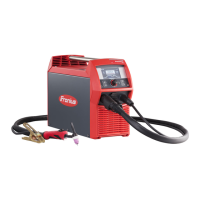
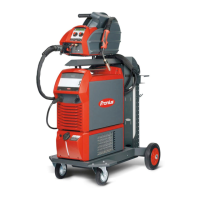
Fronius MagicWave 5000 - User Manual

Fronius MagicWave 5000
140 pages
Print Icon
To Next Page IconTo Next Page
Loading...
Fronius prints on elemental chlorine free paper (ECF) sourced from certified sustainable forests (FSC).
/ Perfect Charging / Perfect Welding / Solar Energy
42,0426,0027,EN 018-23022017
TransTig 2200
TransTig 2500 / 3000
TransTig 4000 / 5000
MagicWave 1700 / 2200
MagicWave 2500 / 3000
MagicWave 4000 / 5000
Operating Instructions
Spare parts list
TIG Power source
EN

Table of Contents

Questions and Answers

  • K
    Kimberly DavisAug 18, 2025
    What to do if the Fronius MagicWave 5000 displays 'Ignition time-out'?
    • D
      Dr. Chad WilliamsAug 18, 2025
      If the Fronius Welding System indicates an 'Ignition time-out', it means the current didn't start flowing before the set wire length was fed, and the power source safety cut-out was activated. Try pressing the torch trigger repeatedly. Also, clean the workpiece surface. If the problem persists, increase the time until the safety cut-out is triggered via the level 2 setup menu.
  • K
    Kristy SandersAug 20, 2025
    What to do if Fronius MagicWave 5000 Welding System shows error 'PE'?
    • L
      Lauren RojasAug 21, 2025
      If your Fronius Welding System displays error 'PE', the earth current watchdog has triggered the power source's safety cut-out. To resolve this, switch off the power source, wait 10 seconds, and then switch it back on. If the error continues after several attempts, the provided information is insufficient to resolve this issue.
  • P
    Peter LarsonAug 23, 2025
    What to do if Fronius Welding System tP1 error occurs?
    • D
      Danielle RodriguezAug 23, 2025
      If the Fronius Welding System displays a tP1 error, it indicates overtemperature in the power source's primary circuit. Allow the power source to cool down.
  • P
    Peggy StewartAug 26, 2025
    What to do if Fronius Welding System tP2 error occurs?
    • M
      Michele McmahonAug 26, 2025
      If the Fronius Welding System displays a tP2 error, it indicates overtemperature in the power source's primary circuit. Allow the power source to cool down.
  • L
    Lori AndersonAug 27, 2025
    What to do if Fronius MagicWave 5000 Welding System tP3 error occurs?
    • P
      Paul RamosAug 28, 2025
      If the Fronius Welding System displays a tP3 error, it indicates overtemperature in the power source's primary circuit. Allow the power source to cool down.
  • G
    Gregory WatsonAug 30, 2025
    What to do if Fronius Welding System tP4 error occurs?
    • N
      Nicholas MooreAug 30, 2025
      If the Fronius Welding System displays a tP4 error, it indicates overtemperature in the power source's primary circuit. Allow the power source to cool down.
  • C
    Christine EdwardsSep 2, 2025
    What to do if Fronius MagicWave 5000 tP5 error occurs?
    • W
      william67Sep 2, 2025
      If the Fronius Welding System displays a tP5 error, it indicates overtemperature in the power source's primary circuit. Allow the power source to cool down.
  • B
    Bonnie KingSep 4, 2025
    What to do if Fronius MagicWave 5000 tP6 error occurs?
    • L
      latoyaromeroSep 4, 2025
      If the Fronius Welding System displays a tP6 error, it indicates overtemperature in the power source's primary circuit. Allow the power source to cool down.
  • L
    Lisa BrownSep 6, 2025
    What to do if Fronius MagicWave 5000 Welding System tS1 error occurs?
    • K
      Kathy MeltonSep 7, 2025
      If the Fronius Welding System displays a tS1 error, it indicates overtemperature in the power source's secondary circuit. Allow the power source to cool down.
  • I
    icooperSep 9, 2025
    What to do if Fronius MagicWave 5000 Welding System tS2 error occurs?
    • C
      charlescharlesSep 9, 2025
      If the Fronius Welding System displays a tS2 error, it indicates overtemperature in the power source's secondary circuit. Allow the power source to cool down.

Summary

Safety Rules

General Safety and Operator Responsibilities

Covers general safety, proper use, environmental conditions, and operator duties.

Hazard Identification and Protection

Addresses electrical risks, sparks, fumes, noise, EMF, and necessary protective measures.

Installation, Transport, and Maintenance Safety

Safety guidelines for installation, transport, gas cylinders, and normal operation.

Installation and Commissioning

Pre-Installation Safety and Setup

Covers safety, intended use, setup regulations, and mains connection.

Welding Operations

TIG Welding Modes and Parameters

Explains TIG modes, symbols, parameters (GPr, Is, I1), and welding sequences.

TIG Welding Process and Arc Ignition

Details TIG parameters, preparation, and arc ignition methods (HF, Touchdown).

MMA Welding Process and Features

Covers MMA safety, preparation, modes, Hotstart, and Anti-Stick functions.

Setup Settings

Troubleshooting and Maintenance

Fronius MagicWave 5000 Specifications

General IconGeneral
BrandFronius
ModelMagicWave 5000
CategoryWelding System
LanguageEnglish

Related product manuals