Connecting the
Tweco welding
torch
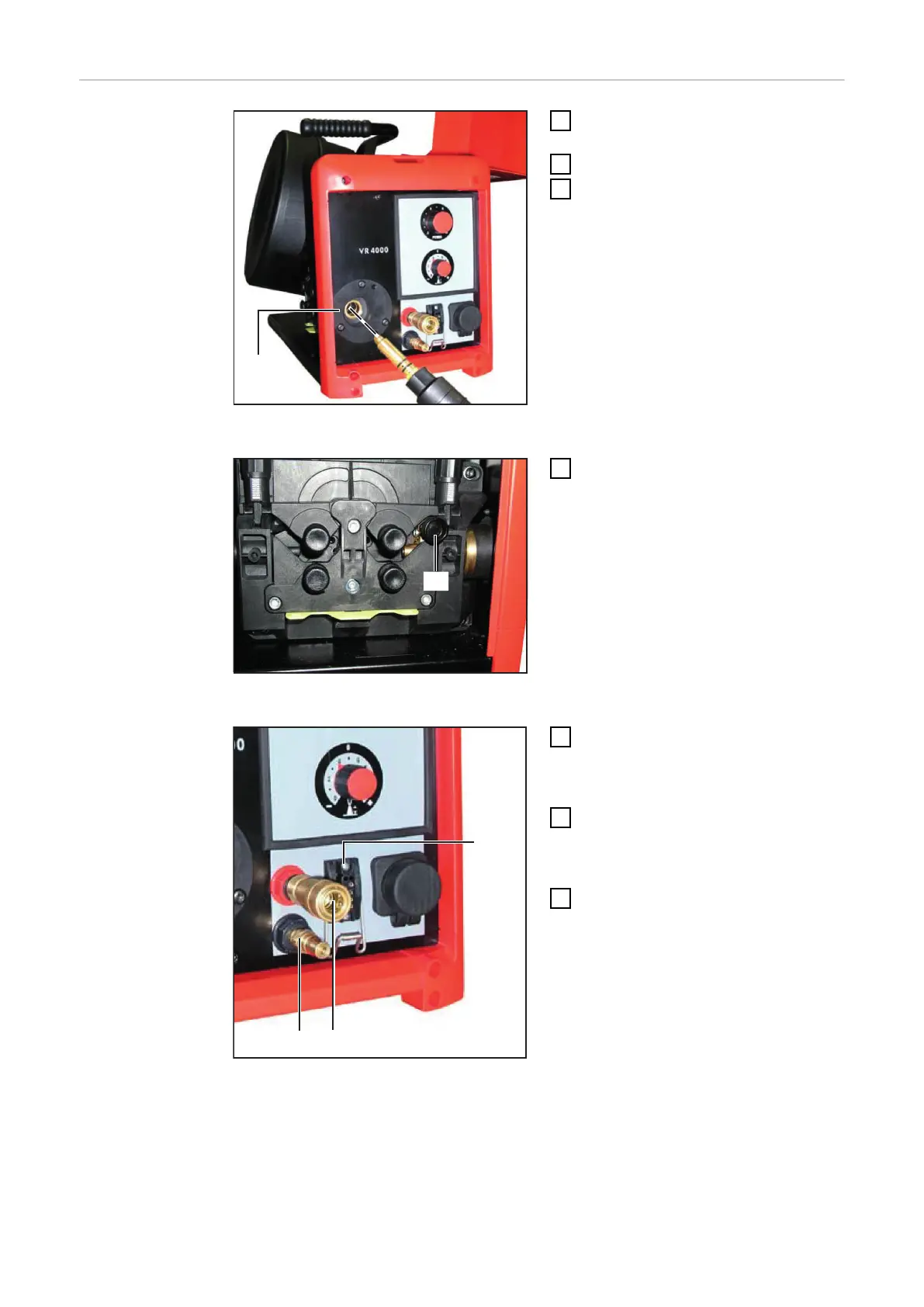
Inserting the welding torch into the connection
for Tweco
1
Switch the power source mains
switch to the "0" position
2
Open the wirespool cover
3
Insert the welding torch, infeed
tube first, into the welding torch
connection (5)
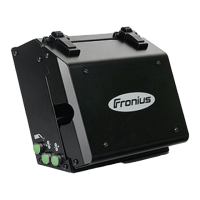
Fixing welding torch in place using a knurled
screw
4
Fix the welding torch in place using
a knurled screw (6)
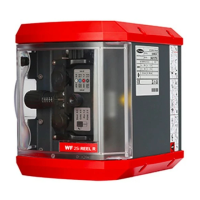
Connecting water connections for water flow
and water return
5
Plug the control plug of the weld-
ing torch onto the torch control
connection (7) and twist it to
fasten it
6
Optional: connect external water
connections for water flow (9) and
return (8) correctly, matching the
colours
7
Close wirespool cover
32


 To Next Page