The BAR-LT can hold up to 4 SD Cards for a total of 2TB of storage. When a card becomes full, or
has an error, it automatically moves down to the next card and starts recording to it, until all the
cards are full.
The total recording times will also be limited by the number of batteries / external power available
to the recorder. The PC Scheduler software makes it easy to find the optimal combination of
batteries and SD cards for given recording schedule.
We recommend using San Disk ultra, class 10 or higher. We have found them to have the
best power consumption and reliability in the field.
9.4 DISABLING WINDOWS CACHE SETTINGS
In Microsoft Windows, the default behaviour of removable drives (i.e. SD memory cards) is to have
file caching enabled, which postpones writing data to the card until a later time in order to
improve system performance. This means it is very easy to remove the disk and leave with either
the old schedule.fls file still on the card or none at all if the card was empty to start with. Even
when you re-load the file directly from the card to check it, there is no guarantee that the correct
file has been copied onto the disk yet.
To prevent this, you must select Safely Remove Hardware and Eject Media from the right-hand
side of the start bar, or disable the file caching settings for your SD card drive (recommended).
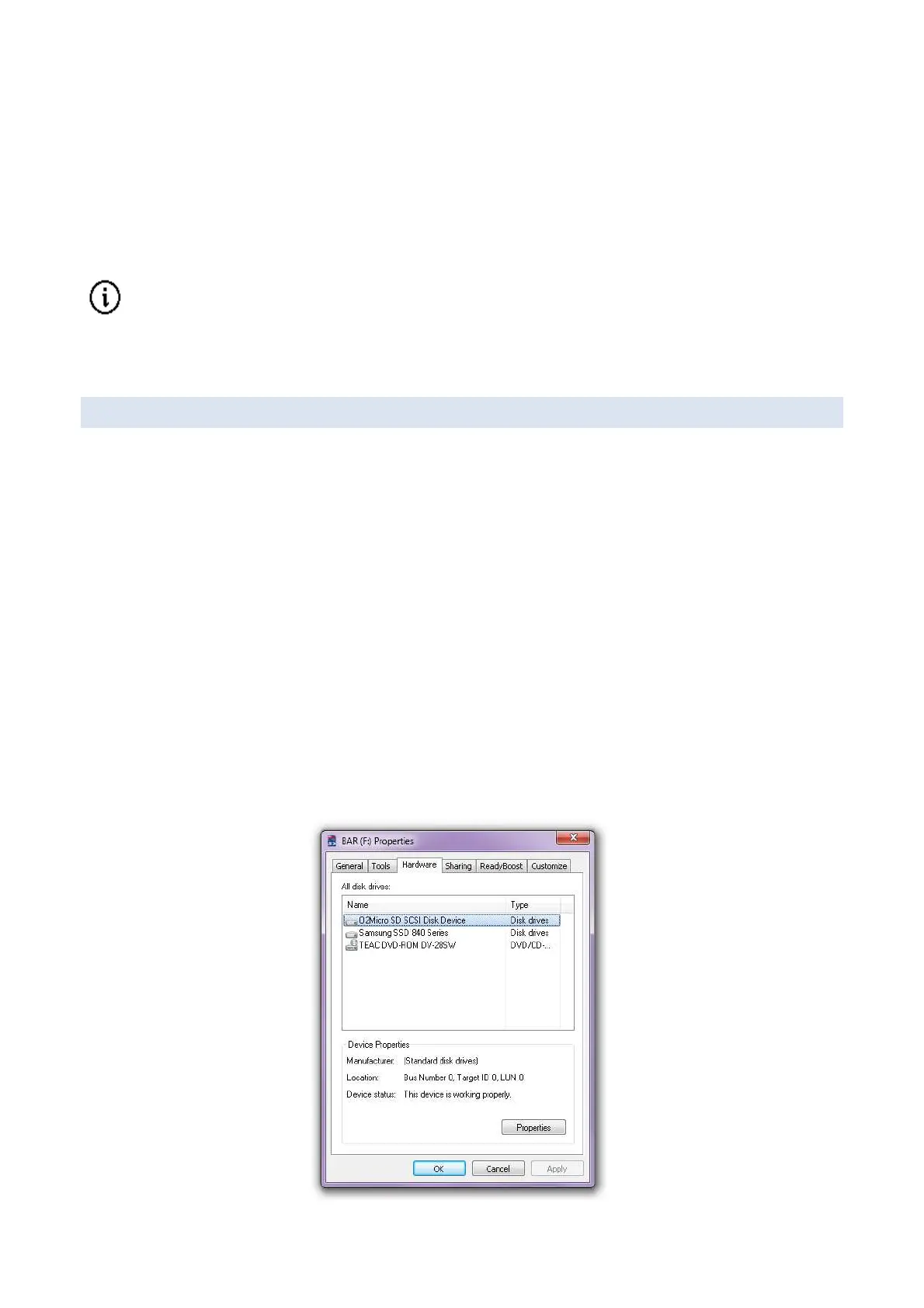
To disable file caching:
1. Right click on the SD card in My Computer, then click Properties.
2. Click on the Hardware tab at the top of the window
3. Select the drive of the SD card. (It may have a strange name, look for the letters “SD”)
4. Double click on the drive in the list or click the Properties button



 To Next Page