34 Maintenance Manual
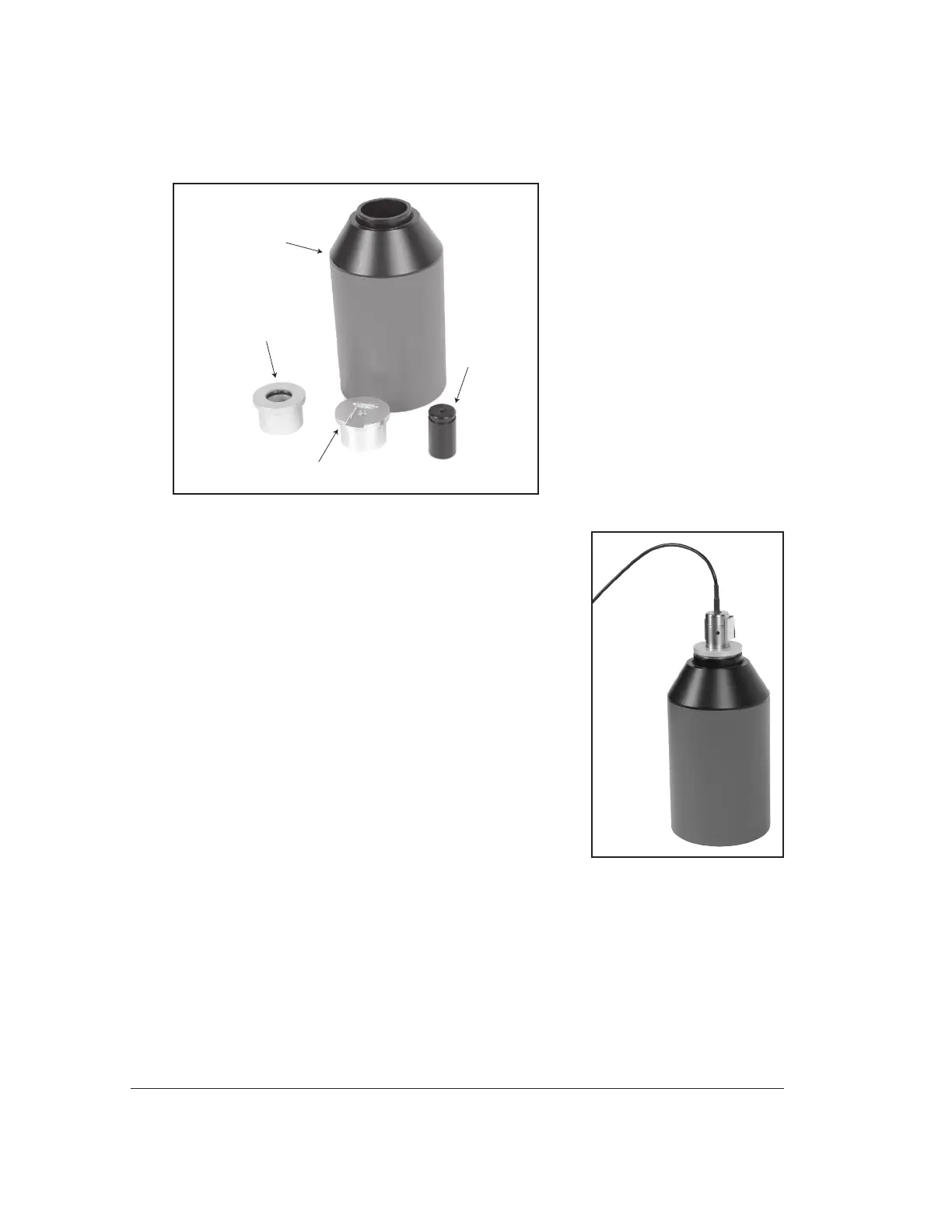
•Rectangularreferencemicrophoneadapter(rectangularreferencemicro-
phone on integrated probe microphone)
Sound calibrator(QC-10)
14 mm-to-1 inch
microphone adapter
Rectangular reference
microphone adapter
Probe microphone
adapter
5.1.1 Calibrating the Coupler Microphone
This procedure describes how to calibrate the coupler
microphone.
1. From the Opening Screen, press [MENU] to enter
the Setup Menu.
2. Press F6 to enter the Microphone Calibration
screen.
3. Put the 14-mm-to-1 inch microphone adapter into
the sound level calibrator.
4. Place the coupler microphone in the adapter.
5. Turn on the sound level calibrator.
6. Position the cursor with left/right keys till the
selected level matches the calibrator level. Press
the [START] key to make the calibration.
5.1.2 Calibrating the Probe Microphone
1. From the Opening Screen, press [MENU] to enter the Setup Menu.
2. Press F6 to enter the Microphone Calibration screen.
3. Use the down arrow key to select "Probe Left or Right", "Probe"
4. Put the 14-mm-to-1 inch microphone adapter into the sound level calibrator.
Figure 5.1: Calibration equipment
Figure 5.1.1: Coupler microphone
inserted into sound calibrator.



 To Next Page