4-8
4.7 Fryer (Service) Setup Programming
It is necessary upon initial power up or when changing out a controller to configure the parameters for the fryer.
The setup includes locale, energy type, vat type, fresh oil type, waste oil type and auto top off settings. These
settings should ONLY be changed by a technician.
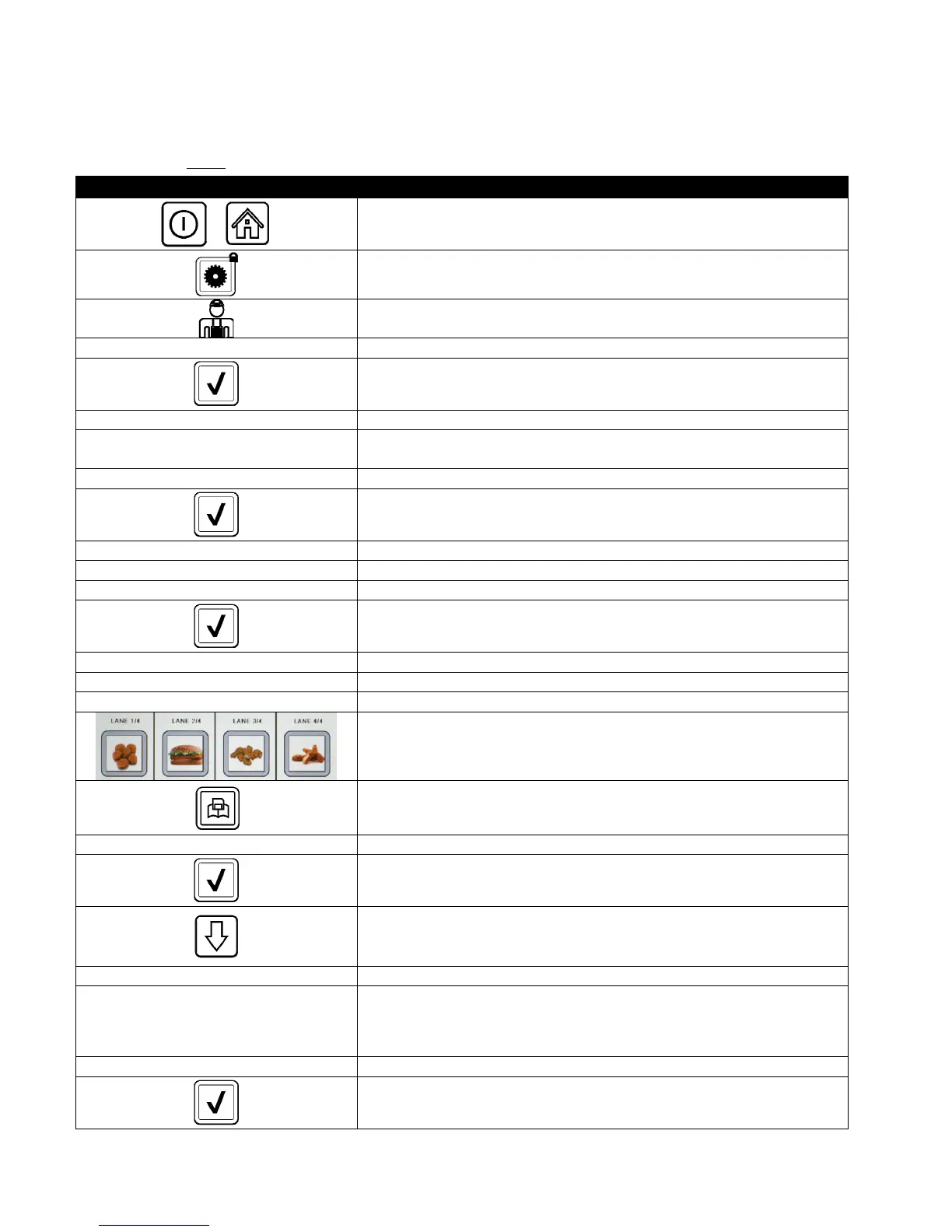
DISPLAY ACTION
1. With the controller at the off/standby position, press the Home
button.
2. Press the Settings button.
3. Press the Service button.
1 6 5 0 4. Enter 1650
5. Press the √ (check) button.
□ LOCALE 6. Press the Locale button.
CE NON-CE
7. Select CE or NON-CE. CE (European Conformity standards) or Non-
CE (non-European standards)
SETUP COMPLETE RESET THE SYSTEM 8. No action.
9. Press the √ (check) button.
□ ENERGY TYPE 10. Press the Energy Type button.
GAS ELECTRIC 11. Select GAS or ELECTRIC
SETUP COMPLETE RESET THE SYSTEM 12. No action.
13. Press the √ (check) button.
□ VAT TYPE 14. Press the Vat Type button.
FULL VAT SPLIT VAT 15. Select FULL VAT or SPLIT VAT.
4 16. Select Basket Configuration. Default is 4.
17. Press the Product icon and choose the desired product. Repeat for
other lanes.
18. Press the Save button when complete.
SETUP COMPLETE RESET THE SYSTEM 19. No action.
20. Press the √ (check) button.
21. Press the Down arrow button.
□ OIL SYSTEM TYPE 22. Press the Oil System Type button.
JIB BULK
23. Select JIB or BULK.
NOTE: A JIB (Jug in a Box) or BIB (Bag in a Box) is a disposable type oil
container. A bulk system has large storage oil tanks that are connected to
the fryer that fills an onboard reservoir.
SETUP COMPLETE RESET THE SYSTEM 24. No action.
25. Press the √ (check) button.













 To Next Page