4-15
DISPLAY ACTION
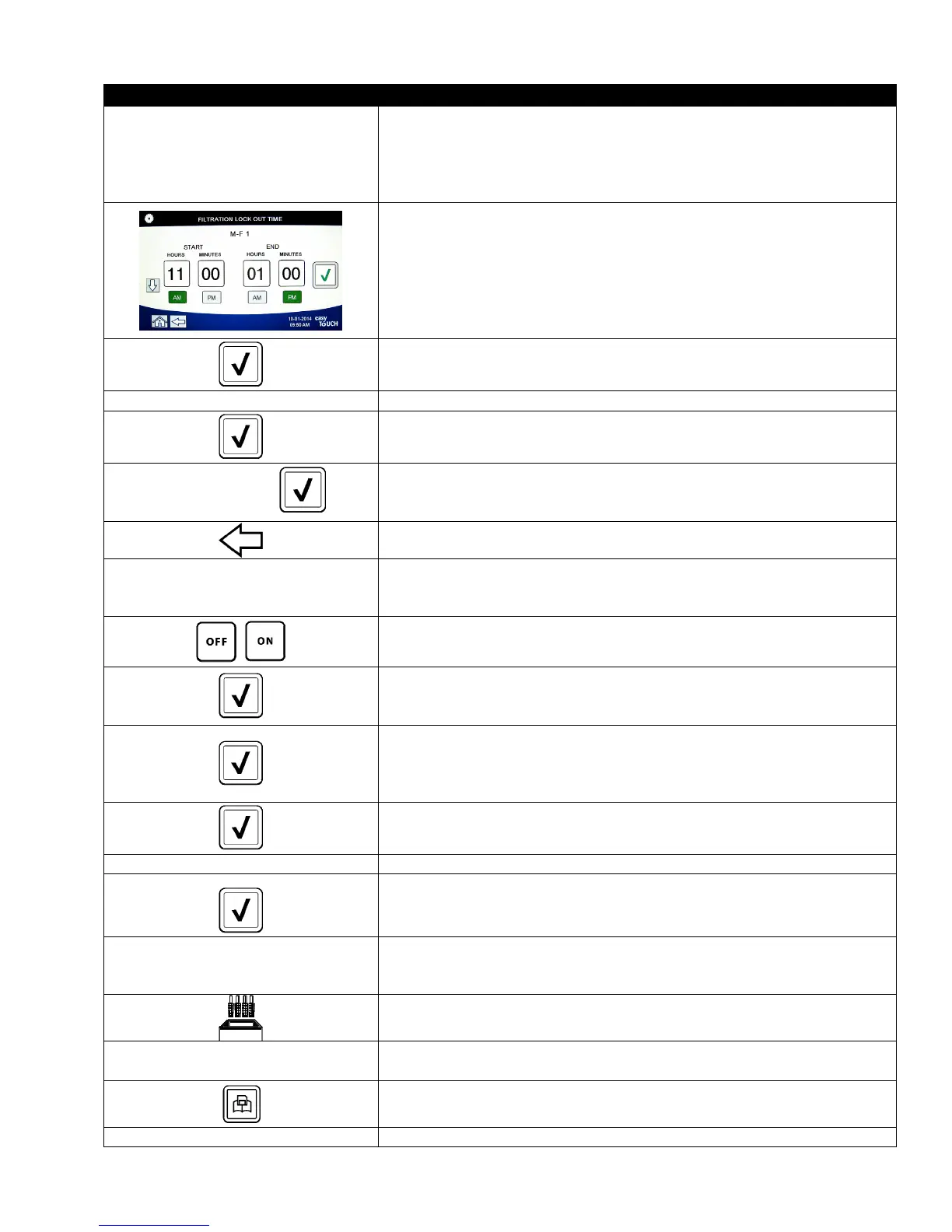
□ FILTRATION LOCKOUT TIME
62. Press the Filter Lockout Time button.
The Filtration Lockout Time option is used to set the times in which the
filter prompt is disabled (ex. noon rush).
NOTE: If FILTER LOCKOUT is disabled (OFF), this option is grayed
out and not available.
63. Use the up down arrows to scroll between M-F 1 thru SUN 4. There are
a total of 12 periods which can be programmed for filter prompt
lockout. Select the field to edit the start and stop times of when the
filter prompt should be suspended. Select AM/PM. Once the times are
selected press the check button to save the setting.
(The example at the
left shows on Monday – Friday no filtering is desired during a lunch
rush from 11:00 AM until 1:00 PM.
)
64. Once the times are selected press the √ (check) button.
SETUP COMPLETE 65. No action.
66. Press the smaller √ (check) button inside the SETUP COMPLETE box.
SETUP COMPLETE
67. Press the √ (check) button inside the SETUP COMPLETE box.
68. Press the Back button.
□ ENERGY SAVINGS
69. Press the Energy Savings button.
The Energy Savings option is used during idle periods to lower the
frypot temperature to save energy.
70. Press the Enable button to toggle the Energy Saving option on or off.
71. Press the Set Back Temp button to change the setpoint of the Energy
Saving option. Use the number pad to enter the Energy Saving setpoint
temperature and press the √ (check) button.
72. Press the Idle Time button to change the amount of time in minutes the
vat sits idle before automatically entering the Energy Saving mode. Use
the number pad to enter the Energy Saving setpoint temperature and
press the √ (check) button.
73. Press the √ (check) button.
SETUP COMPLETE 74. No action.
75. Press the smaller √ (check) button inside the SETUP COMPLETE box.
□ LANE ASSIGNMENTS
76. Press the Lane Assignments button.
This is used to set the number of lanes or baskets each vat will use.
(Default is 4.)
77. Press the number 4 button.
78. Press the icon below each lane and choose the associated product to
cook in that lane.
79. Press the save button.
SETUP COMPLETE RESET THE SYSTEM 80. No action.













 To Next Page