NANO PRO
11
6.5 O2 Sensor Installation
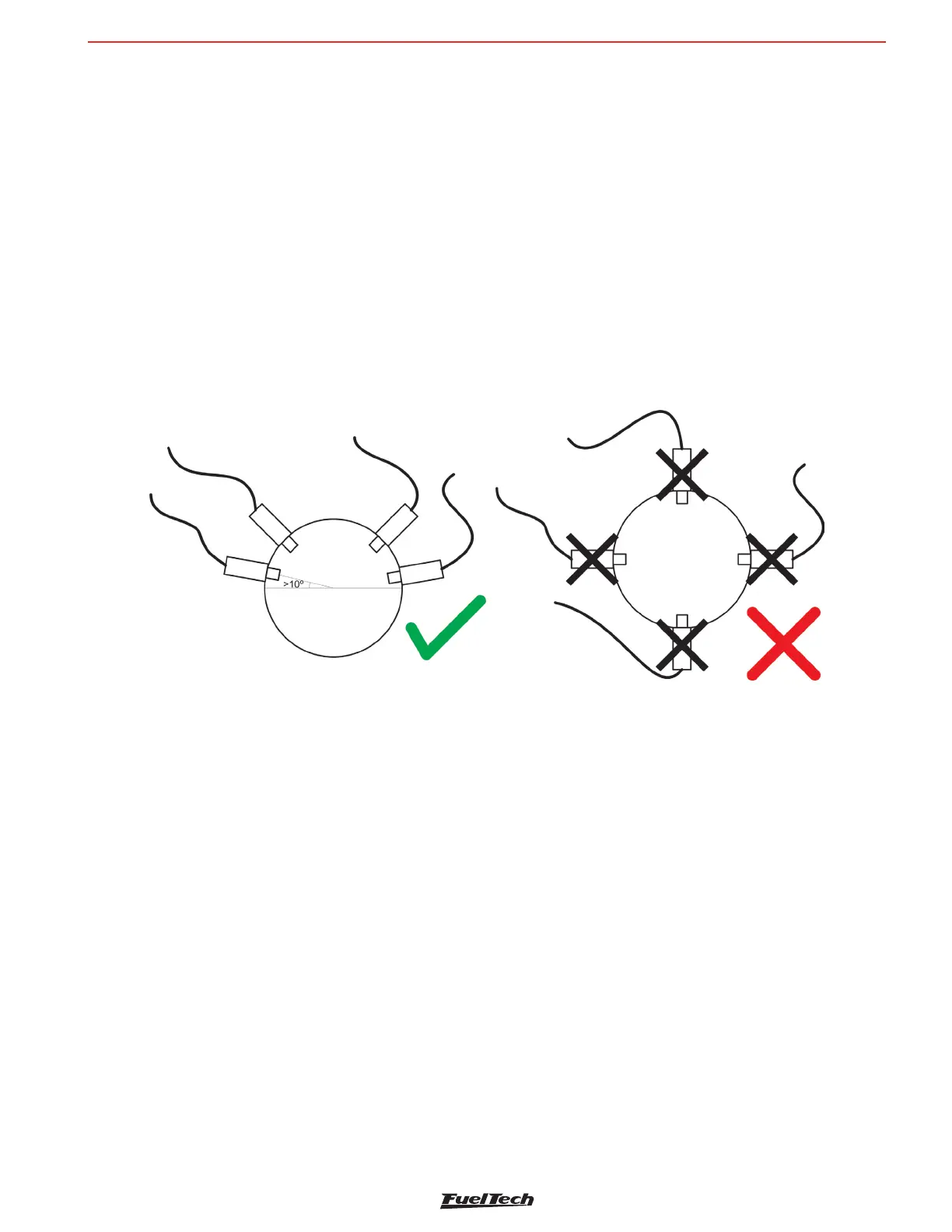
The sensor must be inserted in the exhaust system with its tip exposed to the exhaust gas ow. It must stay in an
angle between 10 to 80 degrees to horizontal position, that is, with its end downward, in such a way that steam
droplets cannot be accumulated between the body of the sensor and its ceramic part, which could cause damage
when the sensor is used. The sensor must not be placed vertically, as it becomes subject to excessive heat.
It is recommended that the sensor is installed at least one (1) meter away from the exhaust manifold to avoid
excessive heat, and at least one (1) meter away from the exhaust external output to avoid incorrect readings caused
by oxygen in the air outside the exhaust system.
Notice that such recommendations are not obligatory, as vehicles with a smaller exhaust system will need to have
the sensor placed closer to the engine.
The sensor must stay away from the cylinder head and from areas where one cylinder might affect the exhaust air
more than the others must. Avoid placing the sensor close to the exhaust manifold joints, as some allow the inow
of air, resulting in incorrect readings.
7. CAN Communication
The Nano PRO has CAN communication, which allows the module to send and read information from the Power FT
ECU’s that are also connected in the network. Included on the Nano harness are two 4-way CAN connectors that
plug and play with other Nano PRO units as well as the Power FT ECU’s.
When connected to the CAN port, the Nano PRO can read what the fuel and the measurement unit (lambda or AFR)
that the ECU is set, adjusting itself to these settings, disabling the analog output and sending the AFR value to ECU
in the range of 2.94 to 149.9 AFR Gas.
In the CAN network, during the O2 sensor heating period, the value displayed in the Power FT ECU’s will be equal
to 0 (zero) and the back of lambda gauge will turn yellow.
In case of any error during work, in addition to the warning on Nano PRO display, the error will be sent via CAN to
the Power FT ECU’s and recorded in “Status Events” log.
To connect the Nano PRO via CAN to Power FT ECU’s simply plug the 4-way cable to the ECU CAN port.



 To Next Page