33
WWW.FUHR.DE
multitronic
881/881GL/ServoAccess
4.2.8 INSTALLATION OF THE SWITCHING POWER SUPPLY UNIT (TRANSFORMER)
IN THE DOOR FRAME
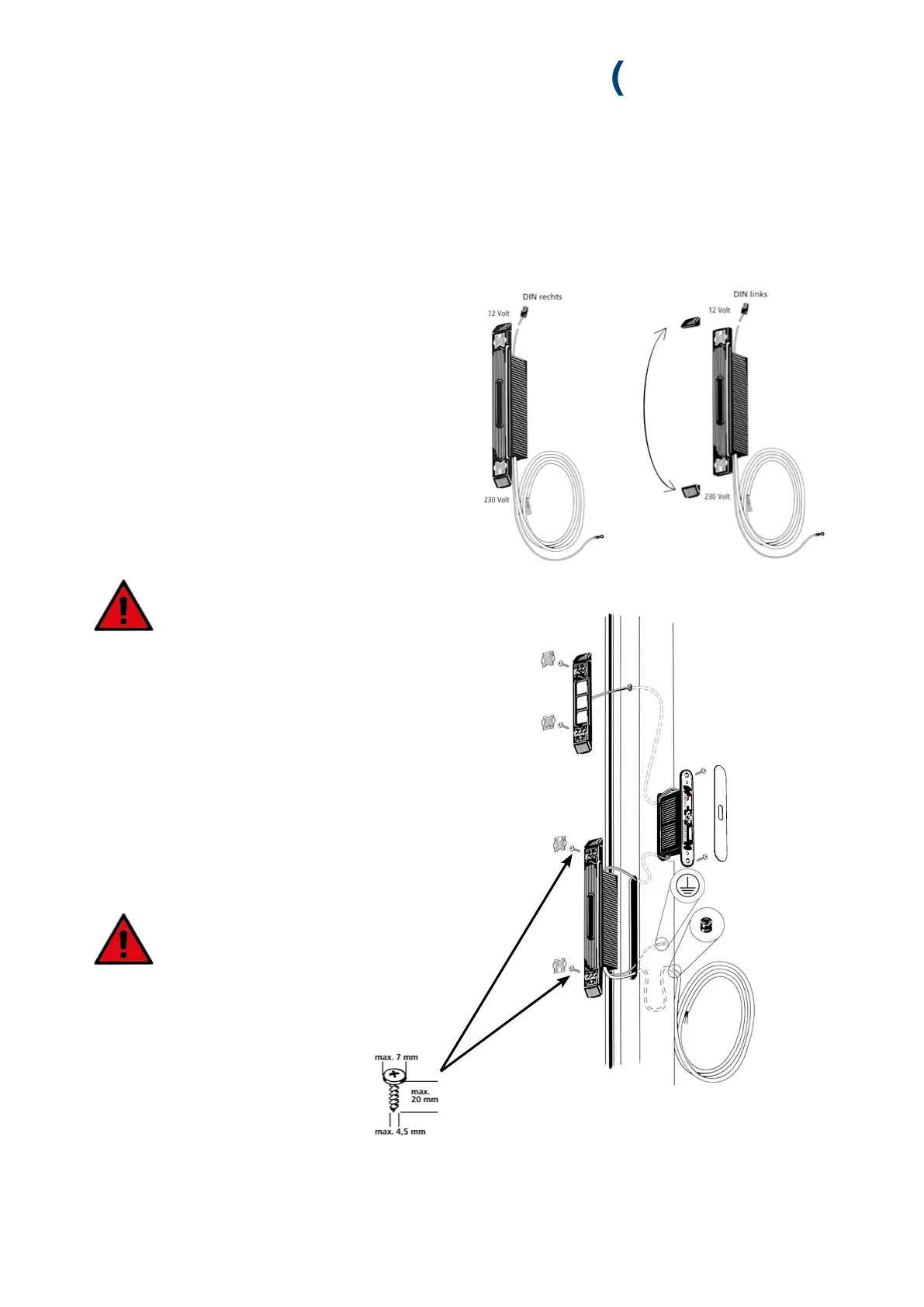
The FUHR multitronic’s switching power supply unit can
be used for left handed as well as right handed doors.
On right handed doors the switching power supply unit is
installed as supplied.
On left handed doors the top profile-related end cap is
swopped with the bottom one.
1. Remove the silver covers.
2. The green/yellow earth cable is to be electroconductively
connected with the door’s metal frame.
3. Connect up the control unit casing’s 2-core cable (red/
black) with the switching power supply unit’s cable coun-
terpart. The plug clicks in audibly.
4. Feed the cable carefully back into the frame profile,
ensuring that the switching power supply
unit fits comfortably into the routed recess.
Depending on the profile type, loop the cable at the
bottom of the profile.
5. Guide the 230 V cable out through the deburred drill hole
at the bottom of the profile (through the inserted cable
protection sleeve). Leave a spare cable loop in the profile
in order to be able to remove the switching power supply
unit at a later stage. Fix the rolled up cable to resist tractive
forces and fasten it to the outside of the door frame using
a cable tie.
6. Screw-fix the switching power supply unit to the frame
profile (maximum torque 1 Nm).
Ensure that the cables are not damaged
when screw-fixing. Earth the frame before
commissioning.
7. Replace the covers.


 To Next Page