45
WWW.FUHR.DE
multitronic
881/881GL/ServoAccess
8.2 TUNING IN AND DELETING USER RADIO KEYS
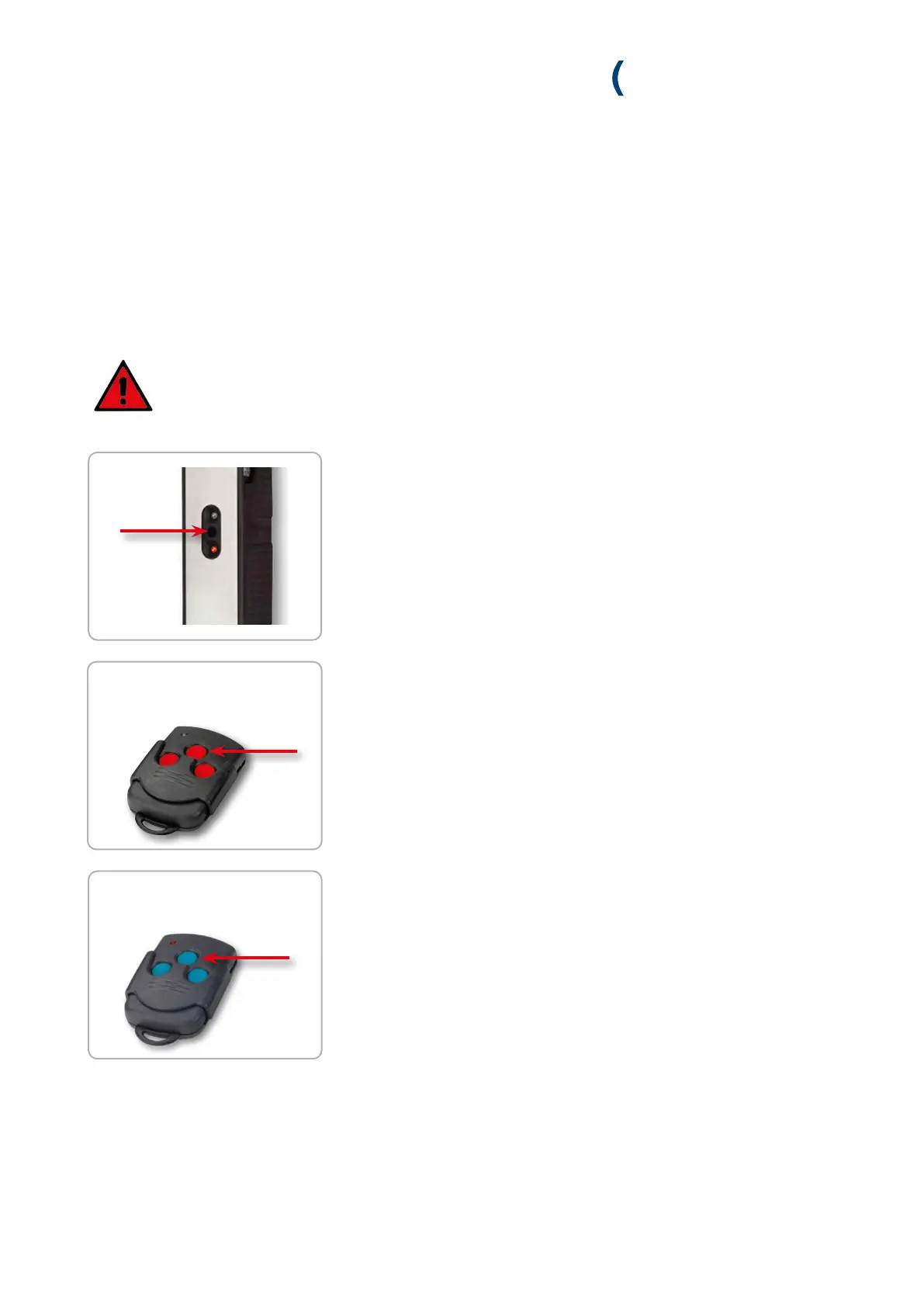
1. Briefly (max. 1 sec.) press the programming button on the control unit or ra-
dio receiver module with a thin object.
» The green LED (control) or the red LED (radio receiver module) flashes slowly.
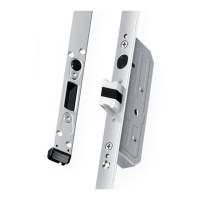
2. Now press the master key’s middle button within 20 sec.
» If the control unit or the radio receiver module accepts the master key, the
green LED lights up for 2 seconds and then continues to flash slowly.
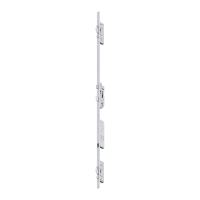
3. Within 20 seconds, press a key of the radio key to be paired twice in
succession. The tuning in procedure is aborted if the 20 second time limit is
exceeded.
» If the new radio key has been accepted by the control unit or the radio receiver
module, the green LED (controller) lights up for 1 second and the red LED
(radio receiver module) for 4 seconds.
For safety reasons, we recommend that you first delete all radio keys when starting up for the first
time (see chapter 8.2.3). Then proceed as follows:
within 20 sec.
within 20 sec.
2x
< 1 sec.
4. Repeat from step 1, should you wish to tune in another radio key.
8.2.1 TUNING IN INDIVIDUAL USER RADIO KEYS (MAX. 25)


 To Next Page