47
WWW.FUHR.DE
multitronic
881/881GL/ServoAccess
8.2.3 DELETING ALL USER RADIO KEYS
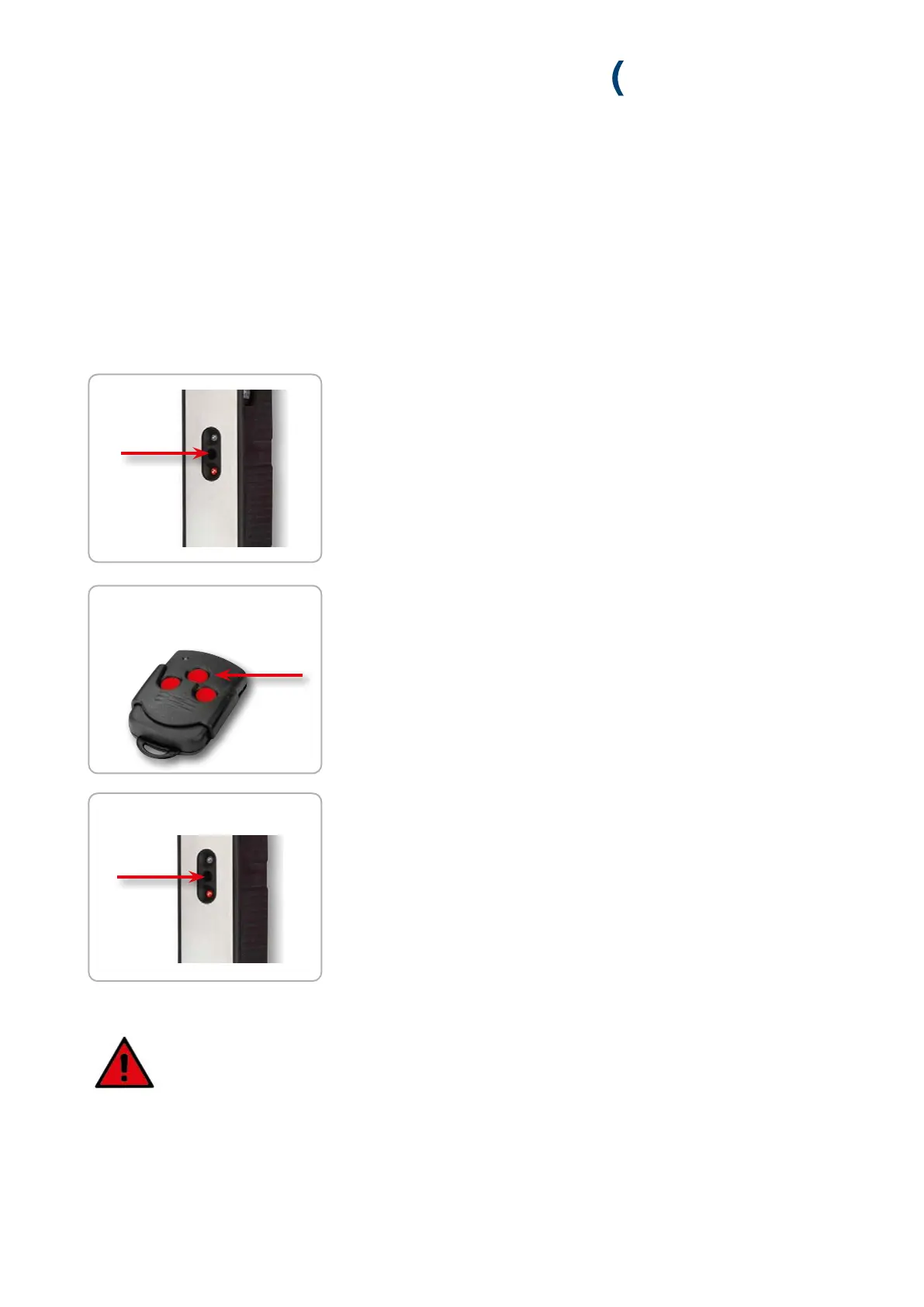
1. Press the programming button of the control unit or the radio receiver module
until (longer than 3 sec.) the green LED (control unit) or red LED (radio
receiver module) flashes quickly. Then release the button.
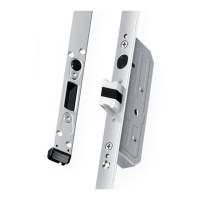
2. Now, press the middle button of the master key within 20 seconds.
» If the control unit or the radio receiver module accepts the master key, the
green LED initially lights up for 2 seconds and then continues to flash quickly.
3. Now press the programming button on the control unit again within
20 seconds for longer than 3 seconds. The delete process is aborted if the
20 second time limit is exceeded.
» If all transmitter codes (except the master transmitter code) have been
successful, the green LED (control unit) lights up for 1 s and the red LED
(radio receiver module) lights up for 4 seconds.
Note:
If the master key is not recognised during the tuning-in and delete processes, the respective function
is aborted.
within 20 sec.
> 3 sec.
> 3 sec.
within 20 sec.


 To Next Page