EasyManua.ls Logo

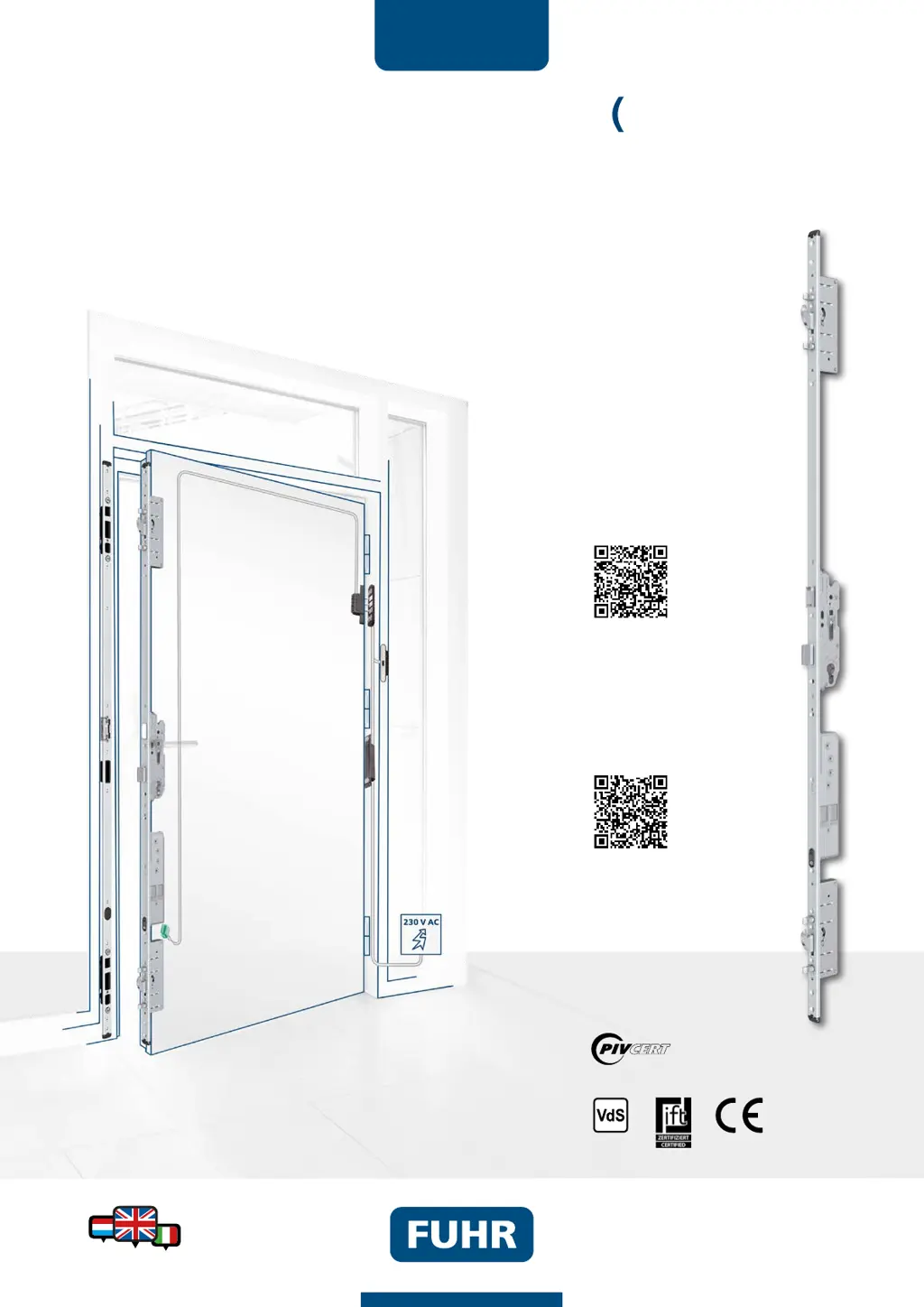
FUHR multitronic 881 - User Manual

FUHR multitronic 881
58 pages
Print Icon
To Next Page IconTo Next Page
Loading...
WWW.FUHR.DE
multitronic
881/881GL/ServoAccess
Installation, operation and maintenance instructions
7V08 / DIN 18251-3, Class 3
MBW20-EN/06.20-30
Declaration of
performance
881/881GL
Installation instructions for panic
and emergency exit door locks
MBW10.
Type 3+11
www.fuhr.de
www.f
u
hr.
de
Please note the additional
information:

Table of Contents

Other manuals for FUHR multitronic 881

Questions and Answers

Summary

Important Information and Safety Instructions

Product Safety and Maintenance

Emphasizes correct installation and maintenance for product safety and system reliability.

Suitability and Limitations

Details on suitability for specific door types and protection against humidity.

Installation and Operation Precautions

Warnings about handling components, avoiding lever operation during electrical cycles, and using provided parts.

Certifications and Labelling

Panic and Emergency Exit Locks

Details CE conformity for panic locks and emergency exit devices according to EN 1125 and EN 179 standards.

Installation Examples

Version 1 - Standard

Details installation example Version 1, featuring a cable junction without a control unit.

Version 2 - Standard

Details installation example Version 2, with tappet contact and without control unit.

Version 3 - Standard

Details installation example Version 3, with tappet contact and switching power supply on frame.

Version 4 - Standard

Details installation example Version 4, all-inclusive for installation in the door.

Version 5 - Project

Details installation example Version 5, all-inclusive with DIN rail components.

Version 6 - Project

Details installation example Version 6, all-inclusive with control box.

Installation Instructions

Routing and Drilling Operations

General guidance on routing and drilling operations for the multitronic locking system installation.

Cable Laying Methods

Describes cable laying depending on door design (PVC vs. aluminium) and installation versions.

Routing for Tappet Contacts

Instructions for routing tappet contacts in the door leaf for installation versions 2-6.

Drill Hole for Surface-Contact Cable

Details the drill hole requirements in the frame profile for surface-contact cables.

Routing for Control Unit Casing

Guides on routing the control unit casing in the door frame for installation version 4.

Routing for Switching Power Supply Unit

Details routing for the switching power supply unit in the door frame for versions 3 and 4.

Drill Hole for 230 V Cable

Instructions for drilling the hole for the 230V cable in the door frame for versions 3 and 4.

Safety Instructions for Work

General safety advice for routing, drilling, and fixing components to prevent damage and ensure safety.

Commissioning

Operation Verification Check

Procedures for checking door alignment, profile cylinder, and basic lock functions at the fabricator's premises.

Commissioning on Site

Steps for installing the door in the wall and connecting electrical power supply by an electrician.

External Connection Options

The Control Unit

Terminal Assignments

Wireless Control of Functions

Application Examples for Circuit Board Assignment

The Radio Receiver

Drive Unit Multi-functional Jack

Wiring Diagram

Power Supply and Control Unit Wiring

Illustrates the wiring for the power supply, main control unit, and drive unit.

Terminal Functions and Connections

Details the functions of specific terminals and their connections for various inputs and outputs.

Control via Radio Access Control Systems

Tuning In User Radio Keys

Step-by-step guide for tuning in individual user radio keys (max. 25).

Deleting Individual User Radio Keys

Step-by-step guide for deleting individual user radio keys.

Deleting All User Radio Keys

Step-by-step guide for deleting all user radio keys, except the master key.

Maintenance and Care

Technical Data

Troubleshooting

Lock Not Locking Completely

Identifies causes like sticky mechanisms or tight keeps and provides repair steps.

Lock Not Locking or Unlocking

Addresses issues like interrupted data connections or damaged cables, with relevant checks.

Lock Not Locking

Covers faults related to tappet contacts, reed switch, magnet range, or activated functions.

Door Cannot Be Opened

Troubleshoots issues with radio key tuning, distance, battery, or external opening impulse connections.

FUHR multitronic 881 Specifications

General IconGeneral
Operating Temperature-20°C to +60°C
InstallationProfessional installation recommended
TypeElectronic door lock
OperationMotorized
Power supplyBattery-powered
Locking pointsMultiple locking points
MaterialSteel
Locking MechanismMotorized bolt
Unlocking Methodsremote control
WeightVaries depending on the model. Refer to specific product specifications.